
Samsung launches a new microSD Express card lineup, P9 Express, to power up your gaming. This post introduces its features and lists its specifications. Besides, you can use MiniTool Partition Wizard to format your Samsung microSD Express Card P9 Express to solve the issue of the Nintendo Switch 2 not being able to read the card.
In the era of 4K gaming and high-resolution video production, the demands on memory cards’ performance are increasing.
Recently, Samsung, a pioneer in storage technology, has released a new memory card – Samsung microSD Card Express P9 Express. This article will briefly introduce relevant information about this memory card.
Introduction to Samsung microSD Express Card P9 Express
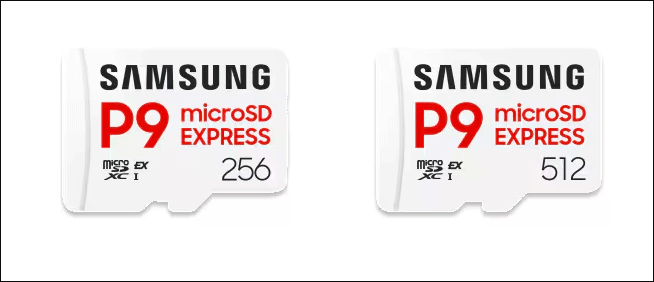
The Samsung P9 Express, recently announced by Samsung Electronics, is ushering in a new era of microSD performance with its high speed and enhanced reliability.
At its core lies the use of a PCIe interface and NVMe protocol, enhancing data transfer performance and making it ideal for applications demanding high-speed data transfer.
The P9 microSD Express card is designed to deliver a next-generation gaming experience and is optimized for Nintendo Switch 2. It aims to address a long-standing problem for gamers: insufficient internal storage.
The P9 Express is available in 256GB and 512GB capacities, providing ample storage for multiple game installations.
Nowadays, modern games typically exceed 50GB in size, and with downloadable content (DLC) and save files, the console storage quickly fills up. The P9 Express offers 256GB and 512GB options, enough to hold multiple AAA games or be shared among family members.
Meanwhile, for content creators, it serves as a high-speed bridge connecting shooting equipment (such as cameras and drones) to editing workstations, eliminating frustrating wait times when transferring large media files.
Currently, on Samsung’s official website, the retail price for the 256GB version of the Samsung P9 Express card is $54.99, and the retail price for the 512GB version is $99.99.
Features of Samsung microSD Express Card P9 Express
The P9 Express combines ultra-fast transfer speeds, Host Memory Buffer (HMB) support, and Advanced Dynamic Thermal Protection (DTG) technology originally developed for solid-state drives (SSDs).
#1. High Speed
Based on the latest PCIe interface and NVMe protocol, the P9 Express boasts maximum sequential read speeds of up to 800MB/s. This is four times faster than traditional UHS-I cards, helping you accelerate download speeds and easily get past loading screens.
For gamers, this means significantly reduced game installation times and near-instant scene loading. For content creators, transferring a 40GB 4K video file takes less than a minute.
#2. Performance Improvement
Samsung not only applies PCIe and NVMe technologies to microSD Express but also integrates two key SSD technologies to optimize performance:
- Host Memory Buffer (HMB): This technology utilizes the host device’s system memory to create a high-speed data access buffer, reducing latency. In practice, this translates to faster game response times.
- Dynamic Thermal Protection (DTG): This technology intelligently monitors and regulates GPU temperature to prevent overheating and maintain stable performance, even during extended gaming sessions.
#3. Six-Layer Data Protection
For both gamers and creators, data loss (game progress or footage from a shoot) is catastrophic. The P9 Express addresses this with a robust six-fold protection system:
- Waterproof: Up to 1 meter depth of 3% NaCl salt water, 2525℃, 72 hours.
- Temperature proof: Operating temperatures of 0℃ to 45 ℃; non-operating temperatures of -40℃ to 85℃. It is suitable for outdoor shoots in extreme climates.
- X-Ray proof: Up to 100mGy, equal to airport X-ray machines.
- Magnetic proof: Withstands magnetic fields up to 15,000 gauss, protecting against everyday electromagnetic interference.
- Drop proof: Meets military-grade standards for 1-meter drops onto hard surfaces.
- Wearout proof: Up to 10,000 swipes.
#4. Extensive Compatibility
The P9 Express is compatible with the Nintendo Switch 2 and backward compatible with devices equipped with a UHS-I slot. You can easily and seamlessly transfer photos and 4K video to workstations and laptops, with speed entirely under your control.
It is compatible with devices featuring microSDXC card slots and microSD Express host devices. Transfer speeds may be limited by UHS-I speeds, depending on host device compatibility.
Specifications of Samsung microSD Express Card P9 Express
The specifications of the Samsung microSD Express Card P9 Express are listed in the following details:
| Interface | PCIe Gen 3.0 x1, NVMe 1.3, SD 7.1 SDR 104 |
| Form Factor | microSDXC™ |
| Capacity | 256GB, 512GB |
| Dimensions | 15 x 11 x 1 (mm) (L x W x T) |
| Weight | Approx. 0.25g (Card only) |
| Sequential Read Speed | (SD Express) 800 MB/s; (UHS-I) 90 MB/s |
| Speed Class | Class 10, V30, U3 |
| Warranty | Limited 3-year |
Bonus Tip: What to Do If Nintendo Switch Cannot Read P9 Express?
Recently, some players reported that their Nintendo Switch 2 cannot read the microSD Express card after updating the console to the latest version.
When encountering this problem, you can turn off the console and remove the microSD Express card from it. Then check the card slot or microSD Express card connector for dust or debris.
Next, connect it to a Windows computer via an adapter and reformat the card.
How to format the card on your computer? You can try MiniTool Partition Wizard. It is a free partition manager that can help you format different storage devices like internal/external HDDs, SSDs, SD cards, and USB flash drives.
MiniTool Partition Wizard FreeClick to Download100%Clean & Safe
- Download and install this software on your computer.
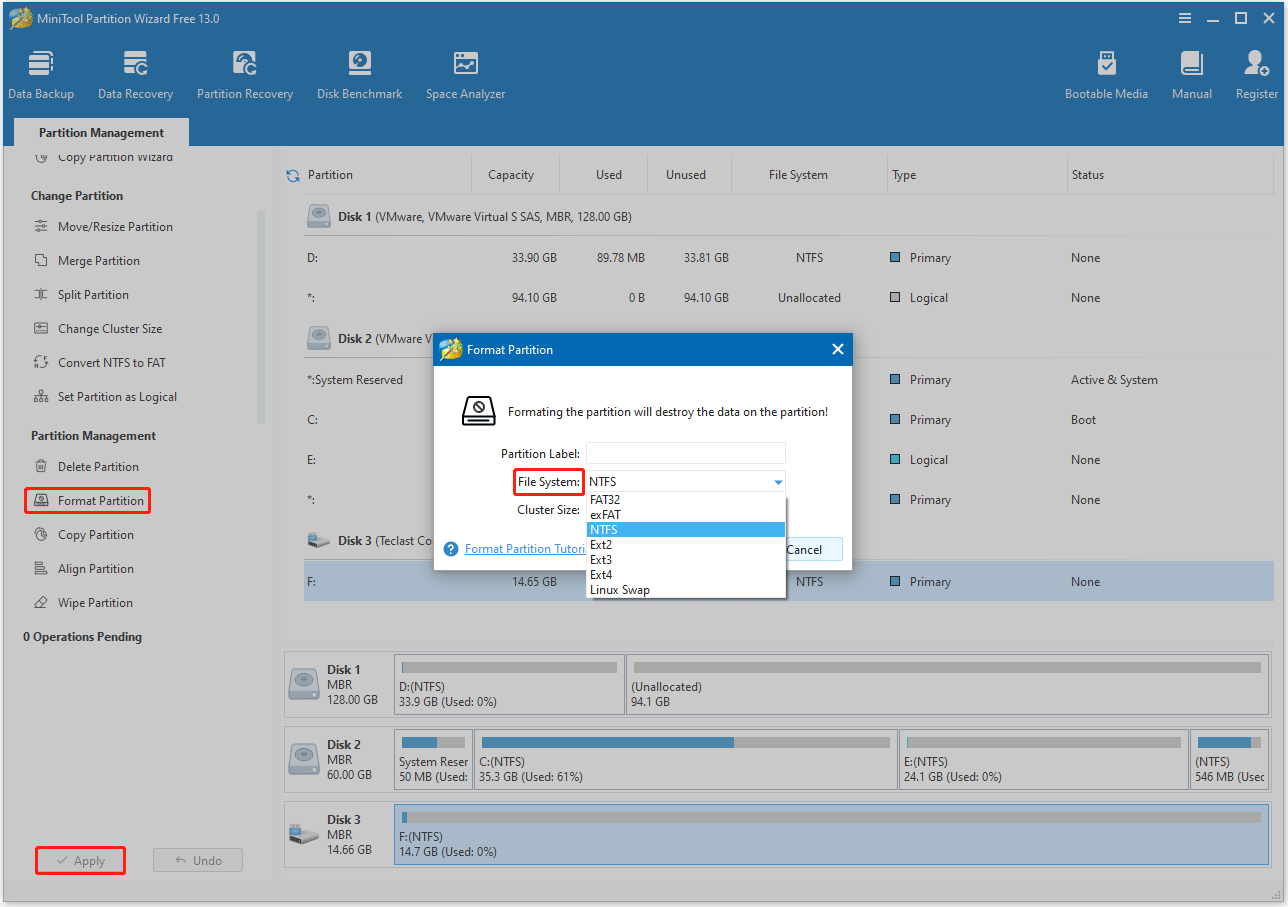
- In its main interface, highlight the partition on the card and select Format Partition from the left action panel.
- In the Format Partition window, choose a File System and click OK.
- Click Apply to execute the formatting operation.
After that, insert it back into the console to see if it can be read.
Bottom Line
After reading this article, you will learn about the Samsung microSD Express Card P9 Express. This memory card offers fast speed and large capacity. Whether it’s game saves for gamers or large media files for creators and professionals, the P9 Express is a worthwhile choice.
User Comments :