
What Exactly Is MiniTool Partition Wizard?

All-in-one Disk Partition Manager
As best partition manager for Windows, MiniTool Partition Wizard aims to maximize disk performance. It helps create/resize/format partition flexibly, convert disk between MBR and GPT disks, convert partition between NTFS and FAT32, and convert dynamic disk to basic without data loss in a few clicks.
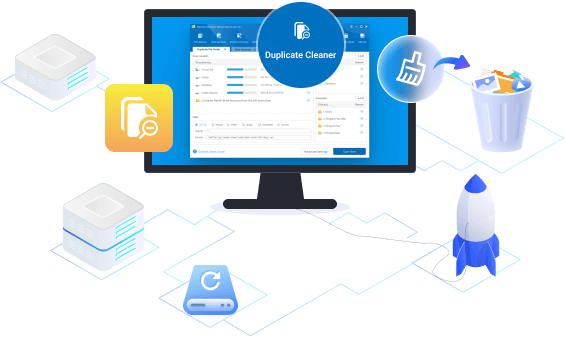
Smart Duplicate Files Cleaner New Feature
Duplicate Cleaner can quickly locate and remove duplicate files on your PC and external drives, instantly freeing up storage space. It helps you effortlessly identify unnecessary copies hiding in every folder, clean up clutter, and make room for new data.
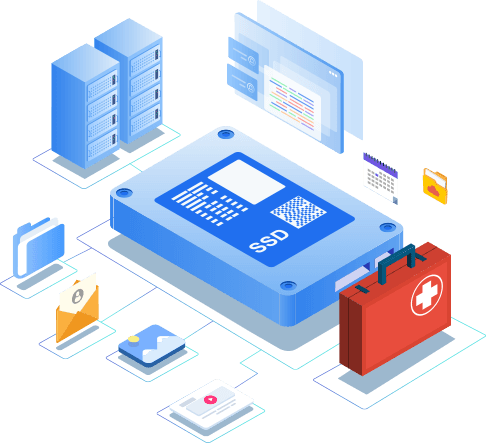
Effective Data Recovery Program
MiniTool partition manager software offers two perfect solutions for data recovery. Partition Recovery Wizard can find and recover the lost partitions while Data Recovery feature can recognize and recover lost/deleted files from damaged, formatted, inaccessible FAT/NTFS/exFAT drives and Desktop/Recycle Bin/specified folders.

Powerful Disk Clone Tool
Disk clone or system migration is most frequently used to back up and upgrade hard drive. Disk cloning works perfectly when you are forced to make an instant backup. System migration returns you to act on the new disk in a while. No need to spend hours reinstalling operating system and applications.

Striking Disk Diagnostic Master
As comprehensive disk check master, MiniTool Partition Wizard can measure disk read/write speed, analyze disk usage on computer, verify the file system integrity of a volume and fix logical file system errors, and quickly detect if there are bad sectors on the drive.
Who Is Using MiniTool Partition Wizard?
Home and Home Office
Today most home and home office users choose MiniTool Partition Wizard to redistribute hard drives and convert disk partition within simple steps.
Server Users
Server users always rate MiniTool Partition Wizard as their first choice for it bolsters data security protection and boosts server performance.
Enterprise Users
For enterprises and technicians, more editions are provided so that they are able to deploy MiniTool Partition Wizard on multiple computers.
Why MiniTool Partition Wizard?
Trusted by Millions of Editors and Clients
Windows's built-in disk management utility does an adequate job of letting you manage your PC's partitions, but if you want to perform a deeper dive into your PC's hard drive (or drives!), check out MiniTool Partition Wizard...
BY JEFFREY L. WILSON
MiniTool’s Partition Wizard is an ideal tool that’ll help you manage the files on your PC more resourcefully, and is suitable for both individual and enterprise use.

BY STEFAN IONESCU
Global MiniTool Partition Wizard Installations 100+ Million
Guides & Tips
-
[Fixed] Delete Key Not Working in Windows 10
Lots of people complain that the Delete key refuses to work in Windows 10. How to fix the issue? This post lists some solutions to the issue.
-
Fix: The Device Has Either Stopped Responding or Is Disconnected
Have you come across the device has either stopped responding or is disconnected error? This post summarizes several effective troubleshooting methods for you.
-
How to Hide and Unhide a Song on Spotify?
How to unhide a song on Spotify? If you can’t find a song in your playlist, you might need this guide that introduces solutions for Android, iOS, and PC users.
-
Windows 10 Snipping Tool Not Working: How to Fix?
Some users report that the Snipping Tool doesn’t work. Why does the issue happen? How to get rid of the issue? These questions are discussed in this post.
-
Btrfs vs Ext4: Which One Should I Use?
This post explains Btrfs vs Ext4 to you, telling you their advantages. Then, you can know which file system is suitable for you.
-
The Step-by-Step Guide on How to Reset Windows Store
With Windows Store, you can download various apps. However, Windows Store may get stuck while downloading or updating apps. Then you should reset Windows Store.