
If you want to resize dynamic disk to make good use of its space, a perfect dynamic disk manager can meet your needs. In this article, we will show you how to use MiniTool Partition Wizard to shrink and extend dynamic disk volume Windows in detail.
Dynamic disks are not as popular as basic disks. In general, most common users are using basic disks since it is easy to manage. However, there are users who are using dynamic disks. For them, it is necessary to master how to manage a dynamic disk like how to resize dynamic disk.
Why Do You Need to Resize Dynamic Disk?
Do you know why sometimes you have to resize dynamic disk?
Resizing dynamic disk volumes helps you to make good use of disk space to maximize computer performance. For example: you notice that a volume is running low disk space, you want to add more free space to it.
Or when the system volume is running out of space on a dynamic disk, you need to add some free space for system volume to make your computer work well. So, you need to reduce the bigger or unused volumes to free up some unallocated space and then extend system volume.
Before this article, you may think resizing dynamic disk is difficult. But after reading this post, you will find, all you need is just a dynamic disk partition manager.
MiniTool Partition Wizard is such a program. With it, Windows dynamic disk resizing issue can be solved easily. Now we are going to show you how to resize dynamic disk with it.
How to Resize Dynamic Disk with MiniTool Partition Wizard
MiniTool Partition Wizard is a powerful partition management software which supports both basic disk and dynamic disk management. By using it, you can resize volume, format volume, migrate OS to SSD/HD, and more.
Move/Resize Volume feature can help you to resize dynamic disk volumes. To manage your dynamic disk, an advanced edition of this software is required. If you are a home user, the Pro Edition of this software is enough to meet your needs. Click the button below to get one.
In fact, Move/Resize Volume is consisting of three functions: extend a volume, shrink a volume, and move a volume. There will be a brief introduction below.
Shrink dynamic volumes including simple volume, mirrored volume, striped volume, spanned volume and RAID 5 volume to release unallocated space which can be used to create new volumes or occupied by other volumes to make themselves expanded.
Extend dynamic volumes including simple volume, mirrored volume, spanned volume, striped volume, or RAID 5 volume to unallocated space to make the volume bigger.
Move a volume to adjust its position to meet your actual needs. (this operation also asks for unallocated space)
Now we will show you how to use this feature to shrink dynamic volume and extend dynamic volume respectively in details.
At first you need to install this software on your PC and launch it to its main interface: double-click on its icon and choose Launch Application from the pop-up window.
Shrink a dynamic volume (taking simple volume as example)
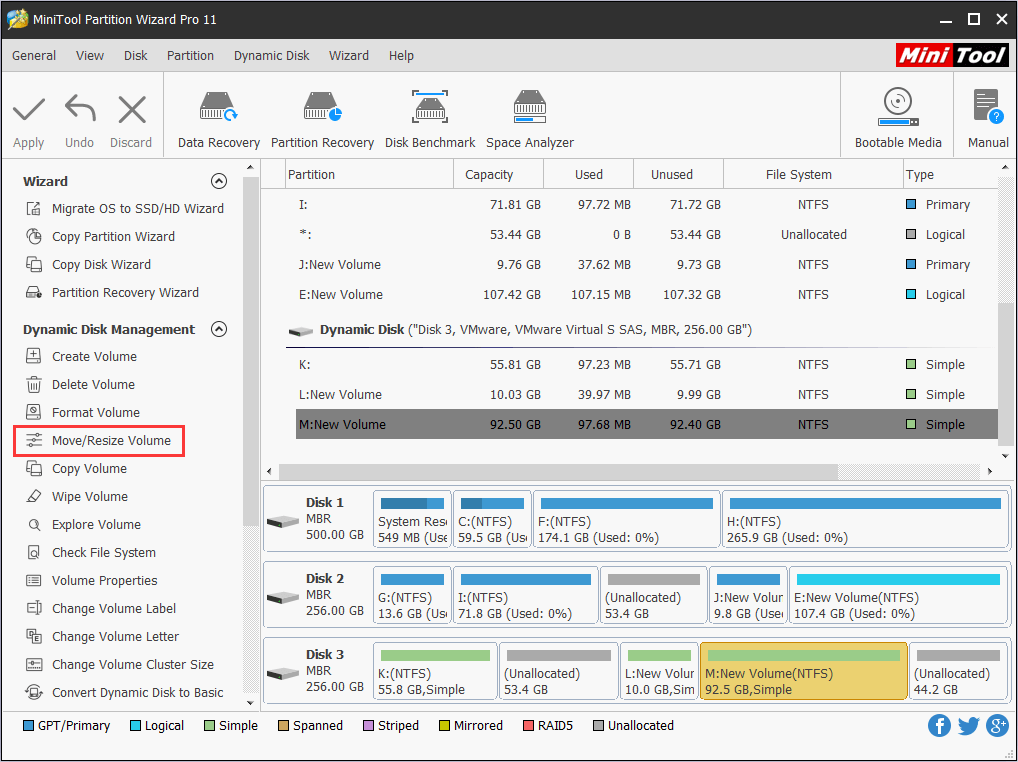
Step1: select the volume you want to shrink and choose Move/Resize Volume from the left action panel under Dynamic Disk Management.
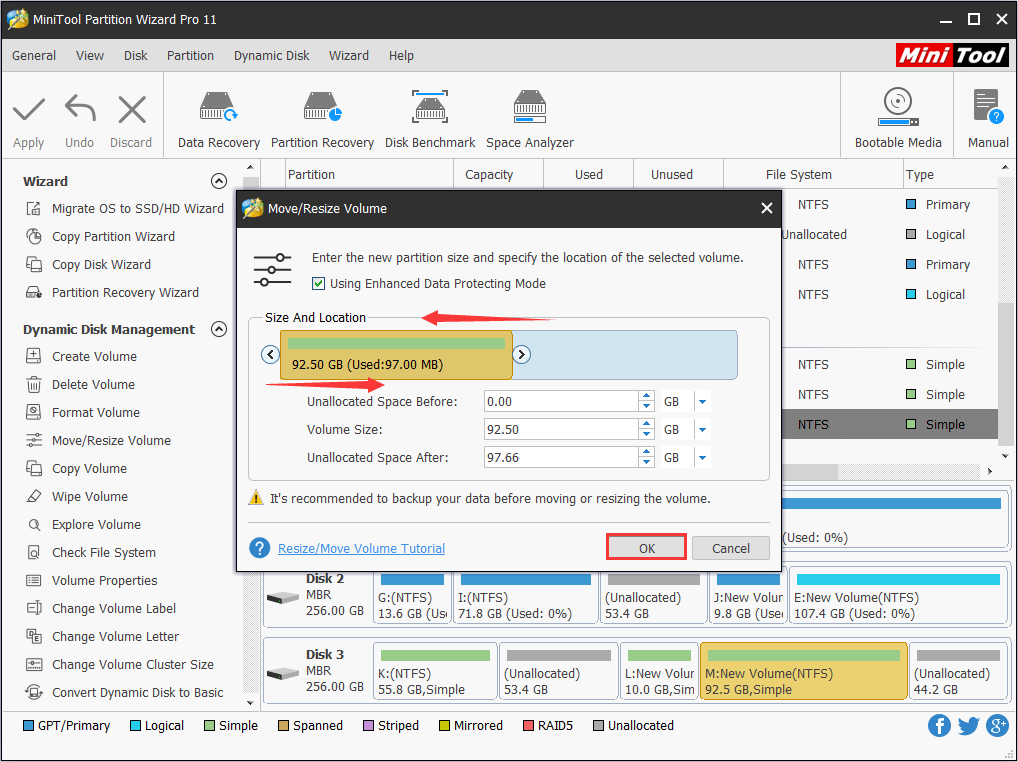
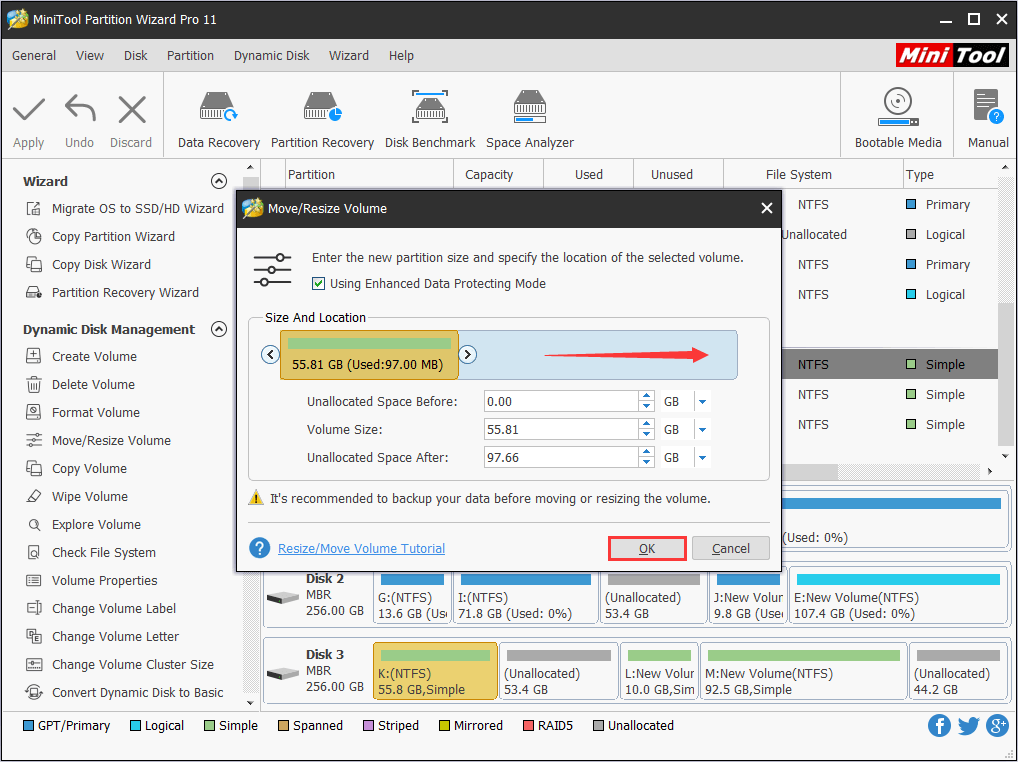
Step 2: then it will jump up a window. If you want to shrink dynamic volume to free up unallocated space, shorten the handle leftwards or rightwards. Or you can set the shrunk size manually.
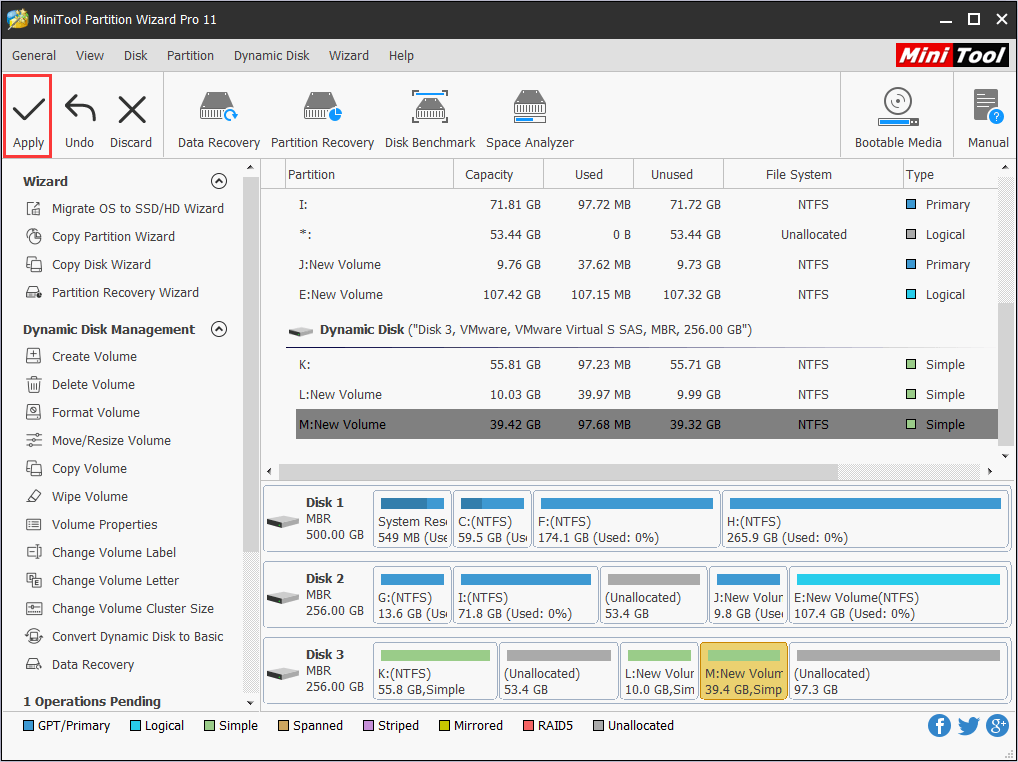
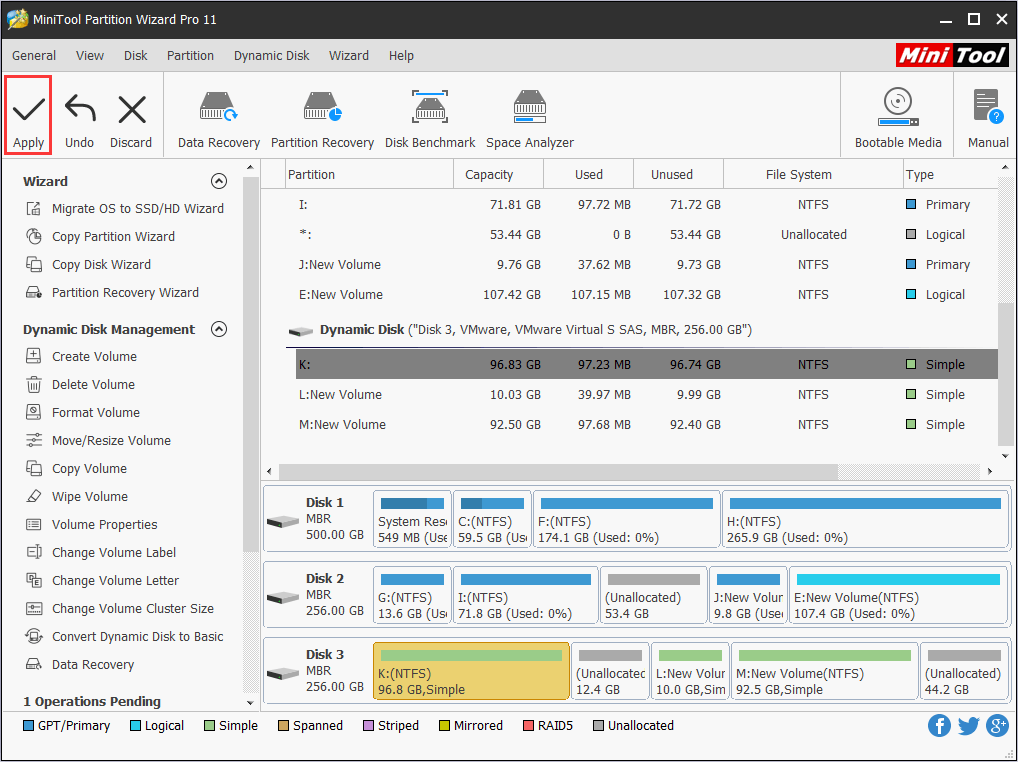
Step 3: now you are on the main interface, you can preview the changed result. If it is satisfying, just click Apply in the upper left corner to perform the operation.
Extend a dynamic volume (taking simple volume as example)
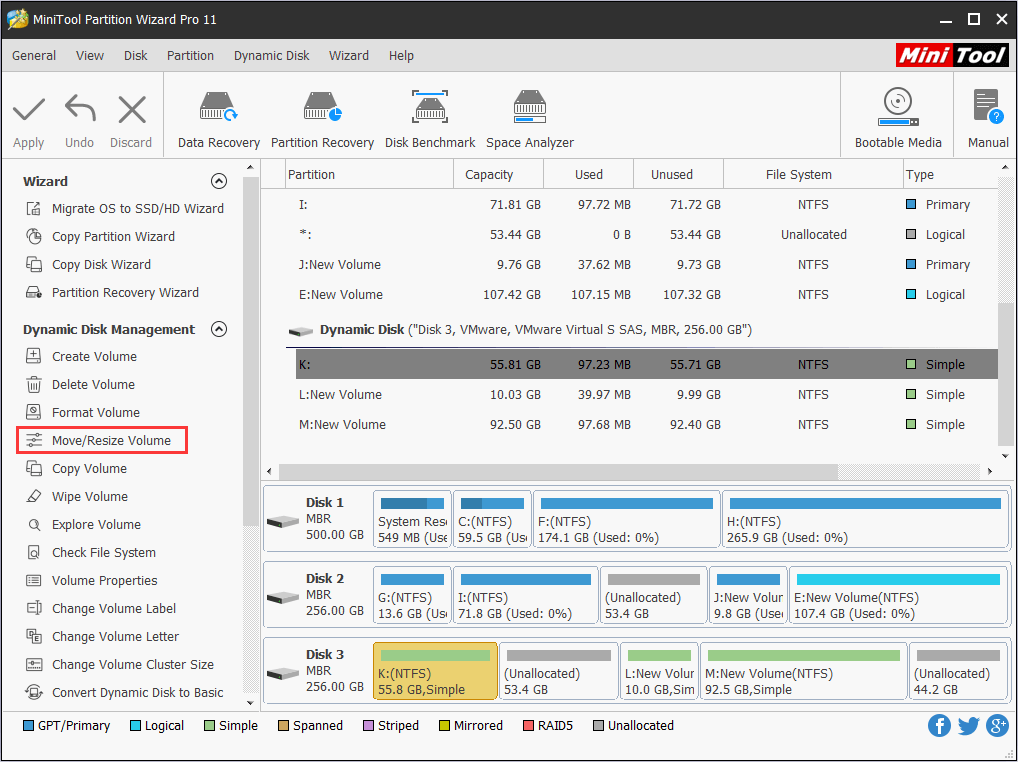
Step 1: select the volume you want to shrink and choose Move/Resize Volume from the left action panel under Dynamic Disk Management.
Step 2: in this interface, elongate the handle by dragging the triangle to take up more unallocated space. Alternative, you can also manually enter the specified volume size (MB, GB or TB) to change the size of it. After that, click OK to continue.
Attention:
- On dynamic disk, you can extend a volume by taking up unallocated space in another dynamic disk, and this volume will automatically convert to a spanned volume. But volume C is an exception. Windows doesn’t allow it to take space from other dynamic disks. While if there is enough unallocated space on the same disk to expand the target volume, it is still a simple volume after expansion.
- What about extending a striped or mirrored volume? Firstly, there should have unallocated space on both dynamic disks, then, you can only use the same space on both disks to extend the volume. (The extended space cannot exceed of the smaller unallocated space)
Step 3: Click Apply from the left upper corner to save the change. Otherwise, the operation will not be performed.
Conclusion
Dynamic disk management is not easy. But with MiniTool Partition Wizard, shrinking dynamic disk volume and extending dynamic disk volume become easy to operate. What’s more? It causes no data losing during the resizing process, which is safe as well as powerful.
If you have any suggestions about how to resize dynamic disk, welcome to share them with us in the comment zone. At the same time, if you have any problems about MiniTool Partition Wizard, you are welcomed to send an email to [email protected].
User Comments :