
Free Edition
- Manage basic disks, data clone, hard drive repartition and file system conversion.
- Support Windows 7, Windows 8/8.1, Windows 10, Windows 11 (all editions, 32/64 bit).

Trusted by Users Worldwide Over 40 million

Top-Rated on Trustpilot 4.7 stars

Virus-Free Guarantee Safe & clean

Fast Download Just 1 click
Could you please send your order ID or registered email address and problem details to [email protected], and then we will send you new download link. If you need new download link urgently, you can go to the upgrade page of the program, and then use the order ID or registered email address to get one.
Upgrade page for MiniTool Partition Wizard:
https://www.partitionwizard.com/upgrade-service/upgrade-now.php
Upgrade page for MiniTool Power Data Recovery:
https://www.powerdatarecovery.com/upgrade-service/upgrade-now.php
You can download MiniTool Partition Wizard Free version from https://www.minitool.com/partition-manager/partition-wizard-home.html
Kindly reminder: if you are using Windows Edge, after hitting the download button, please check the download task list. The download will be pending until you select Run, Save or Save To.
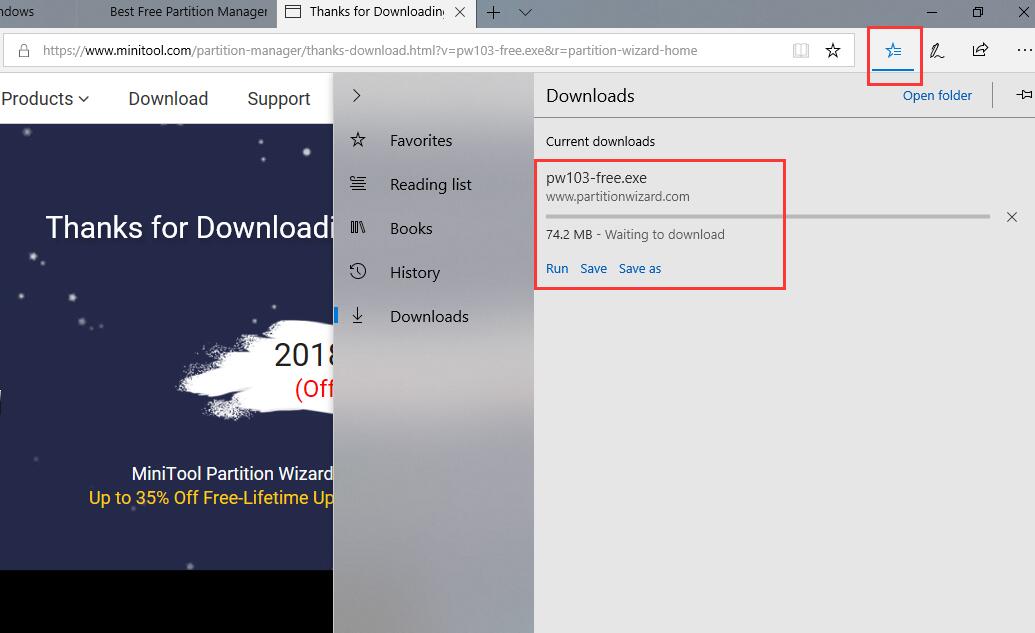
Or, please go back to the previous page, you may be asked to Save, Run or Cancel the download.
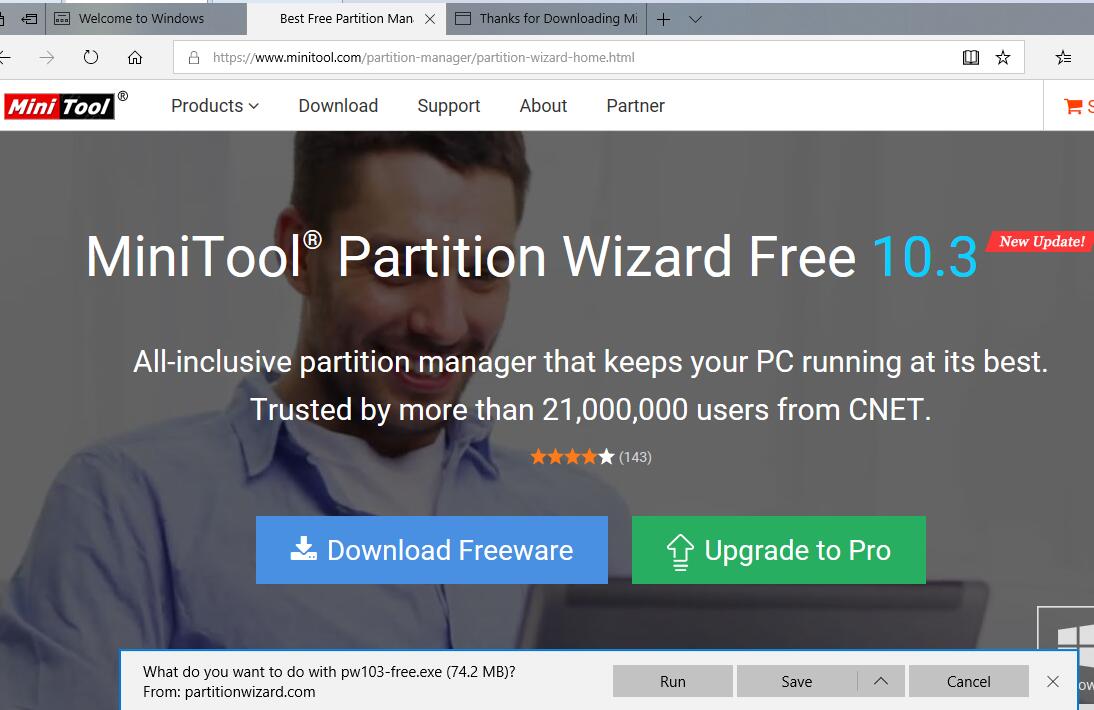
However, if your system is running another browser, please check if there is a download task which is located at the bottom of the browser page.
Please try the following methods:
Could you please try the following methods:
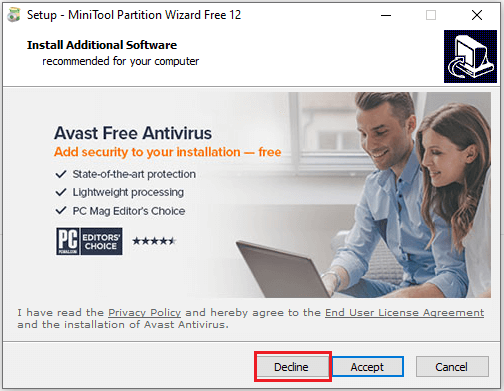
It reports additional software will be installed. Is it safe? Can I remove it?
30 Days
Money Back
100%
Transactions Protected
100 +
Trusted by Millions
7x24 hour
Technical Support