
About Rebuild MBR
MBR (Master Boot Record) is a special type of loader code at the very beginning of computers’ hard disk. It contains an operating system bootloader and the storage device’s partition table. When DOS reads hard disk, MBR will help to check whether the partition is legal and locate the partition boot information.
And, the loader code is variable. Thus, users can boot MBR from multiple operating systems. It can be found in FDISK program. MBR will pass the control over to the certain operating system which has been registered in the partition table.
However, MBR could be damaged due to various attack, mistaken operation, or sudden power failure. Once MBR is damaged, users may encounter boot problems such as MBR error 3 and see Windows black screen.
Rebuild MBR of MiniTool Partition Wizard helps rebuild MBR in quite simple operations even if Windows cannot boot. That is because this partitioning program offers a bootable disc to boot computer without Windows.
MiniTool Partition Wizard DemoClick to Download100%Clean & Safe
How to Rebuild MBR
Since Windows cannot boot, users can use the Bootable Media Builder feature to create bootable CD/DVD/USB flash drive or build an ISO image of a bootable disc. After that, use the bootable disk to start computer to get the following window.
Kindly reminder: the free edition of MiniTool Partition Wizard doesn’t provide Bootable Media Builder.
Step 1. Please choose the first option Partition Wizard to enter the main interface of MiniTool Partition Wizard.
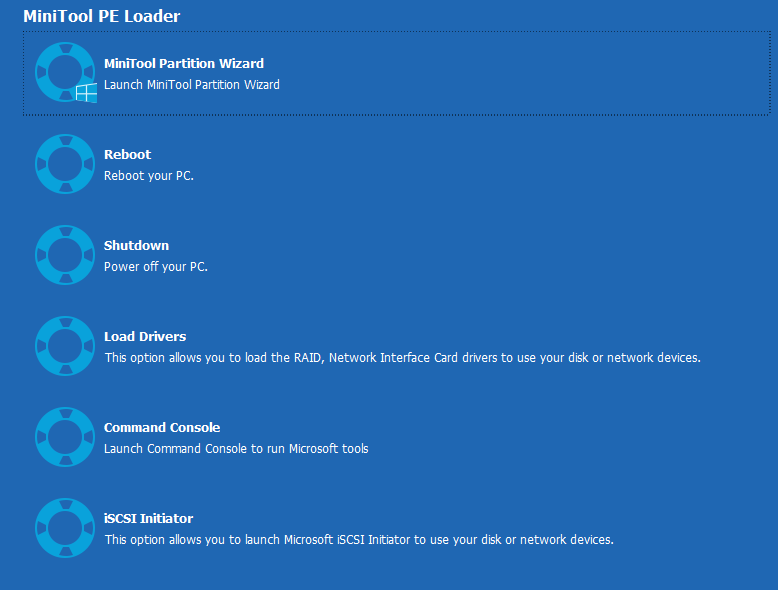
Step 2. Wait for a while. MiniTool Partition Wizard will start automatically.
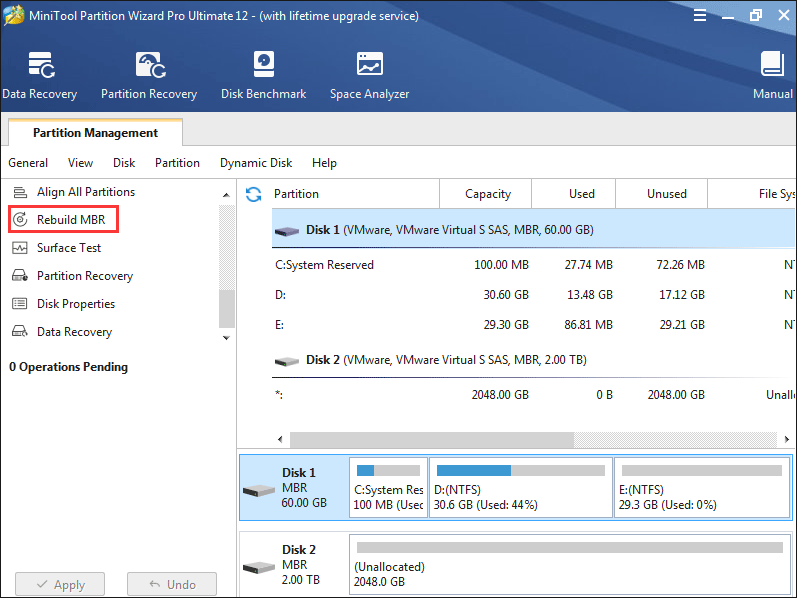
Step 3. Select the system disk which is suffering MBR damage and click Rebuild MBR from the left panel.
Step 4. At last, click Apply button to apply the change.
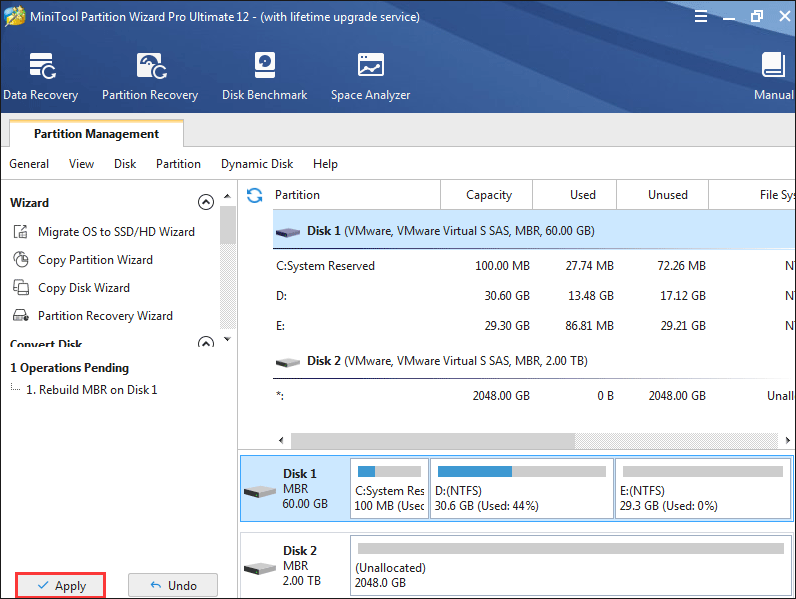
And after application, users need to quit from MiniTool Partition Wizard bootable disc and boot from the local hard drive.
User Comments :