Partition Manager
- Windows 8 partition manager
- Magic partition manager
- Partition magic for Windows 2003 Server
- Partition assistant
- RAID partition manager
- Partition manager server
- The best server partition manager
- Upgrade to larger disk
- Windows 7 partition software
- Free Hard Disk Drive Space Manager
- Partition software windows server 2008
- Free fat ntfs partition recovery
- Merge partitions
- Free partition manager
- Windows server 2008 partition manager software
- Windows web server partition software
- Windows Server 2003 partition software
- Partition manager for Windows server 2008
- Windows Vista Partition Manager
- Partition software for server
- Windows server partition manager
- Windows Server 2003 Partition Manager
- Windows server 2008 partition manager
- GPT Disk Partition Manager
- Free windows 7 partition manager
- Convert fat to ntfs xp
- Convert fat32 to ntfs in windows xp
- Windows convert fat32 to ntfs
- Free disk manage
- Divide disk free
- Repartition windows 7 drive
- Windows 7 disk manager
- Recover lost partition
- Explore partition
- Extend boot partition Windows 7
- Windows 7 partition manager
- Hard disk copy
- Copy disk partition
- Dynamic disk recovery
- Extend OS partition
- Disk partition software for 64-bit Vista.
- Disk partition windows server 2003
- Extend/enlarge gpt partition
- Extend/expand logical partition
- Free partition manager software
- Extend/expand logical partition
- Extend/enlarge gpt partition
- Delete all partitions
- Copy wizard
- Copy gpt disk
- Free repartition external hard drive
- Free partition recovery software
- Discard all changes
- Boot partition is the partition where...
- Copy partitions is a function where a...
- How to create partitions?
- How to format partitions?
- Partition wizard can perform Linux...
- Partition wizard can tell you how to fix...
- Norton Partition Magic is one good...
- What is partition?
- Partitioning is the process of writing the...
- If user needs one professional partition...
- What is partition drive?
- How to fix partition?
- Partition Magic is an excellent partition...
- Partition Magic 8.0 is an excellent...
- Choosing partition software, user can...
- Partition wizard is an alternative to...
- Partition wizard can support many OS...
- Managing partition, Partition wizard is...
- How to perform partition recovery?
- How to repair partition?
- How to resize partition?
- Partition wizard can resize partition well.
- Partition wizard is one professional...
- What is partition table?
- What is Partition table doctor?
- What is partition utility?
- How to partition windows?
- Partitions are divided into primary...
- How to restore partition?
- How to swap partition?
- What is system partition?
- How to boot windows 7?
- How to resize windows partitions?
- How to partition Vista?
- How to partition windows 7?
- Partition wizard supports many 32...
- Partition Wizard is a professional...
- Partition wizard can partition FAT32 well.
- Partition wizard can tell user how to...
- How to merge partition under windows...
- How to resize NTFS partitions?
- What is NTFS and how to resize partitions?
- Partition wizard supports 64 bit systems.
- How to resize server partition?
- What is disk partitioning software?
- What is drive partition AFS?
- How to resize hard disk partition?
- Partition Wizard is the industry leading...
- How to resize 64 bit partition?
- How to resize partitions?
- What is 64 bit system?
- How to partition 64 bit windows XP?
- How to active partition?
- How to partition disk?
- Partition wizard can partition windows...
- How to partition windows 2000 server?
- How to partition windows vista 32 bit?
- How to partition windows vista 64 bit?
- How to partition 64 bit windows 2008...
- How to partition 32 bit windows 2008...
- How to partition windows 2003?
- How to partition windows 2008?
- How to partition 32 bit windows XP?
- What is partition magic64?
- How to partition 64 bit windows XP?
- Partition Wizard is professional...
- How to perform windows 7 64 bit...
- How to partition for windows XP?
- What is Partition magic 8 for vista?
- Compared with partition wizard in light...
- What is Partition magic 8.05?
- What is partition magic Dos?
- What is Partition Magic 9.0?
- How to partition for windows vista with...
- How to partition under windows 7?
- Partition wizard is an alternative to...
- Partition wizard can perform partitioning...
- Partition wizard is an alternative to...
- Partition Wizard is alternative partition...
- What is partition magic X64?
- What is partition management?
- Partition Wizard is the best partition...
- What is partition manager 64 bit?
- How to partition for Windows 2003...
- How to partition for windows 7?
- How to partition for Windows 2003...
- How to do partition 32 bit winddows7?
- What is partition manager for vista 64 bit?
- What is partition manager for vista 64...
- What is partition manager 9.0 64X?
- What is partition manager for XP64?
- What is partition manager X64?
- How to do resize partition for vista?
- What is partition manager for windows...
- Partition wizard is one free partition...
- How to resize partitions 64 bit vista?
- What is sd partitions?
- What is partition?
- What is XP partition?
- Partition manager is a professional...
- Partition wizard home edition is one free...
- How to clone disk?
- How to convert FAT32 to NTFS?
- How to copy disk?
- What is disk manager?
- What is drive copy?
- What is partition backup copy?
- How to resize partition for windows 2003?
- What is server partition manager?
- What is system copy?
- What is volume manager?
- How to boot windows?
- What is windows MBR?
- How to fix windows MBR?
- What is windows partition?
- How to build windows 7?
- Partition wizard can partition windows 7...
- Partition wizard can partition XP and...
- Partition Wizard Home Edition for...
- What is Microsoft windows 7?
- How to resize windows 7 partition?
- How to get windows 7 key?
- How to install windows 7?
- How to use windows 7 tools?
- How to resize windows 7 partitions?
- How to remove windows 7?
- What is windows 7 2009?
- Partition wizard supports windows 7...
- What is windows 7 test?
- What is server magic partition?
- What is server partition software?
- What is partition software for server?
- How to resize server 2003 partition?
- How to resize window server 2003...
- Partition Wizard Server Edition is an...
- How to partition windows server 2003...
- What is windows server partition?
- How to do windows server 2003 partition?
- What is partition server 2000?
- What is windows server 2000 partition?
- What is server 2000 partition?
- What is partition magic for windows...
- What is server partitioning tool?
- How to partition windows server 2003?
- What is windows server 2003 partition...
- What is partition manager server edition?
- What is windows 2003 partition manager?
- What is partition manager for server?
- What is partition manager for windows...
- Partition wizard is the best server...
- Partition wizard home edition is best...
- What is partition manager 2003?
- What is partition magic 2003?
- Partition 64 bit with 64 bit partition manager
- Partition copy
- Partition for Windows 2000 professional
- Partition for Windows 2003 server 32bit
- Windows 7 Partitions
- Partition for Windows XP 32bit
- Partition backup and copy
- Create NTFS Partitions
- Partition manager of windows vista
- Windows partition manager9.0 64x
- Change Letter with Partition Manager Freeware
- Partition for 64bit Windows Server 2003
- Partition for Windows Vista 32 bit
- Partition for Windows Vista 64bit
- Partition for 32bit Windows Server 2008
- Partition for 32bit windows 7
- Partition 64bit Windows 7
- Partition for Windows 2003
- Partition for Windows XP 64bit
- Partition for 64bit Windows Server 2008
- Partition Wizard for drive partitioning.
- Partition Wizard Overview
- Partitions for Windows 2008
- Partitions for Windows XP
- Copying System
- System partitions
- Volume partition manager
- Windows backup
- Boot damaged windows
- Rebuild Windows MBR
- Damaged Windows MBR fix
- Recovery Data
- Disk Partition
- Manage partition from CD-ROM
- Manage partition when system can not be booted
- 64 bit Windows 7 partition
- Best free partition manager for Windows 7
- Change dynamic disk to basic
- Change NTFS partition size
- Change partition size Server 2003
- Change server 2008 partition size
- Changing partition label
- Check partition for error
- Copy hard drive
- Copying disk freeware
- Create bootable disks
- Deleting partitions
- Windows 7 partition
Is It Possible to Resize RAID?
- Is it possible to partition RAID? The answer is yes! This article will introduce a great solution to partition RAID without data loss.
RAID is frequently used now.
As we all know, RAID is frequently used in Windows Server. When you are looking for a dedicated server for your company, you may select different hardware for it. One of the most important things (especially for database driven websites) is to choose fast and reliable storage system. And RAID is preferred by Windows server users.
You must be wondering what is RAID:
RAID stands for Redundant Array of Independent Disks, which is a technology that employs the simultaneous use of two or more hard disk drives to achieve greater levels of performance, reliability, and/or larger data volume sizes. When several physical disks are set up to use RAID technology, they are said to be in a RAID array which distributes data among several disks. Meanwhile, the array is seen as one single disk by the users and operating system.
RAID makes use of two or more hard drives in order to improve performance, reliability or create larger data volumes. The former is achieved through striping, whereby data is split and written across multiple drives to increase throughput, and reliability can be improved by introducing redundancy. An example of this is a mirrored RAID array, whereby data is written to more than one disk so that in the event of a single disk failure, an exact copy of the original data still remains.
Usually, there are 7 most commonly used RAID levels as follows:
Level Description Minimum No. of disks RAID 0 Striped set without parity/ [Non-Redundant Array] 2 RAID 1 Mirrored set without parity 2 RAID 2 Redundancy through Hamming code 3 RAID 3 Redundancy through Hamming code 3 RAID 4 Striped set with dedicated parity/Bit interleaved parity 3 RAID 5 Block level parity 3 RAID 6 Striped set with distributed parity 4
RAID is really used to its full potential in emergency services and Professional where data reliability and performance are essential. Meanwhile, partitioning RAID can maximize its performance as well as optimize the data reliability.
Why should we partition RAID?
We can simply say that we need to partition RAID to optimize the performance of our servers. A typical example is the partition on the hardware RAID is running out of space. You may want to rebuild the hardware RAID with a larger hard disk. Then, you need to backup the data to another place, rebuild the hardware RAID and restore the data again. What a time-consuming task! And you might lose your valuable data in the process.
You may wonder how we can partition RAID without data loss. The answer is that you need to get the help of a professional partition software.
Partition Wizard Server Edition is a professional partition software that allows RAID management without data loss.
Through the following steps you can resize RAID in minutes:
1. Insert a new hard disk to the existing hardware RAID and organize this RAID using a RAID controller. Then you can have some unallocated space on this RAID.
Suppose you need to extend partition E: on this RAID and there is unallocated space next to it.
2. Launch Partition Wizard Server Edition and you will see its user interface.

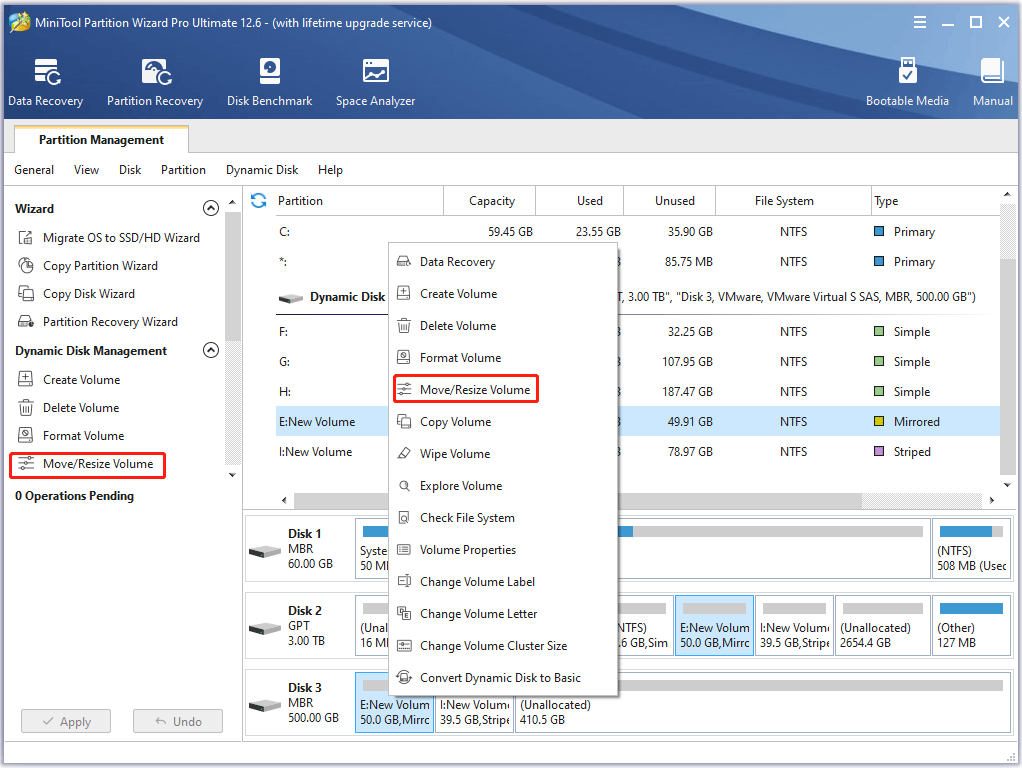
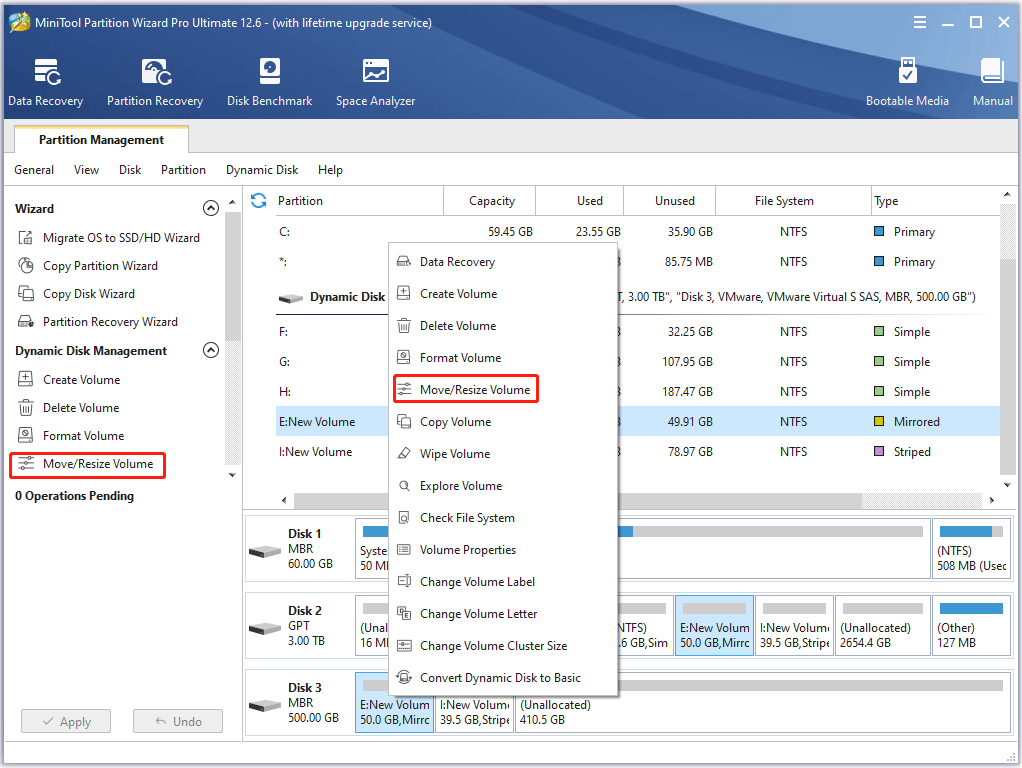
3. Right click partition E and select Resize/Move.

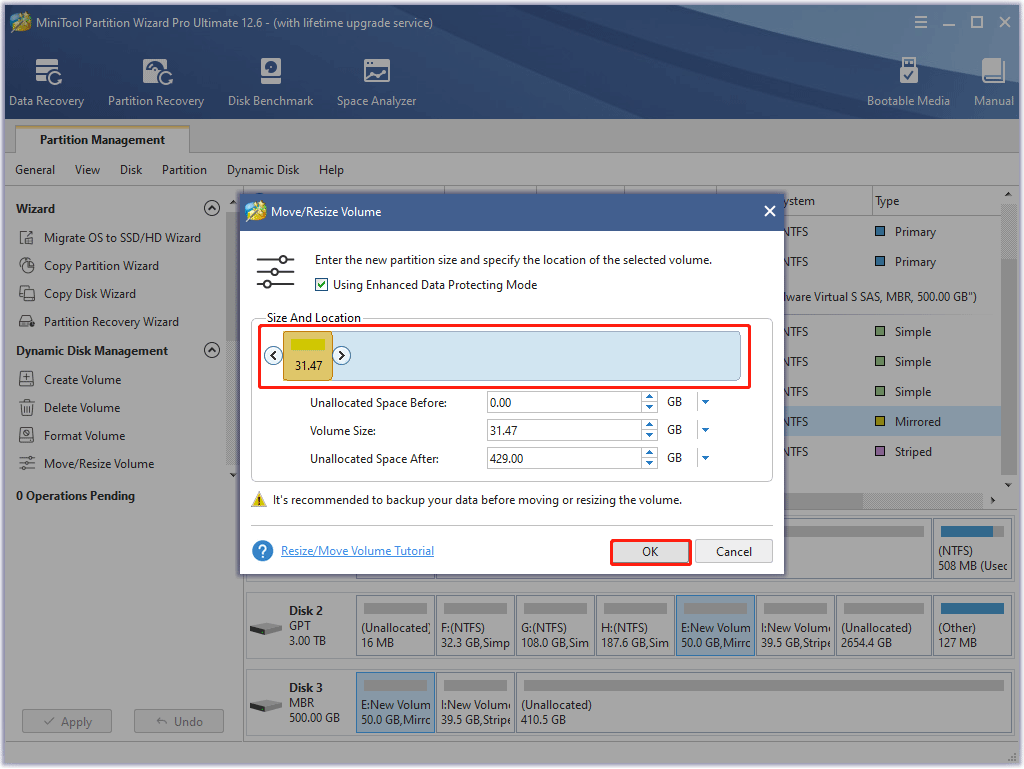
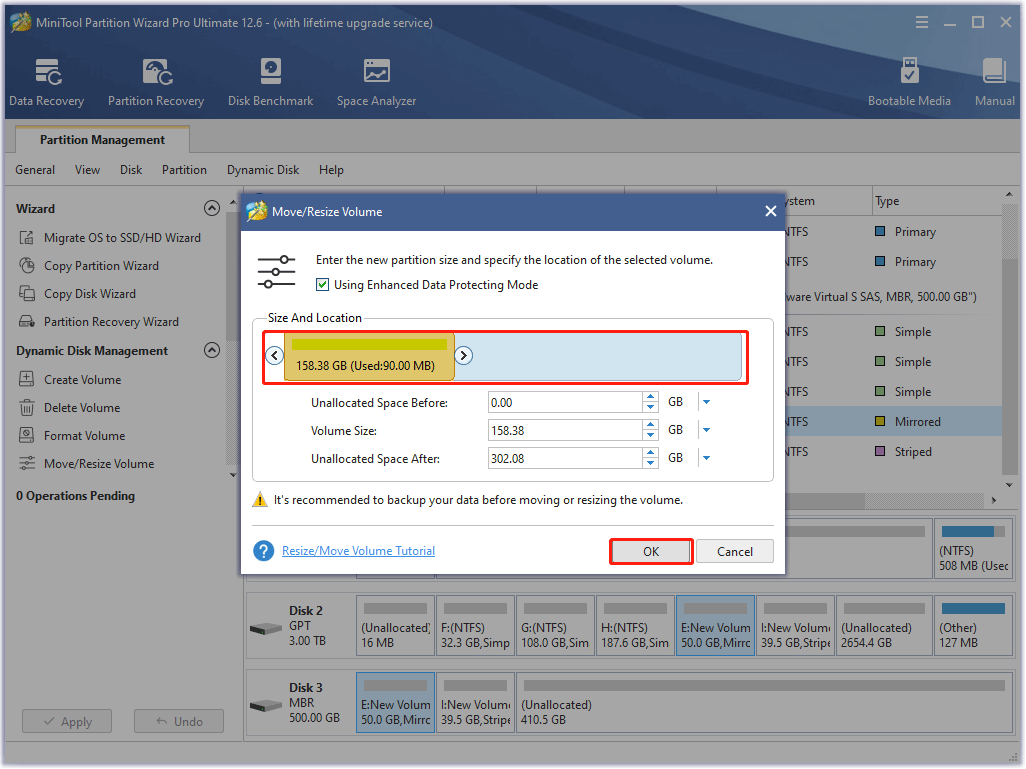
4. A popped-up dialog box indicates the current size of E: partition. The box also depicts the used and unused space on the partition and the free space surrounding the partition (if any exists), the minimum and maximum sizes that you can resize a partition, as well as the cluster size of the partition.

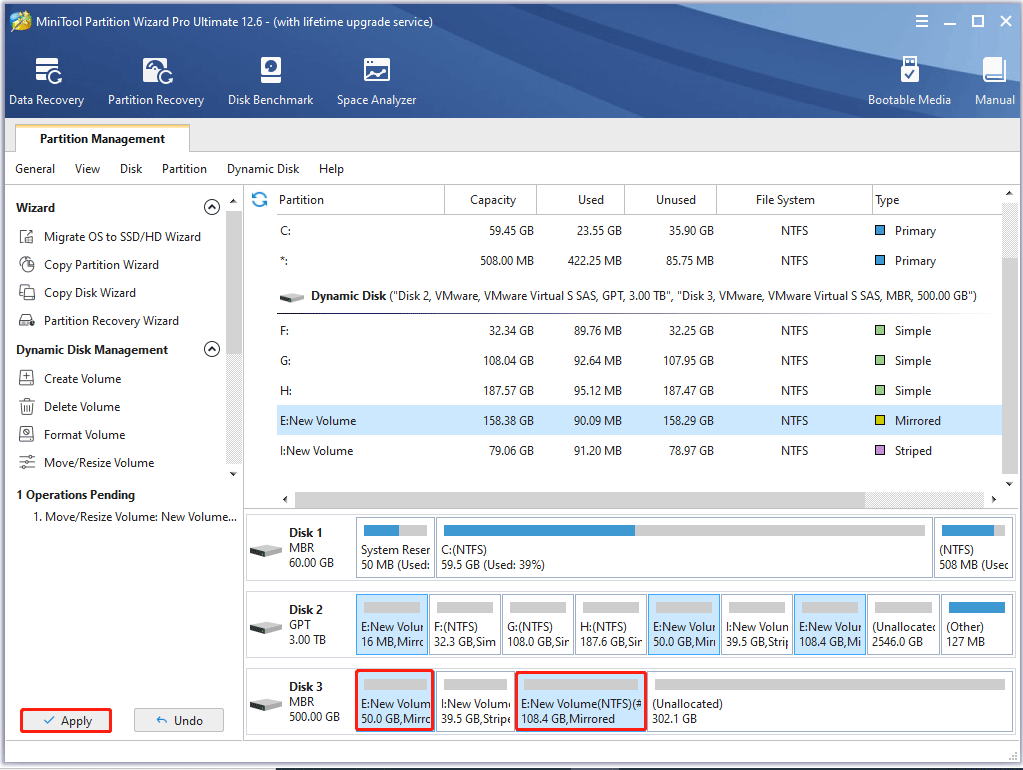
5. Position the mouse pointer on the right partition handle. When the mouse pointer changes to a double-headed arrow, drag the handle to the partition size you want. Click OK.
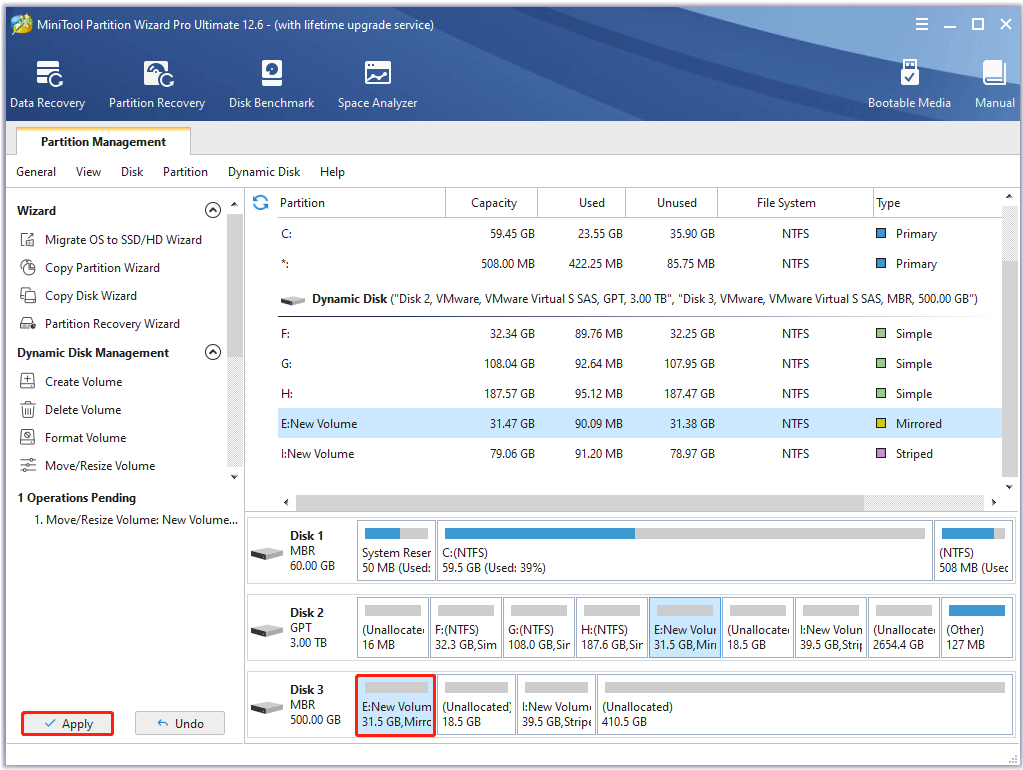
Attention: Don't forget to apply the changes you've made to finalize the resizing operation.
If you do not yet have Partition Wizard Server Edition, you can download it for free from the Download Centre for a trial.
Tip: If you are a server user with more than 3 machines, Partition Wizard Enterprise Edition that allows unlimited licenses is strongly recommended.