
Partition Manager for Windows Server 2003 – MiniTool Partition Wizard
As is well known, the Disk Management tool of Windows is a good tool to manage the partition and disk. But for the Windows Server 2003, the Disk Management doesn’t offer the features Extend Volume and Shrink Volume.
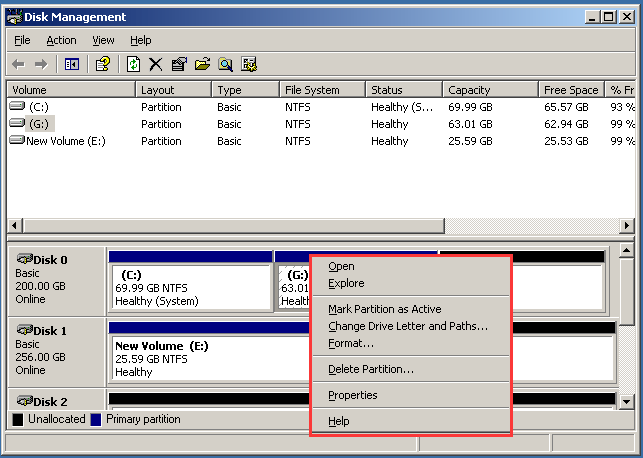
Thus, how can you resize the partition when you need without the Extend Volume and Shrink Volume features?
Without these two features, you still can resize the partition. Therefore, you need a piece of partition manager for Windows Server 2003.
So, the professional Windows Server partition manager – MiniTool Partition Wizard Server is a good choice.
MiniTool Partition Wizard is designed to optimize disk and partition use. It can help you to extend partition or shrink partition without data loss. It can also help you to upgrade your hard drive without data loss, repair partition, fix MBR and so on.
So, in order to manage the partition and disk of Windows Server, the partition manager Server 2003 – MiniTool Partition Wizard Server is competent. Get MiniTool Partition Wizard from the following button immediately to manage your partition and disk.
Then we will show you how to extend partition as an example with the Windows Server partition manager – MiniTool Partition Wizard Server.
How to Extend Windows Server 2003 Partition?
Step 1: Install and Launch MiniTool Partition Wizard
- Install the partition manager for Windows server 2003.
- Launch it to enter its main interface.
Step 2: Choose Extend Partition
- Select the partition you want to extend and right-click it.
- Choose Extend from the context menu to continue.
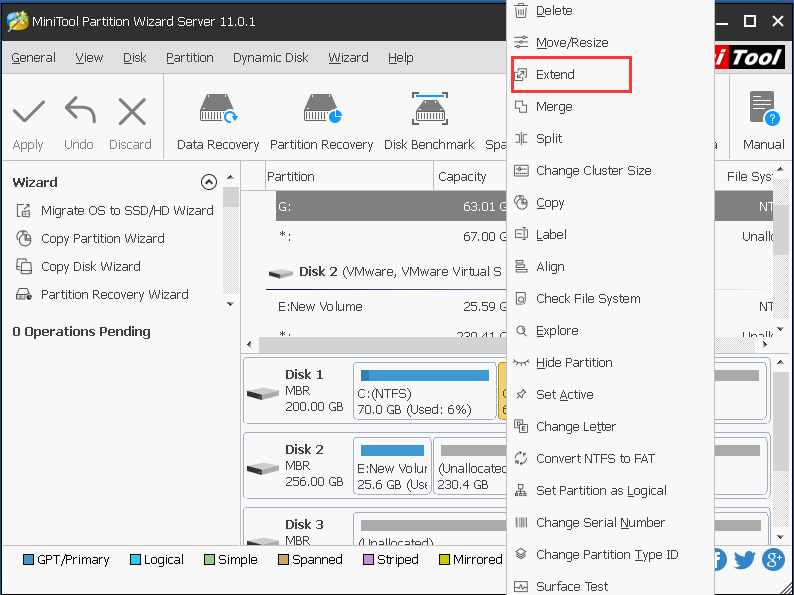
Step 3: Take free space
- You can take free space from the unallocated space and drag the arrow to decide how much space you want to take.
- You can also take free space from another partition.
- Click OK to continue.
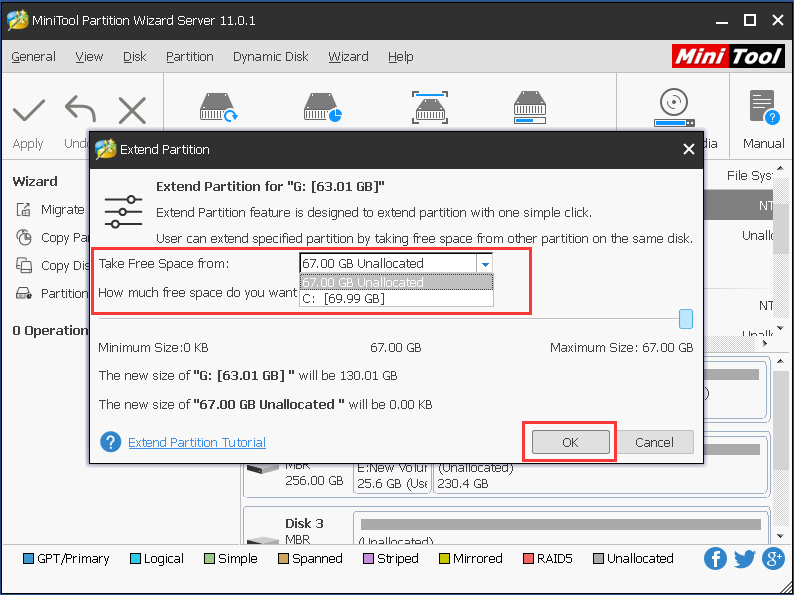
Step 4: Confirm the change
- You can preview the changes.
- Click Apply to confirm the changes.
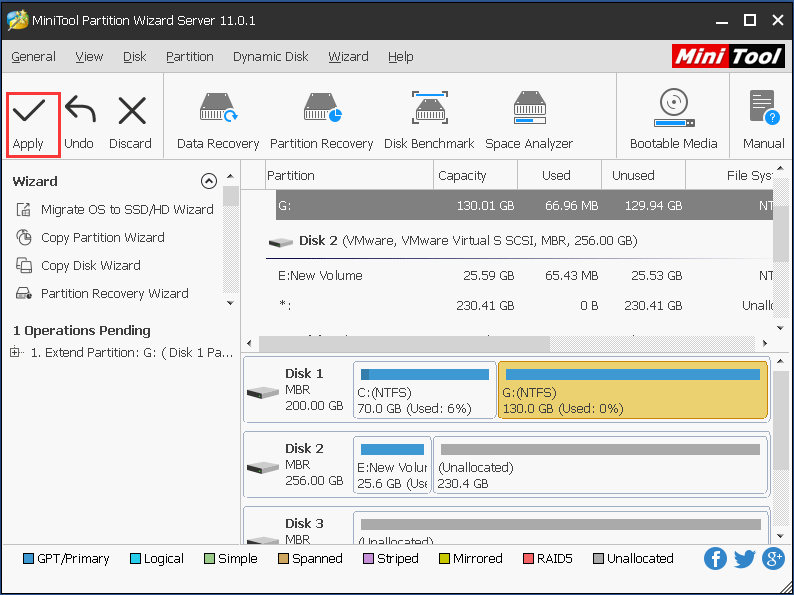
When you have finished all steps, you will successfully extend the partition. And here, an important thing you need to pay attention to. It is that if you want to extend the system related partition, you need to perform this action in the MiniTool Recovery Environment.
Thus, the first thing you need to do is to create the bootable media by clicking the Bootable Media feature.
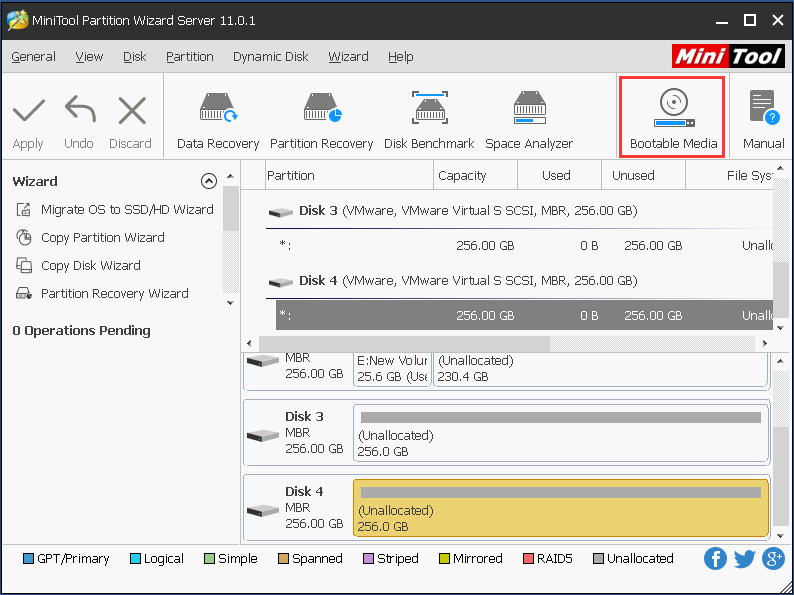
Then boot your computer from the bootable media to enter MiniTool Recovery Environment. After entering the WinPE, you can extend the system related partition with the same operations.
From the above information, you can know that the professional disk partition software can help you to extend partition without data loss.
And now, we will show you how to shrink partition with this Server partition manager – MiniTool Partition Wizard Server.
How to Shrink Partition with the Windows Server Partition Manager?
Now, we will show you how to shrink partition with the partition magic Server 2003 – MiniTool Partition Wizard Server 2003 with the step-by-step guide.
Step 1: Install and Launch the partition manager Server 2003
- Install the partition manager for Windows Server 2003.
- Launch it to enter its main interface.
Step 2: Shrink partition
- Select the partition you want to shrink and right-click it.
- Choose Move/Resize from the context menu to continue.
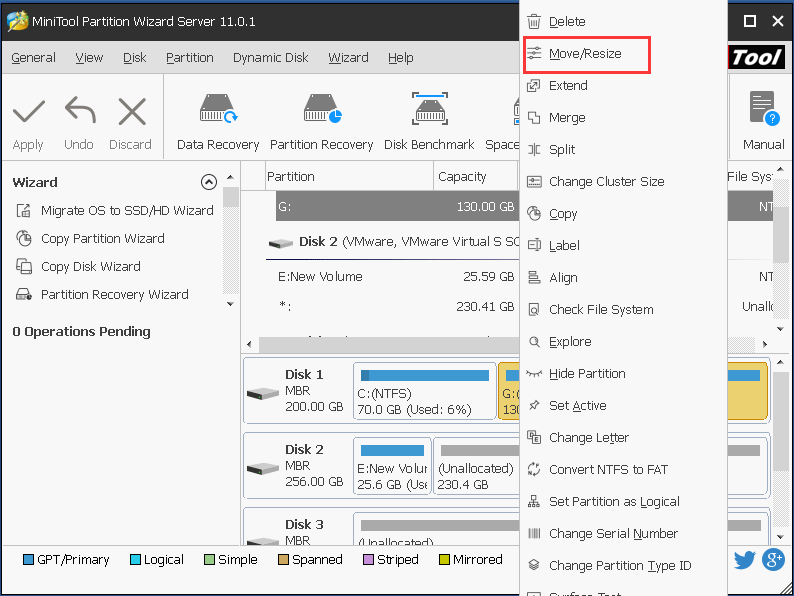
3. Drag the slide to decide how much space you want to shrink and click OK to continue.
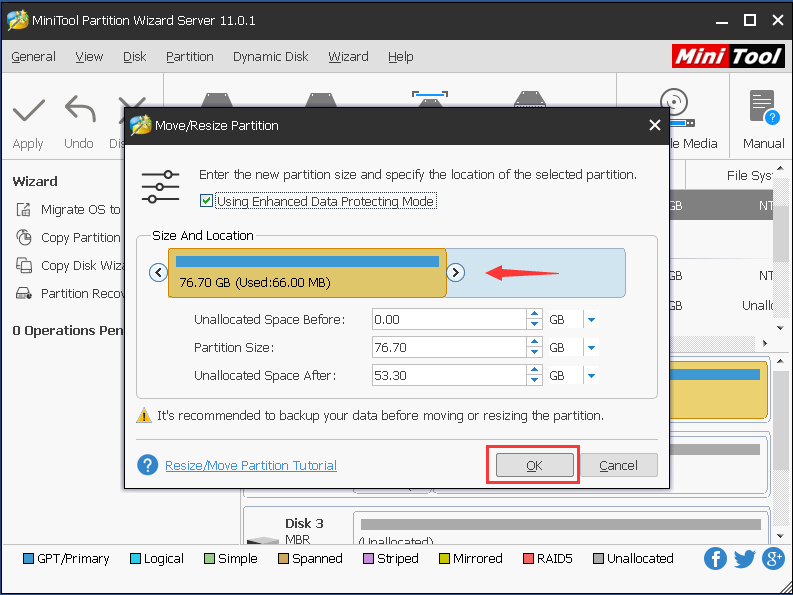
Step 3: Confirm the changes
- You can preview the changes.
- Click Apply to confirm the changes.
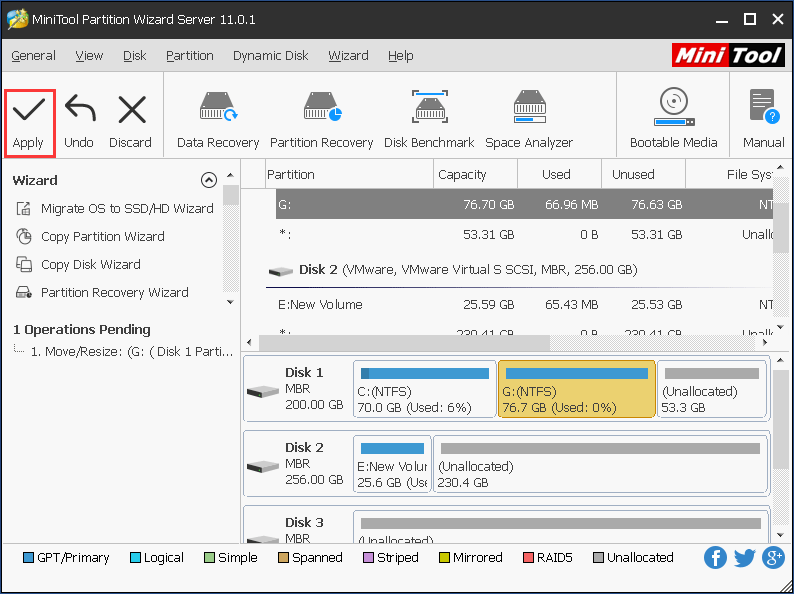
When all steps are finished, you have successfully shrunken the partition. In a similar way, if you want to shrink the system related partition, you need to perform these actions under MiniTool Recovery Environment.
Of course, the partition manager for Window Server 2003 – MiniTool Partition Wizard Server has many other powerful features. Purchase it and manage your partition and disk immediately.
Bottom Line
In conclusion, we have introduced the powerful partition manager for Windows Server 2003 and it is MiniTool Partition Wizard Server. Try to get MiniTool Partition Wizard Server to optimize your partition and disk.
And if you have any problems of MiniTool Partition Wizard, please feel free to contact us via the email [email protected] and we will reply to you as soon as possible.
User Comments :