Resize Partition
- Resize a partition in Windows 8
- Windows 8 boot disk
- Resize partitions in Windows 8
- Shrink partition Windows 8
- Windows 8 expand partition
- Resize partition Windows 8
- Resize Windows 8 partition
- Resizing partitions in Windows 8
- Expand partition Windows 8
- Resize partition for Windows 8
- Expand system partition
- Free extend boot partition
- Extend partition windows 8
- Windows server 2003 increase partition size
- How to increase partition size
- Increase windows partition
- Increase partition xp
- Free increase windows partition
- XP increase partition size
- Increase disk partition
- Increase partition size vista
- Increase partition size
- Windows XP increase partition size
- Increase partition size XP
- Free shrink windows partition
- Windows 7 increase partition size
- Windows 2003 extend partition free
- Partition in windows 7
- Extend partition vista
- Extend primary partition Windows 7
- Extend Windows partition
- Extend system partition safely
- Shrink partition Windows 7
- Shrink partition XP
- Windows 7 extend partition free
- Windows 7 shrink partition
- Windows server 2003 extend partition
- Extend boot partition free
- Windows 7 extend system partition
- Extend OS partition Server 2003
- Resize partition server 2008
- Extended partition
- Free resize partition
- Resize partition for windows
- Resize partitions
- How to resize a partition
- Expand partition
- Windows resize partition
- Resize partition in windows 2003 safely
- Resize OS partition efficiently
- Resize a partition
- NTFS resize partition
- Resize windows 2003 partition
- How to resize partition windows server 2003
- Resize partition ubuntu
- Resize extended partition
- Vista resize partition
- Server 2003 resize partition
- Resize partition in windows 2003
- How to resize Windows partition
- How to resize ntfs partition
- Partition ntfs resize
- Win7 resize partition
- Resize win7 partition
- Windows 2003 extend partition
- Extended partitions
- Extend boot partition
- Resize server 2003 partition
- Resize disk partition
- Server 2003 partition resize
- Resize partitions server 2003
- Resize Windows server partition
- Resize partition server 2003
- Low disk space
- Manage partition C drive run out of space
- Resize Windows 7 partition
- How to repartition a hard drive
- Extend Windows 7 system partition
- Resize partition server
- Primary extended partition
- Windows 7 system partition increase
- Windows 7 partition resize
- Extend NTFS system partition without reboot
- Extend Partition Server 2008
- XP partition resize
- Windows 7 extend partition
- Resize Partition with partition magic
- Repartition Hard Drive
- Windows 7 resize partition
- Resizing partition
- Windows partition resize
- Resize windows partition
- Resize partition windows
- Window 7 partition resize
- Adjust Partition Size
- Add Space to System C Drive Partition
- Redistribute free disk space
- Reduce Drive Partition Size
- Moving Partition
- Shrink partition wizard
- Shrink Partition Under Windows
- How to show extend partition
- Shrink Windows Server 2003 Partition
- Shrink windows partition
- Windows server 2003 resize partition
- Split partition
- System disk full
- Free up disk space
- Resize GPT disk partitions
- How to resize external hard drive
- Increase disk space
- Increase c drive partition
- Expand partitions under windows
- Resize system partition
- Partition 64
- About Windows Server 2003
- Convert fat32 to NTFS
- Create a Partition in Windows Server 2003
- Disk copy
- Disk manager
- Drive copy
- Free download Partition Wizard
- Magic software for partition management
- 64bit Partition Manager
- Clone disk
- Copy partitions
- Disk copy manager
- Partition manager
- Format partition
- Free partition manager to resize partitions
- How to resize partitions
- Free partition software
- Magic software for hard disk repartition
- Resize system primary partition
- Resize partition on windows server
- Resize partition freeware
- How to resize Windows Server 2000 partitions?
- Resize partition server 2008 64bit
- Resize Server 2008 partition
- Resize system boot partition
- Resize os partition
- Resize sbs 2008 system partition
- Windows server 2003 resize partition
- Resize partition windows 2003 server
- How to resize raid 1 without data loss?
- Resize Windows server 2003 partition
- Resize RAID partition
- Resize NTFS partition
- Resizing and moving partition
- Resize partition Windows 7
- Resize partition under Window operating system.
- Resize partition Windows server 2003?
- Resize and move partition
- Resize Vista partition
- Resize partition on Vista.
- Server 2008 Resize partition
- Resize external hard drive
- Server partition resize
- Resize GPT disk partition
- Resize dynamic disk
- Resize boot partition 2
- Resize RAID 5
- Resize RAID
- Resize FAT32
- Resize FAT32 partition
- Resize partition for FAT32
- FAT32 partition resizing
- Free partition resizing software
- Free software to resize partition
- Free resizing partitions
- Resize partition on windows server operating system
- Resize partition of Windows server
- Resize server partition on Windows
- Partition resize windows 2003
- Resize partition
- Windows partition
- Extend windows 7 partition free
- Increase raid 5 size
- Extend system partition server 2003
- Extend system partition
- Increase partition size windows 7
- Extend simple volume
- Extend server 2008 boot partition
- Extend SBS 2003 server
- Increase partition size server 2008
- Increase hard disk space
- Increase free disk space on the system partition
- Increase partition capacity
Low disk space
-
When the warning Low Disk Space appears on our computer screen, it means our system partition is out of space. Generally, if available space is less than 200MB, Windows XP will warn us of Low Disk Space when we start the computer. If available disk space is less than 80MB, Low Disk Space will appear every 4 hours unless available space exceeds 80MB. Once available space is less than 50MB, disaster comes. At this time, Low disk space warning appears every 5 minutes, which may make the majority of people collapse. At this time, we must extend available space of disk. Here, I introduce three methods for extending available space:
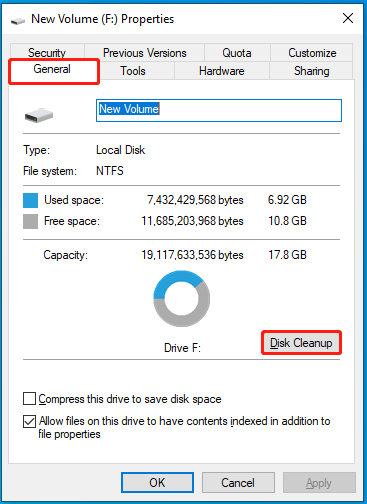
1. Clean the disk to extend the available disk space.
2. Buy a larger disk.
3. Resize partitions reasonably.
Among these 3 methods, I strongly recommend the third method, namely resize partitions reasonably. That is because Low Disk Space will appear again in a short time although the first method can extend the available space temporarily. The second method can solve this problem furthest, but it will increase cost. However, the third method not only can avoid disk space waste but also can avoid increasing use cost. At the same time, it can perform a more obvious effect on avoiding Low Disk Space. Therefore, when users meet Low Disk Space, resizing partitions reasonably is the wisest choice. Mentioning partition resizing, Windows built-in disk management tool does not have perfect functions on partition management, so we should use partition magic to resize partitions, thereby avoiding troubles caused by Low Disk Space. As to partition magic, I recommend MiniTool Partition Wizard, a perfect partition magic which can help users avoid troubles resulting from Low Disk Space.
Brand new MiniTool Partition Wizard
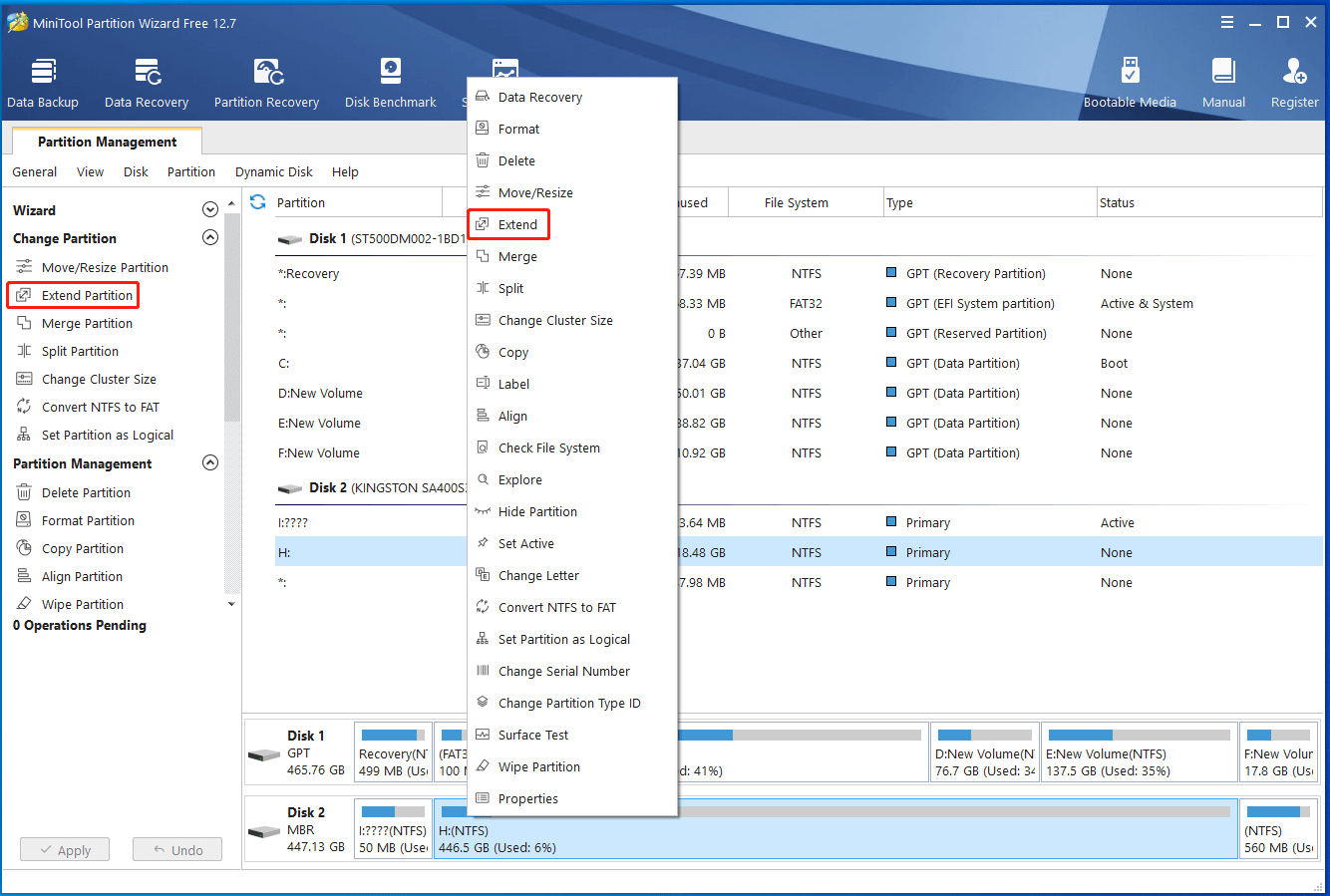
When seeing this picture, you are familiar with it, aren't you? This is the initial interface of the latest edition of MiniTool Partition Wizard. Through this update, functions of this partition magic are strengthened more deeply, namely dynamic disk management is added to this partition magic. Evermore, we can use the latest MiniTool Partition Wizard to solve the problems caused by Low Disk Space no matter on dynamic disk or basic disk by resizing partitions, thereby extending the partition with Low Disk Space. Besides, the main interface of this partition magic is optimized. With more humanized main interface, users can learn about service condition of volumes and partitions intuitively and conveniently, like the following interface:
Notes to download
If users want to download MiniTool Partition Wizard, they should note plenty of software fakes the name of this partition magic because of its advantages. If downloading counterfeit software, users can not accomplish resizing partitions. More seriously, a large number of data may be lost. Besides, counterfeit software may bring users virus which endanger data safety. Therefore, users should download this partition magic on its official website http://www.partitionwizard.com. (Above picture is the main interface of this copyrighted partition magic. I hope everybody can pay much attention to downloading this partition magic, thereby avoiding Download Error.) Here, I hope everyone can download copyrighted MiniTool Partition Wizard soon, thereby resizing partitions successfully to avoid troubles caused by Low disk space.
Free Partition Manager Free Partition Magic Partition Manager Server Partition Magic Server
Common problems related to partition management and our solutions:
- How to safely redistribute free disk space? User can redistribute free disk space or resize partition by employing the partition magic named MiniTool Partition Wizard.
- Free up disk space and resize disk partition with partition magic software.
- Increase disk space with partition magic software.
- Increase hard disk space with MiniTool Partition Wizard.
- Increase free disk space for system partition with MiniTool Partition Wizard.