
When some issues happen to the partition on your computer, you can’t access the partition for normal use. The situation may be even worse if there is something wrong with the system partition. Then, how to make partition fix? You should try MiniTool Partition Wizard. Find the guide in this post.
Do You Need to Make Partition Fix?
Partitions are the regions on the hard disks, and they are used to store system files as well as data for you. However, there may be something wrong with the partition one day.
Perhaps, you may receive a message showing that there is a damaged file system or you have to format the partition before you can use it. This issue can be even worse: you can’t boot the computer normally for the computer informs you that Operating System not found or Missing Operating System.
When the above situations happen, it’s time for you to make partition fix to make everything go back to the normal state.
Actually, you can use a piece of third-party partition fix software to do the job, and we suggest using MiniTool Partition Wizard. Check File System and Rebuild MBR features of this software can be used to make partition fix.
While, when and how to use these two features to solve your issue? Now, you can find the answers in the following part.
How to Fix Partition with MiniTool Partition Wizard?
Way 1: Check File System
When you can’t access a partition as usual, you should consider that the partition file system is damaged. In this situation, you can use the Check File System feature of this software to check and fix the detected errors in partition.
This Check File System feature is available on the Free Edition of this software. You can press the following button to download and install it on your computer to have a try.
MiniTool Partition Wizard FreeClick to Download100%Clean & Safe
How to Check File System
Suppose that partition E: is damaged, and you are not allowed to open it. You can follow the next two steps to check and fix the errors in it.
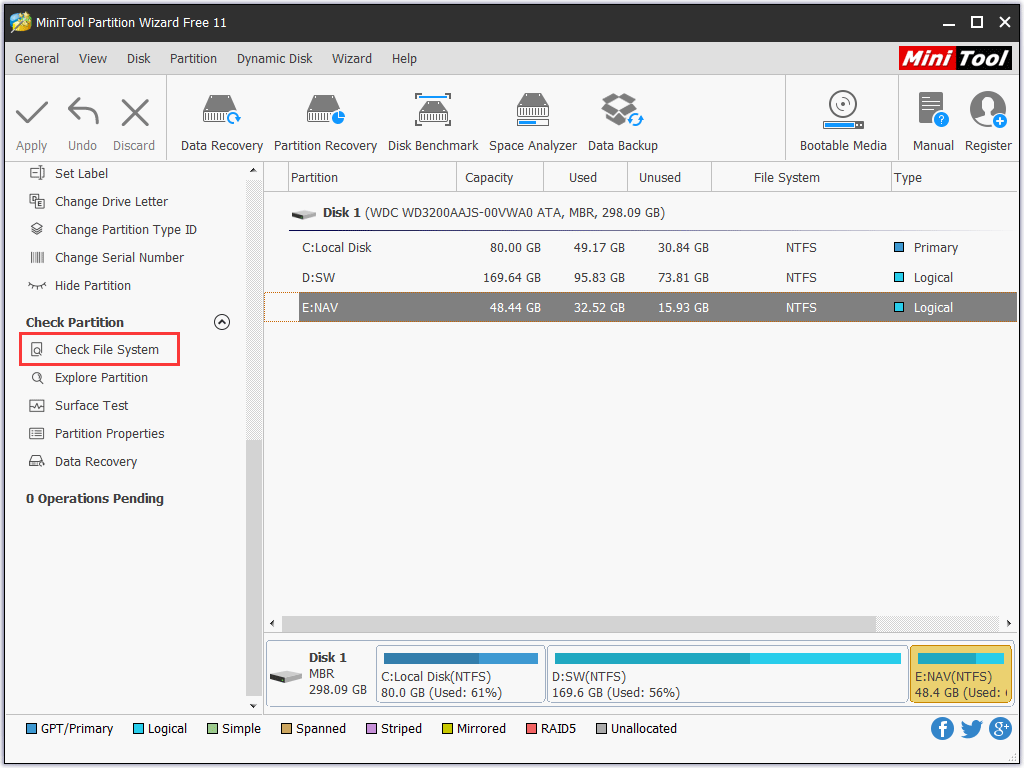
Step 1: Launch and open MiniTool Partition Wizard Free Edition to enter its main interface. Then, select partition E: and choose Check File System from the left action panel to continue.
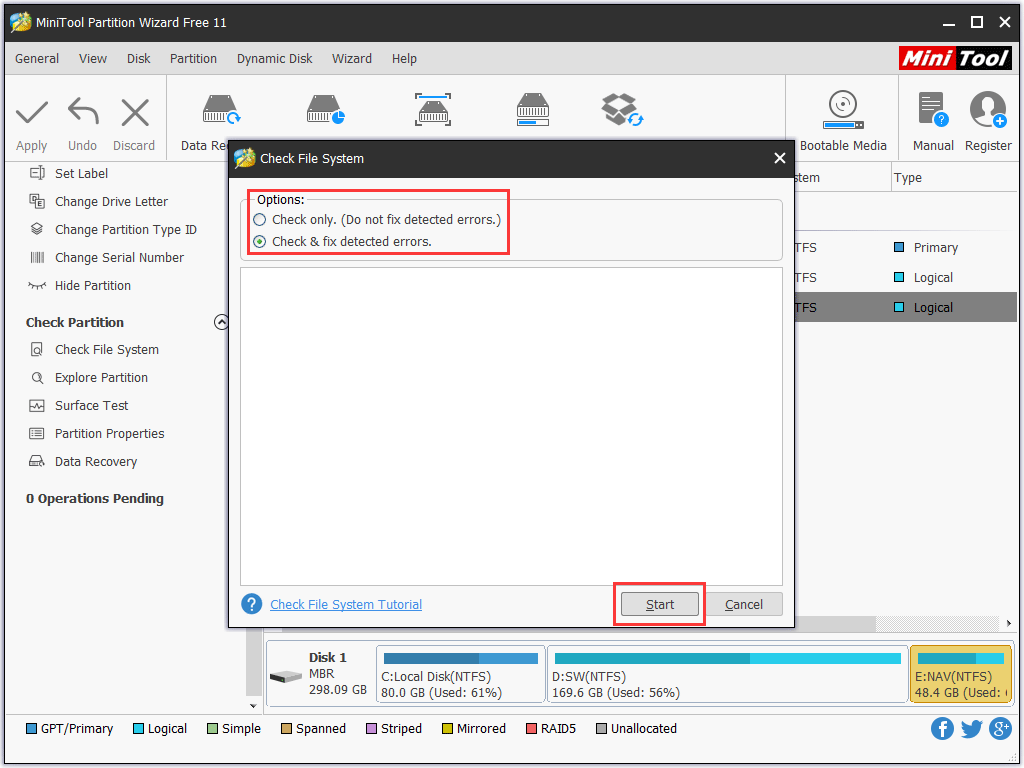
Step 2: You will receive a popup windows where there are two options for you to choose. To make partition fix, you’d better choose the second which can fix the detected errors automatically. Then, click on the Start button to generate the process.
When the process ends, you can close this window to go back to the software’s main interface.
If there is no other problem, you will be able to use the partition as usual again.
Way 2: Rebuild MBR
MBR may be damaged due to virus attack, mistaken operation, or sudden power failure. Once MBR is damaged, you are unable to boot the computer normally, or just facing black screen only. Since you can’t open your computer, what should you do then?
Don’t worry. If you are facing the above mentioned issues, MiniTool Partition Wizard Bootable Edition can help you to fix it since it enables you to manage hard disk partition when the operating system fails to boot.
The Bootable Edition of this software can be created by the MiniTool Bootable Media Builder which can be obtained from the Professional Edition or the above editions. If you are a personal user, the Professional Edition can fully meet your need.
How to Rebuild MBR
After downloading, installing and registering this software on a normal working computer, you first need to create a bootable CD/DVD or USB flash drive with MiniTool Bootable Media Builder. In this post, we create a bootable DVD.
After that, you can put the bootable DVD to the issued computer and then follow these steps to rebuild MBR.
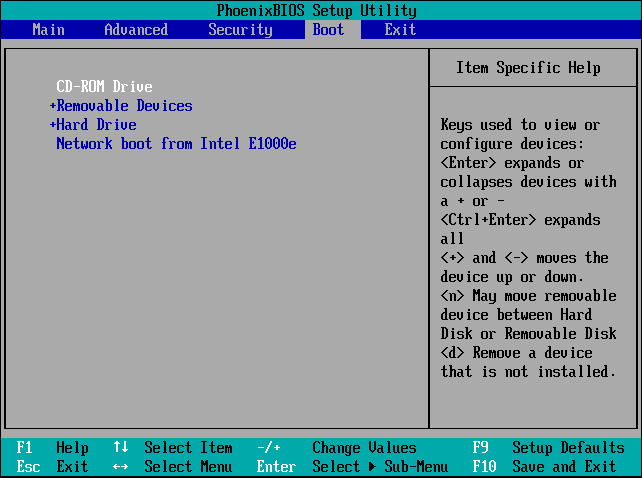
Step 1: Make your computer to boot into BIOS, and set the machine to boot from the bootable DVD.
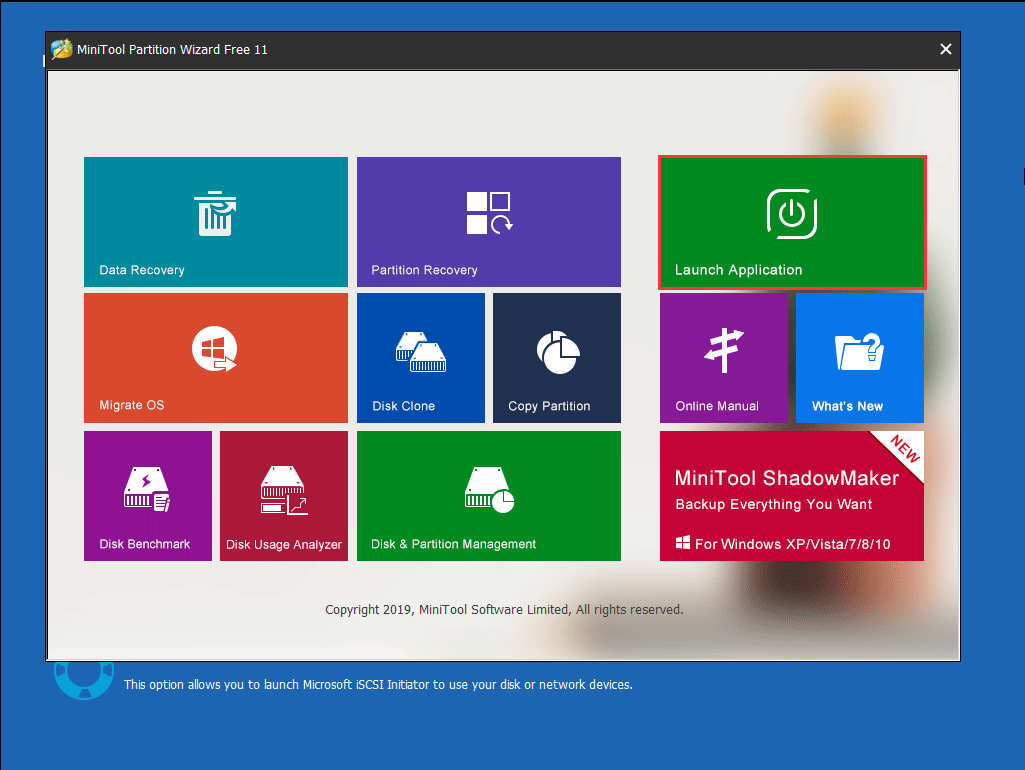
Step 2: After setting the screen resolution, you can enter the software boot interface automatically. Please click on the Launch Application section to continue.
Step 3: Then, you will enter the software main interface. Next, you need to choose the system disk and press Rebuild MBR from the left action panel. No window will pop out, and you need to click on the Apply button to keep the change.
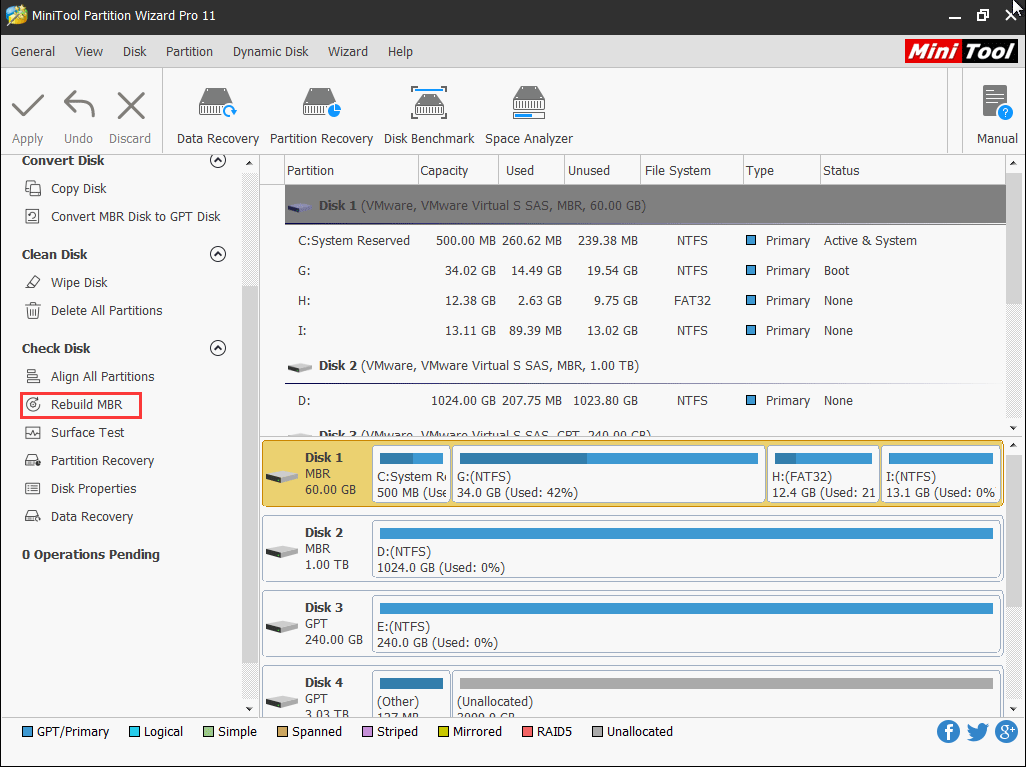
After these three steps, you can reboot the computer to check whether it can run normally.
Bottom Line
MiniTool Partition Wizard is a useful tool for you to make partition fix. However, you should know that it also has other features, lick Migrate OS to SSD/HD, Copy Partition, Merge Partition, and more. You can visit its official site to get more information.
Should you have some questions when using this software, you can contact us via [email protected], or leave a message in the comment. Any suggestions are also appreciated here.
About The Author

Position: Columnist
As an English editor with almost 15 years of experience, Stella has worked for MiniTool Software and has written articles for 8+ years, mainly covering the fields of data recovery from different storage medium, partition management on Windows, video downloading, and video & audio format conversion.
User Comments :