
Partitions can be lost due to mistaken deletion, virus attack, sudden power outage and so on, which will absolutely cause data loss. Using MiniTool Partition Wizard can recover lost/deleted partition very quickly. Check this post for detailed steps.
About Partition Recovery
Hard disk partitions may get lost or disappear due to one of these factors: mistaken deletion, virus attack, wrong ghost, sudden power outage, incorrect partitioning, and so on. In these cases, Partition Recovery is quite a good solution to dealing with partition loss, recovering lost partitions and data altogether.
MiniTool Partition Wizard is a partition recovery software that can recover lost/deleted partitions as long as new partition hasn’t been created. The tutorial below shows detailed steps on how to recover lost/deleted partitions easily.
MiniTool Partition Wizard DemoClick to Download100%Clean & Safe
How to Recover Lost Partition Using Partition Recovery Software
Step 1. Launch MiniTool Partition Wizard to get its main interface.
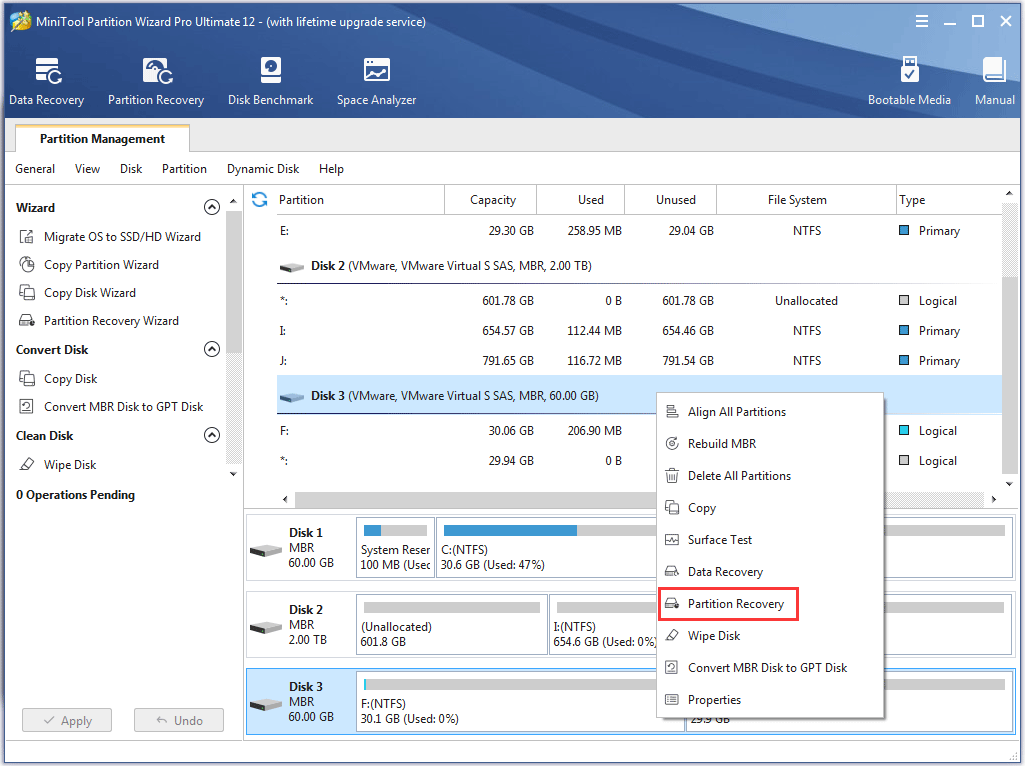
Step 2. Right-click the disk where partition loss appears and directly choose Partition Recovery from the pop-up window.
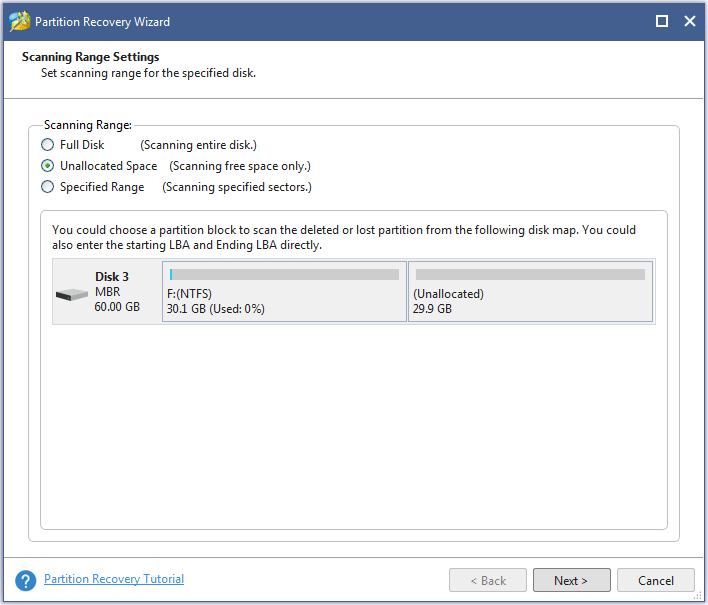
Step 3. Choose a scanning range from Full Disk, Unallocated Space, and Specified Range, and then click on Next button.
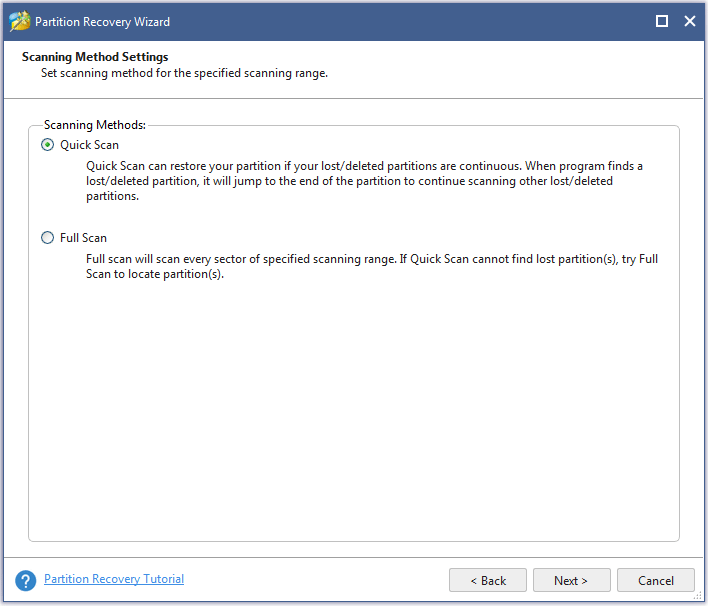
Step 4. Set a scanning method to scan the specified range and click Next.
Step 5. Check all needed partitions, including existing partitions and deleted/lost partitions, and then click Finish button.
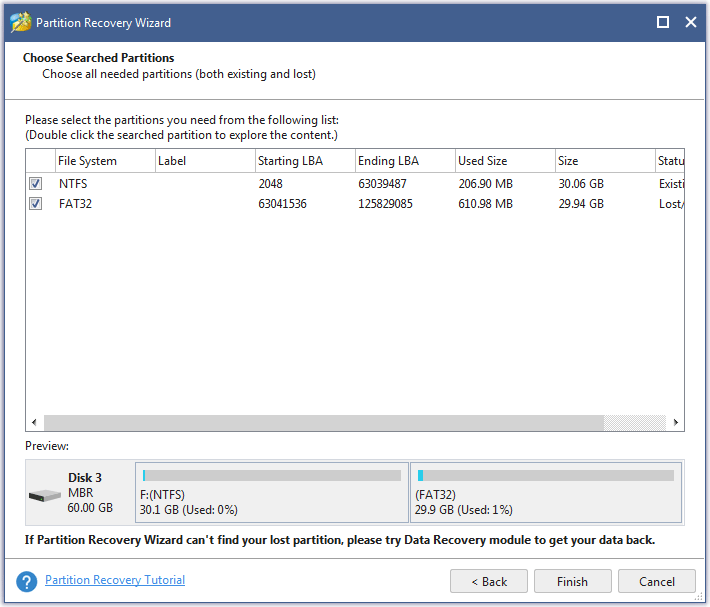
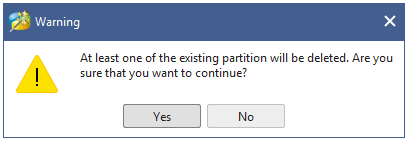
Please make sure all needed partitions have been checked . Otherwise, users will receive the following warning message and some useful partitions will be deleted.
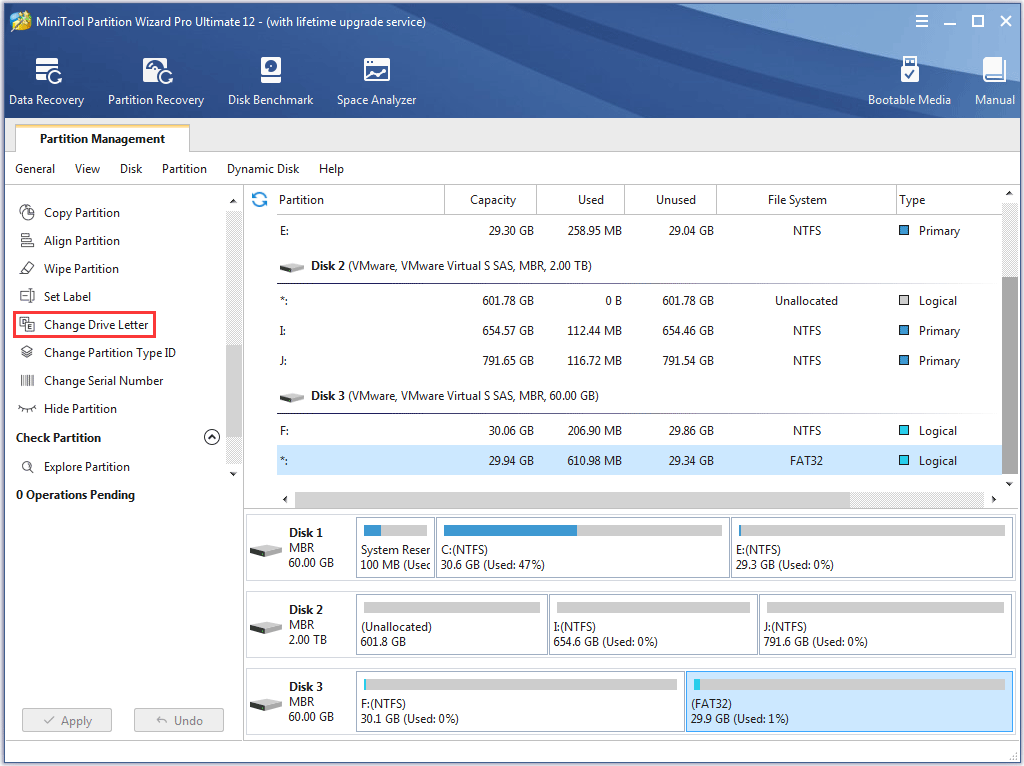
Step 6. Assign a letter for the recovered partition(s) using Change Drive Letter feature if users want to see it in Windows Explorer.
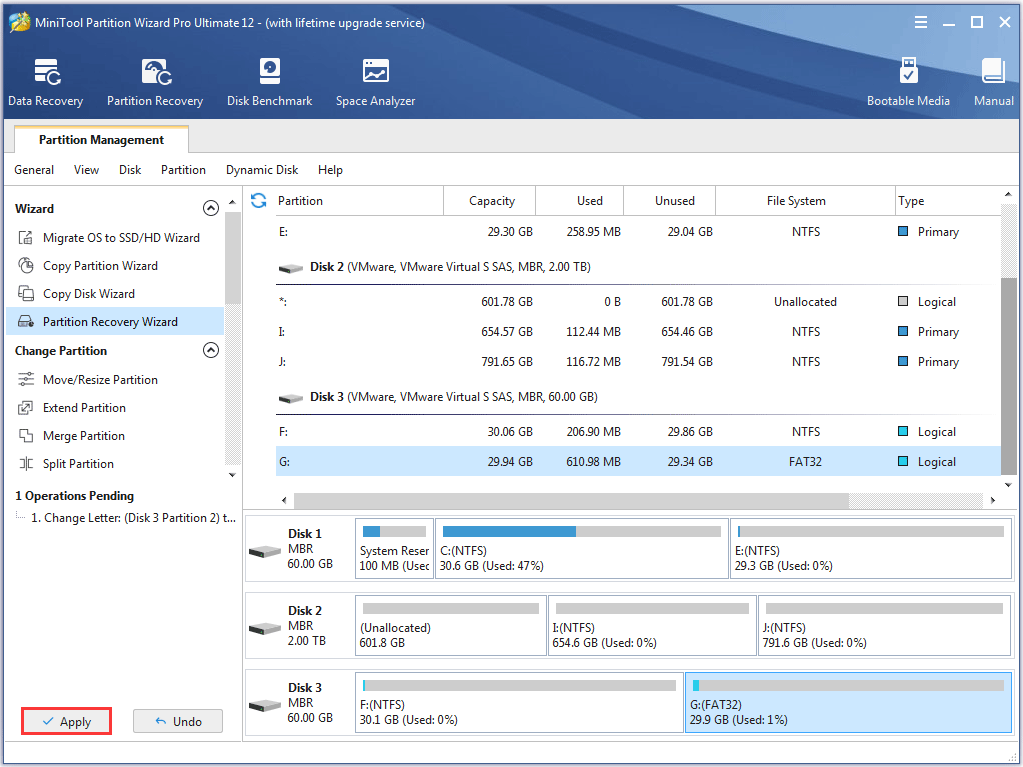
Step 7. Then click Apply button on the top to perform partition recovery.
If Partition Recovery doesn’t work, users can try the Data Recovery function in MiniTool Partition Wizard. Here are their differences.
| Partition Recovery | Data Recovery |
|
|
User Comments :