
About Rebuild MBR
MBR (Master Boot Record) is a special type of loader code at the very beginning of computers’ hard disk. It contains an operating system bootloader and the storage device’s partition table. When DOS reads hard disk, MBR will help to check whether the partition is legal and locate the partition boot information.
And, the loader code is variable. Thus, users can boot MBR from multiple operating systems. It can be found in FDISK program. MBR will pass the control over to the certain operating system which has been registered in the partition table.
However, MBR could be damaged due to various attack, mistaken operation, or sudden power failure. Once MBR is damaged, users may encounter boot problems such as MBR error 3 and see Windows black screen.
Rebuild MBR of MiniTool Partition Wizard helps rebuild MBR in quite simple operations even if Windows cannot boot. That is because this partitioning program offers a bootable disc to boot computer without Windows.
MiniTool Partition Wizard DemoClick to Download100%Clean & Safe
How to Rebuild MBR
To rebuild MBR when Windows cannot boot, users need to create a bootable USB drive or CD/DVD using MiniTool Partition Wizard Bootable Media Builder. Then, boot the computer from the bootable media. MiniTool Partition Wizard will launch automatically.
Step 1. Select the system disk with the damaged MBR and click Rebuild MBR in the right pane.
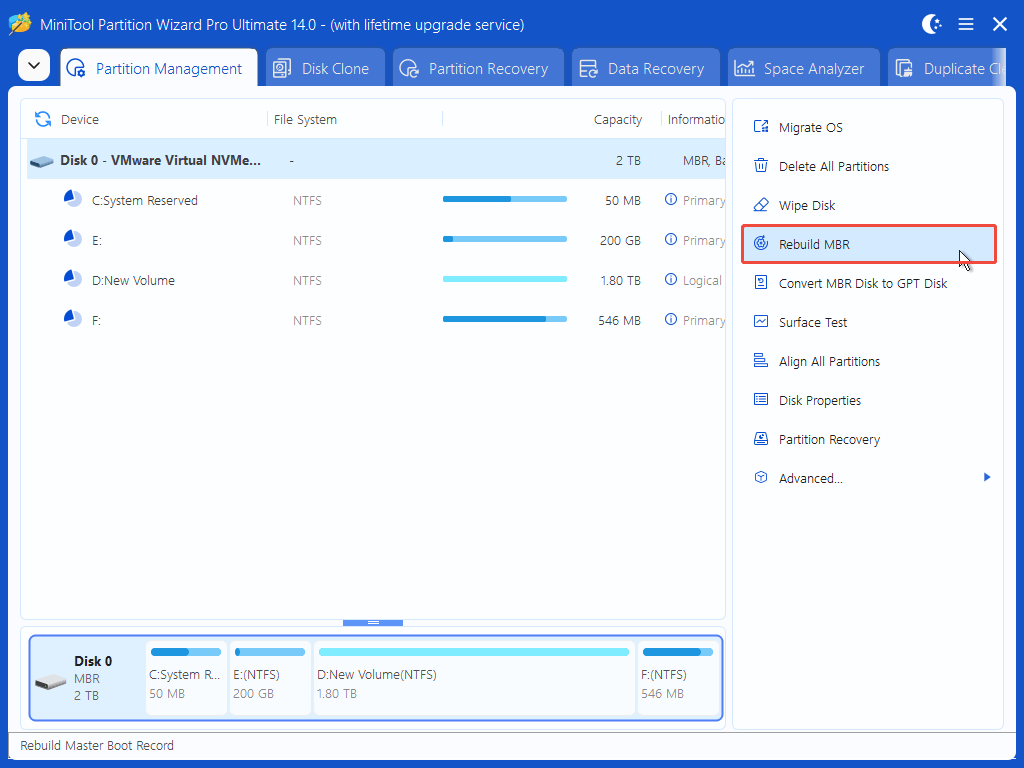
Step 2. Click Apply to execute the pending operation.
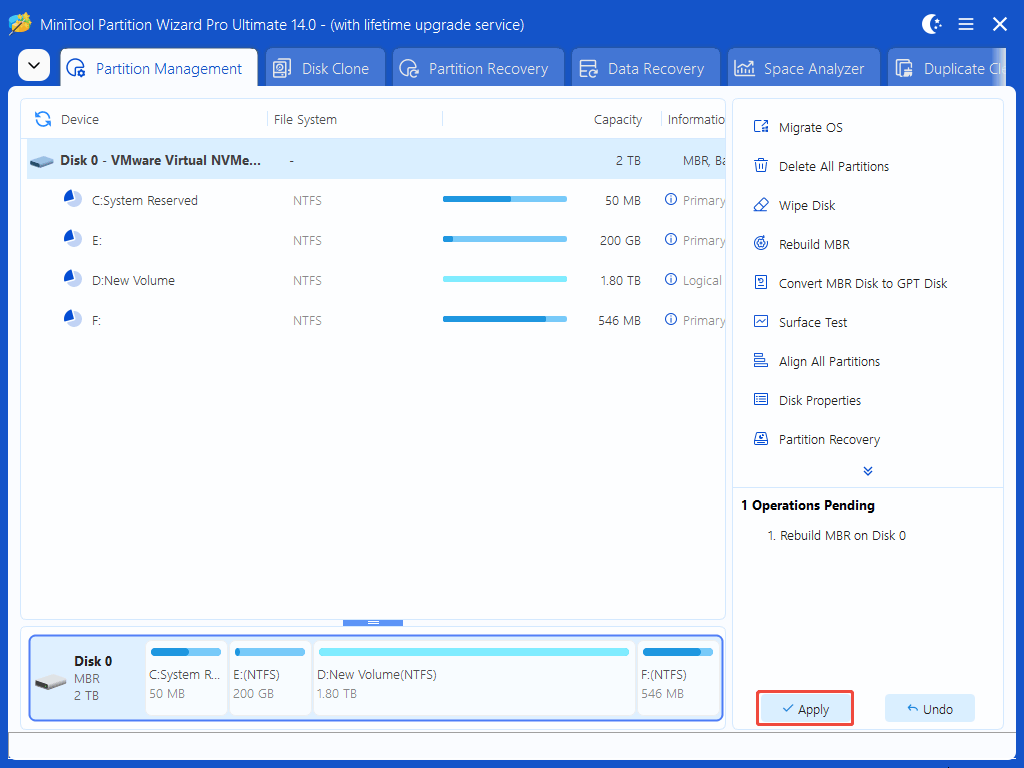
Step 3. Once the operation is complete, exit MiniTool Partition Wizard and restart the computer from the local hard drive.
About The Author

Position: Columnist
As an English editor with almost 15 years of experience, Stella has worked for MiniTool Software and has written articles for 8+ years, mainly covering the fields of data recovery from different storage medium, partition management on Windows, video downloading, and video & audio format conversion.
User Comments :