
This article will explain what's computer booting and describe the specific boot process on MBR disk and GPT disk.
What Is Computer Booting
Computer booting is a process of loading operating system into computer’s main memory/random access memory (RAM) and then preparing the system for users to run applications when the computer is switched on.
The Boot Process
The computer booting process may only take seconds on modern computer. However, the specific boot process is complicated.
Boot Process on MBR Disk
When a computer is turned off, the software like operating system, applications, and data is stored on read only memory (ROM). When you boot PC, the computer can read only part of programs and data stored in ROM. Then, firmware built in ROM is woken up.
The firmware will do power-on self-test (POST). POST will check whether the computer hardware can satisfy the basic operating condition or not. If some problems happen to the hardware, the boot process will be terminated. If there is no problem with the hardware, computer screen will display the information about CPU, internal storage, hard disk drive, and so on.
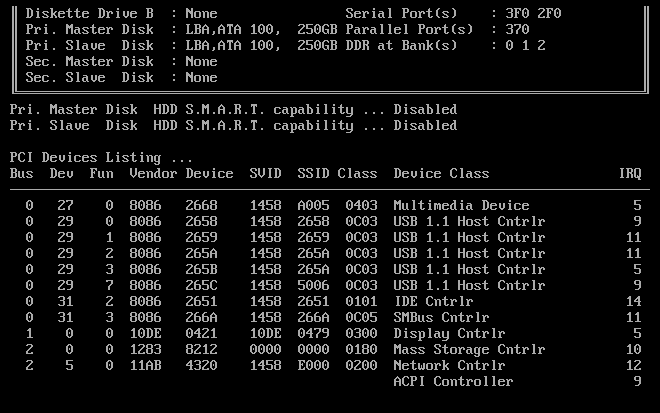
And most importantly, firmware allows accessing other types of memory like a hard disk and main memory (RAM is also called main memory). Generally, if the system disk is an MBR disk, BIOS (Basic Input /Output System) will attempt to access the first sectors (also called boot sector) of the drives according to the boot sequence. The boot sequence can be adjusted in BIOS interface.
BIOS will distinguish whether this drive can be used to boot up computer or not according to the boot sector that contains 512 bytes of master boot record. If the drive can’t be used for computer booting, the first sector of the next drive in boot sequence will be read until a drive containing system partition is found.
Then, the BIOS will load boot loader into memory and run it. As known, there is no operating system in RAM when the computer is just powered on. The operating system needs its loader to place it into RAM for running. The boot loader is that kind of program, which can make computer access to the ROM to load the operating system programs and data into RAM and run it.
Boot loader
The boot loaders vary from computer type to computer type. For example, in general PC, boot loader is usually divided into two stages. The first-stage boot loader located in MBR is used to load and boot the second-stage boot loader in a certain partition.
The second-stage boot loader loads the operating system kernel like Windows or Linux into computer’s main memory. When the operating system kernel is loaded, it takes over the control of PC and then starts to perform decompression and initialization.
At the same time, the second-stage boot loader will check system hardware, list hardware equipments connected with system, mount root device, and load necessary kernel modules. Afterward, the kernel boots the so called user space software like graphical user interface (GUI) and performs high-level system initialization to let users log in to the computer and or run some other applications.
Boot Process on GPT Disk
The booting process on GPT disk is same as that on MBR disk before the access to the boot sector, but there are some differences after the firmware is woken up. On GPT disk, UEFI (booting from GPT disk requires UEFI motherboard, which is ruled by Microsoft) will run a boot manager, which enables users to choose which OS to boot.
Then, the boot manager will load the boot loader. Under UEFI, the MBR and PBR (partition boot record) have been replaced by .efi files of boot loader. And then the boot loader will load the operating system.
About The Author

Position: Columnist
Linda has been an editor at MiniTool for seven years. She continuously learns about computers and puts her knowledge into practice. Moreover, she is particularly knowledgeable in disk management, data recovery, system installation, and PDF editing. Her articles typically reference multiple examples or are based on her own experience, providing users with the most suitable solutions.
User Comments :