
Nowadays, many people convert MBR disk to GPT disk to enjoy the benefits of GPT disk. Well, how to convert MBR disk to GPT disk safely? Here a professional partition manager MiniTool Partition Wizard can help you.
About Convert MBR Disk to GPT Disk
Master Boot Record (MBR) and GUID Partitioning Table (GPT) are two partition styles. Even though they achieve the mutual goal of separating the information for the operating system, they are very different from one another.
These are 2 main differences between MBR disk and GPT disk:
- Number of partitions: an MBR disk supports at most four primary partitions or three primary partitions and one extended partition while a GPT disk can support up to 128 partitions in Windows.
- Size of partition: the size of a single partition in MBR disk can only reach 2 TB while the largest partition supported by GPT disk is 18 EB.
But these aren’t the only reasons why so many users wish to convert from MBR disk to GPT disk. One of the other amazing features the GPT disk also offers is the ability to store multiple copies of the data within the operating system.
If the data is overwritten or corrupted, the GPT disk can recover the data, so the OS will function again. In contrast, the MBR disk does not have this feature and thus unable to easily recover corrupt or overwritten data.
This explains why a growing number of users would like to convert MBR disk to GPT disk as soon as possible. But how to convert MBR disk to GPT disk without data loss? We suggest using MiniTool Partition Wizard Free Edition.
How to Convert MBR Disk to GPT Disk
Importance:
If users are dealing with the system disk, do the followings in advance in case of any accidents after the conversion.
- Create a bootable media of MiniTool Partition Wizard.
- Create a system image or back up the whole system disk.
If there are multiple operating systems, please confirm which operating system needs booting from GPT disk, and then boot from it to do the conversion. MiniTool Partition Wizard is not responsible for the rest operating systems not booting after the conversion. Do it at your own risk.
MiniTool Partition Wizard FreeClick to Download100%Clean & Safe
The downloading and installation process of MiniTool Partition Wizard is easy to finish, even for inexperienced users. Now, let’s see how to do:
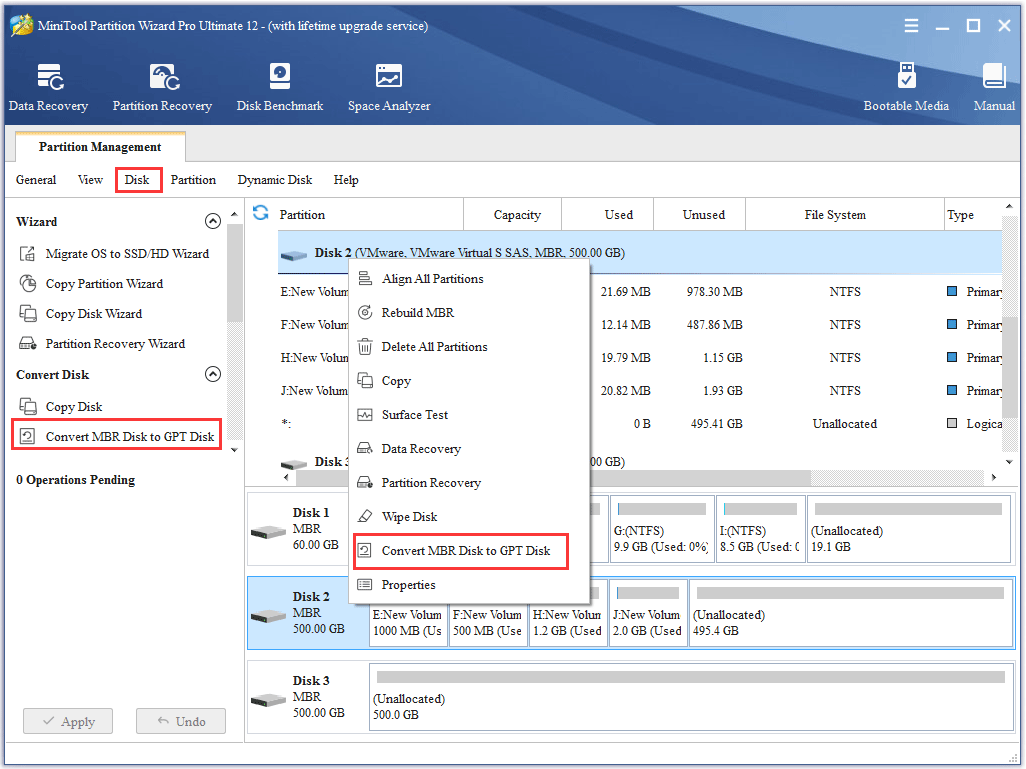
Step 1. Choose the MBR disk that users want to convert.
Step 2. Select Convert MBR Disk to GPT Disk function through following three ways.
- Click it under the Convert Disk list.
- Choose it from the drop-down list of Disk menu at the top.
- Right-click the target disk and choose it from the pop-up list.
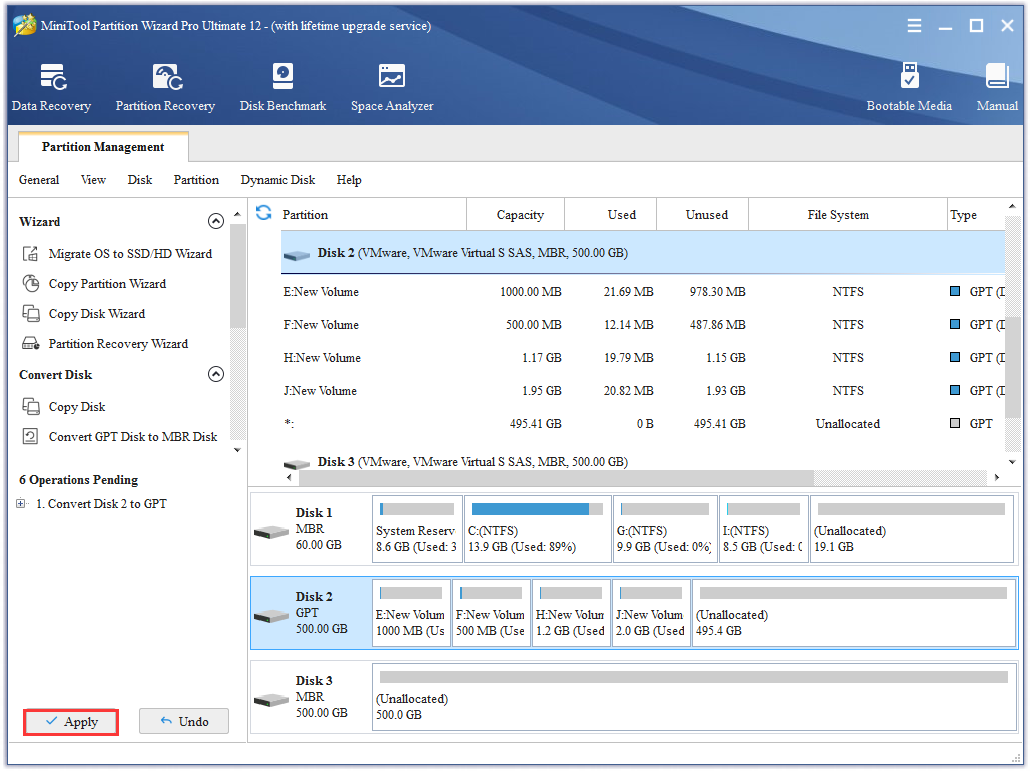
Step 3. Click on Apply button in order to carry out pending operations.
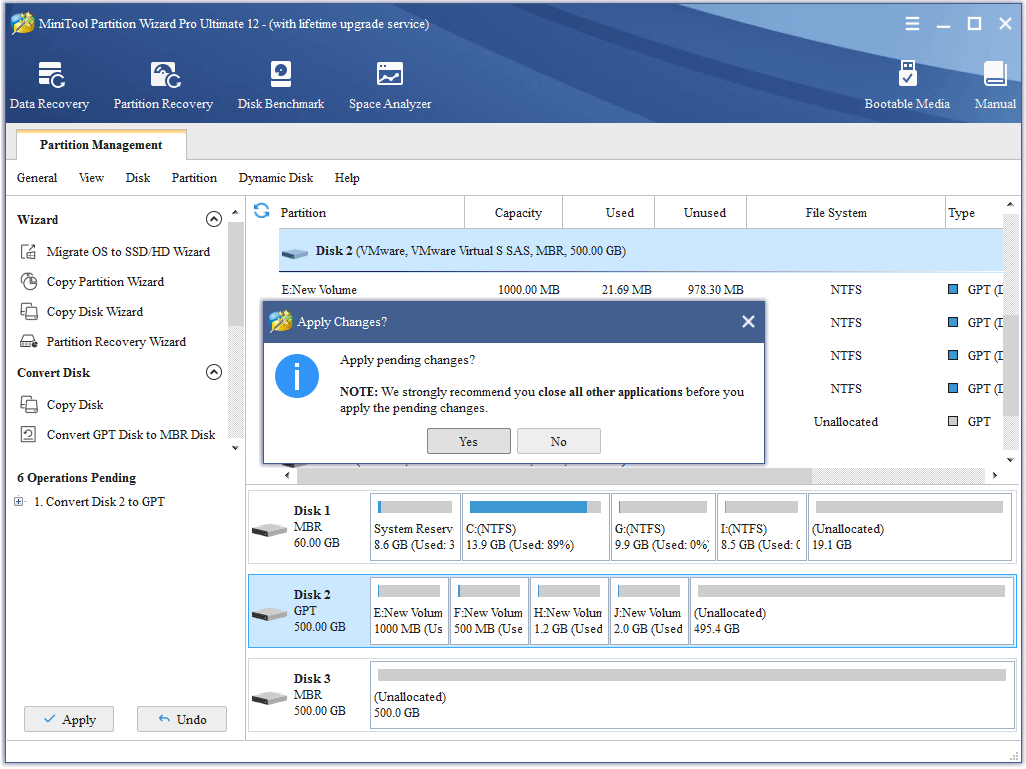
Step 4. Choose Yes in the pop-up prompt window to start converting a disk from MBR to GPT.
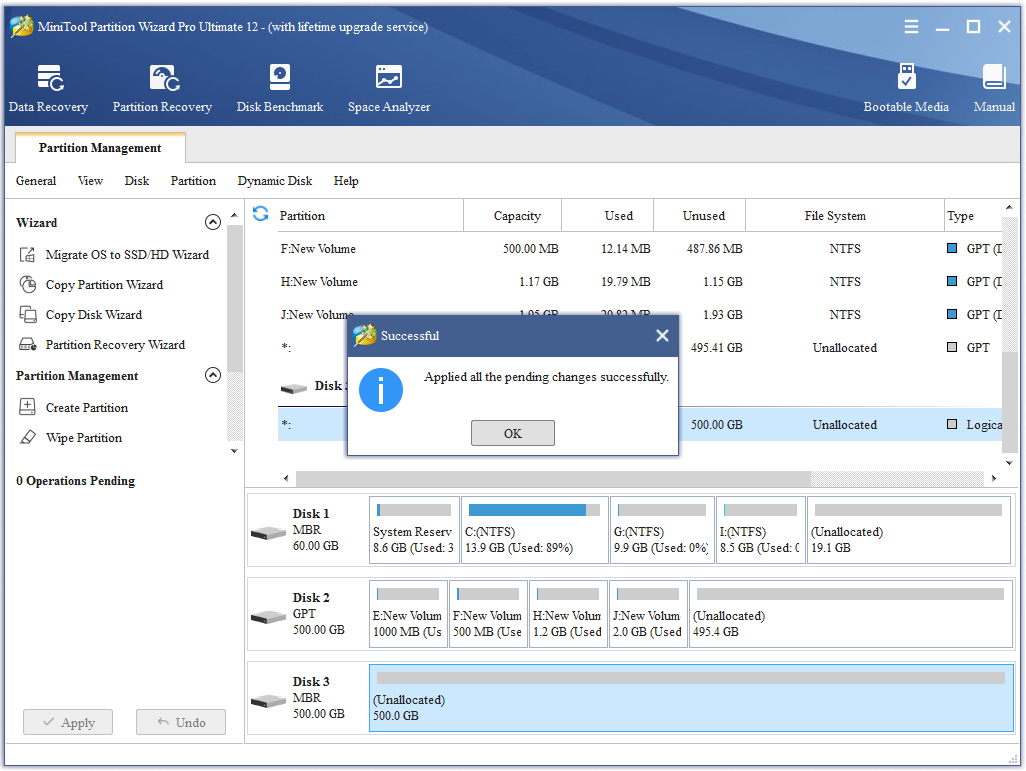
Step 5. Click OK button at the end of conversion to end the process.
User Comments :