
In some cases, you may need to resize FAT32 partition. However, it is not so easy to do without the support of third-party software. So, how can you resize FAT32 partition Windows easily and safely? Don’t worry. This article from Partition Magic shows you ways to change the size of the FAT32 partition.
Can I Resize FAT32 Partition
Recently, many people have reported on the forum that one partition is running out of space, while another partition has free space to use. In this case, you may need to resize these partitions to meet your needs.
If the partition is formatted with the NTFS file system, you can easily resize the partition. But if it is another format, such as FAT32, how would you resize it?
When you try to extend FAT32 partition or shrink FAT32 partition in Disk Management, you will find that the shrink and Extend Volume option is grayed out. Why? This is because Disk Management does not support extending or shrinking FAT32 volumes. It allows resizing only NTFS or Raw partitions.
So, what can you do? Don’t worry. MiniTool Partition Wizard can easily handle this problem without losing any data. To resize FAT32 partition Windows, first click the button below to get this free partition manager on your PC. You can have a try.
MiniTool Partition Wizard FreeClick to Download100%Clean & Safe
How to Resize FAT32 Partition with MiniTool Partition Wizard
MiniTool Partition Wizard is a professional partition manager. With this tool, you can manage your disks well. It not only provides operations such as create/format/split/merge partition, but also provides functions such as clone a hard drive, hard drive recovery, USB drive formatter.
To change the size of the FAT32 partition, you can use the Move/Resize Partition and Extend Partition feature. Fortunately, these features are available in the free version. Let’s take a look at how to do it step by step.
Option 1: Shrink FAT32 Partition
If you want to shrink FAT32 partition size, follow this step-by-step guide:
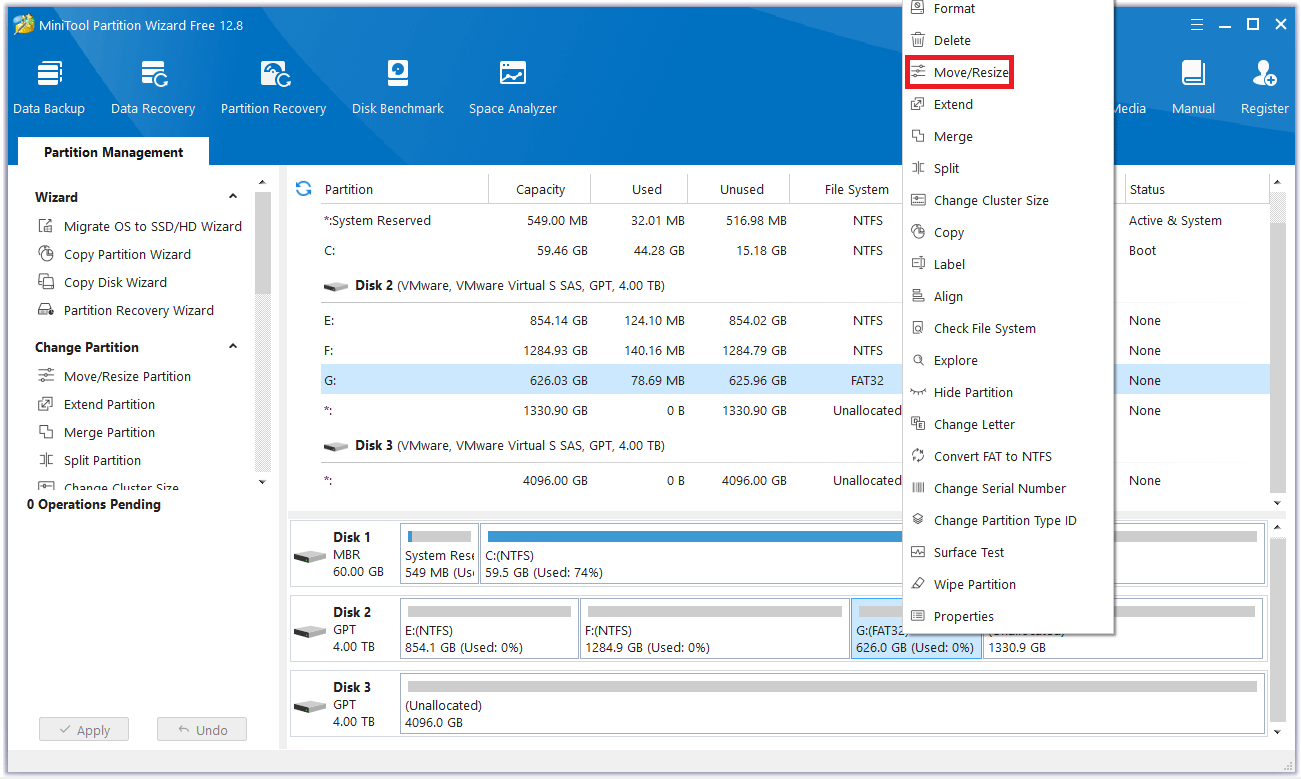
Step 1: Run MiniTool Partition Wizard to its main interface. To shrink FAT32 partition, right-click on the partition that needs to be shrunk and select Move/Resize.
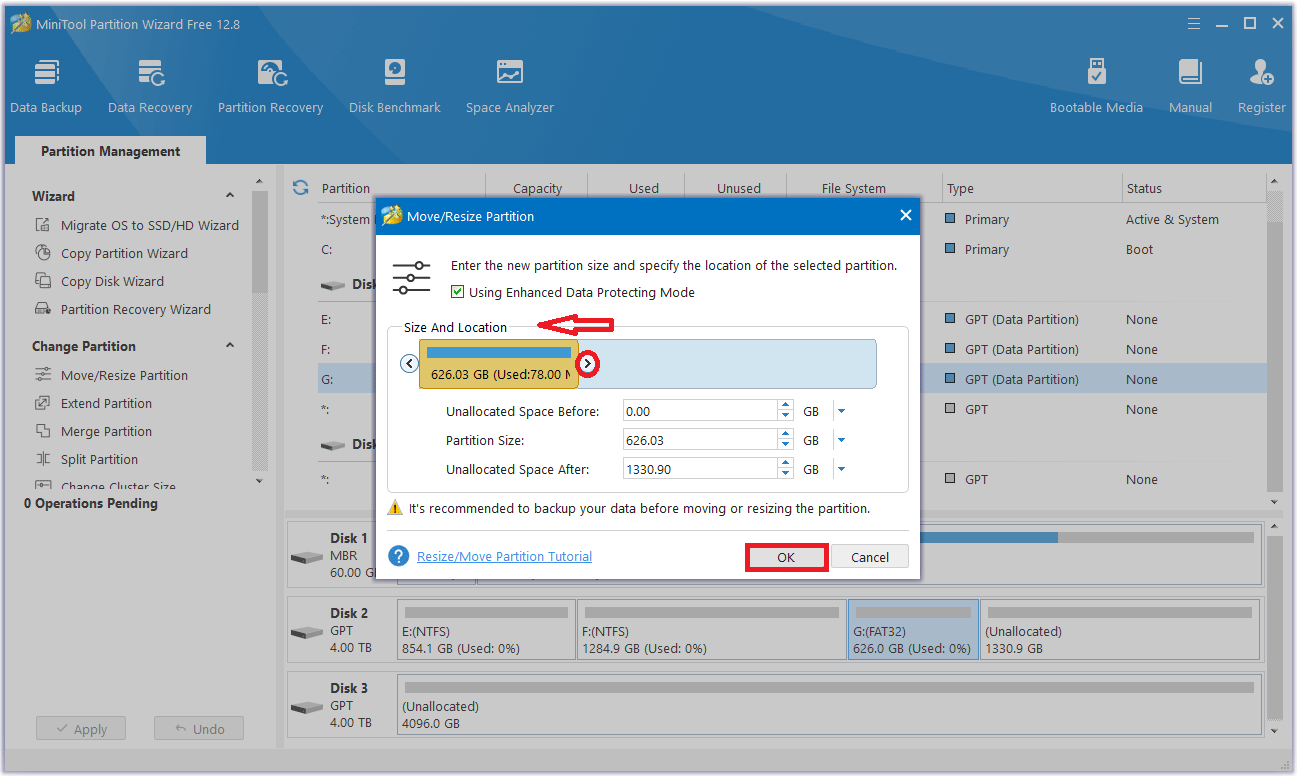
Step 2: In the pop-up window, move the arrow to the left to shrink FAT32 partition, and then click OK.
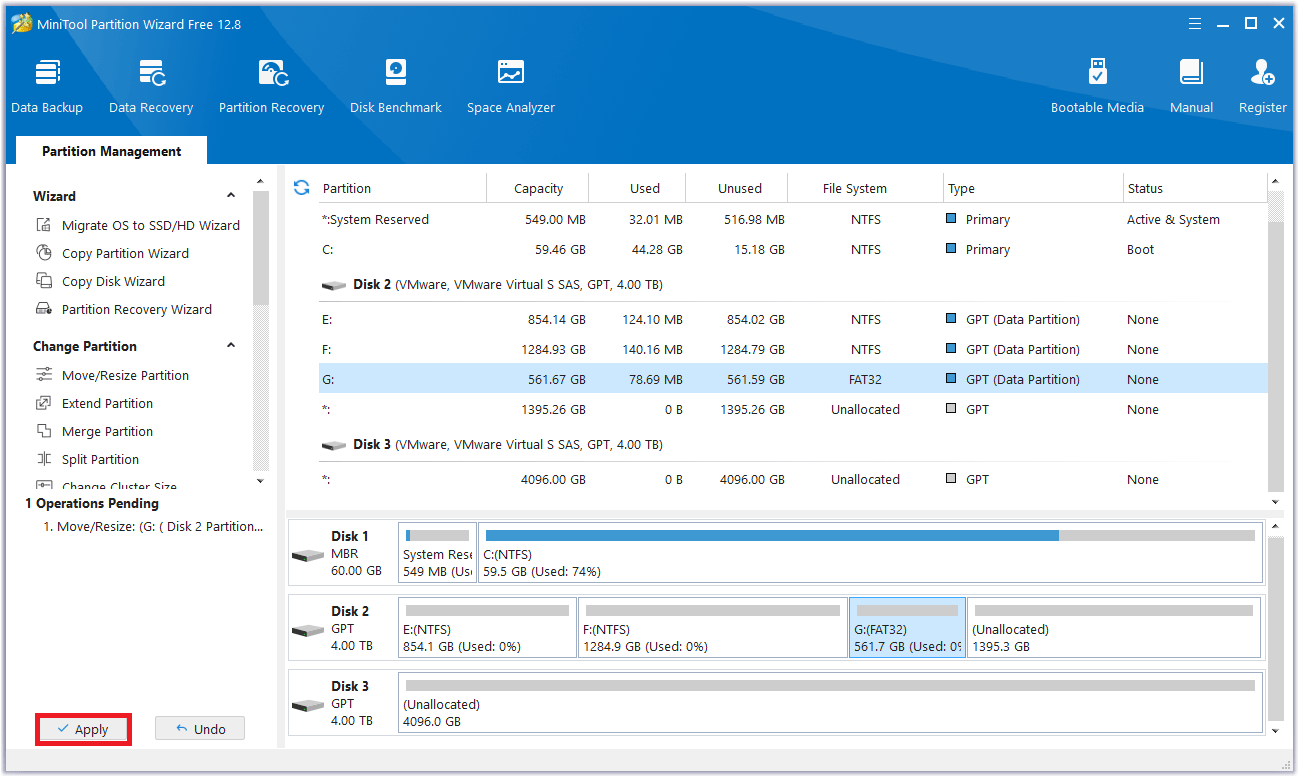
Step 3: MiniTool Partition Wizard will return to its main interface. Here you can preview all the changes you want to make. Click Apply to make the operation effective.
Option 2: Extend FAT32 Partition
If you want to increase the size of a FAT32 partition because the partition is running out of space, follow this step-by-step guide:
Case 1: There is continuous unallocated space on the disk.
When using the Move/Resize Partition feature to extend FAT32 partition, there should be contiguous unallocated space in front of or behind the partition on the disk.
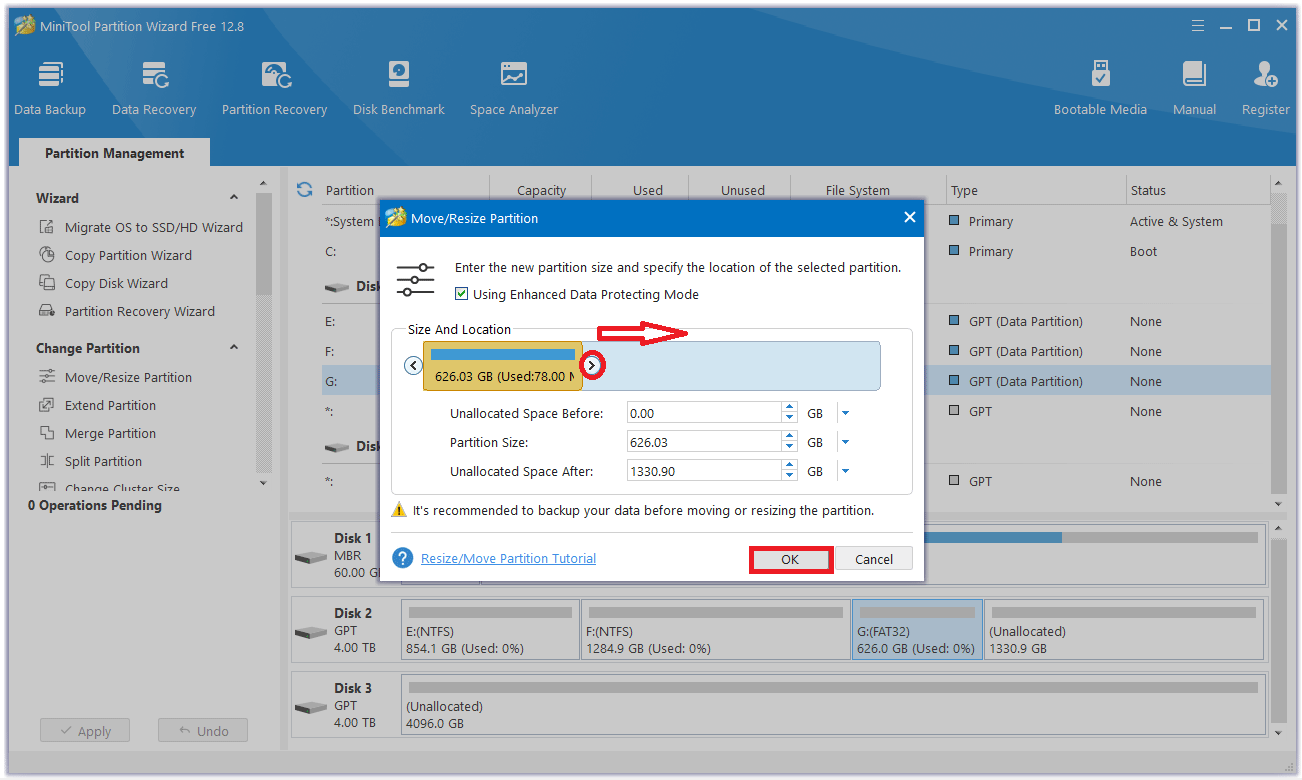
Step 1: Launch MiniTool Partition Wizard to its main interface. To extend FAT32 partition, right-click on the partition that needs to be extended and select Move/Resize.
Step 2: Then in the popup window, move the arrow to the right to occupy the unallocated space, “Using Enhanced Data Protecting Mode” is checked by default here, which protects your data in the event of a sudden power outage. Then click OK.
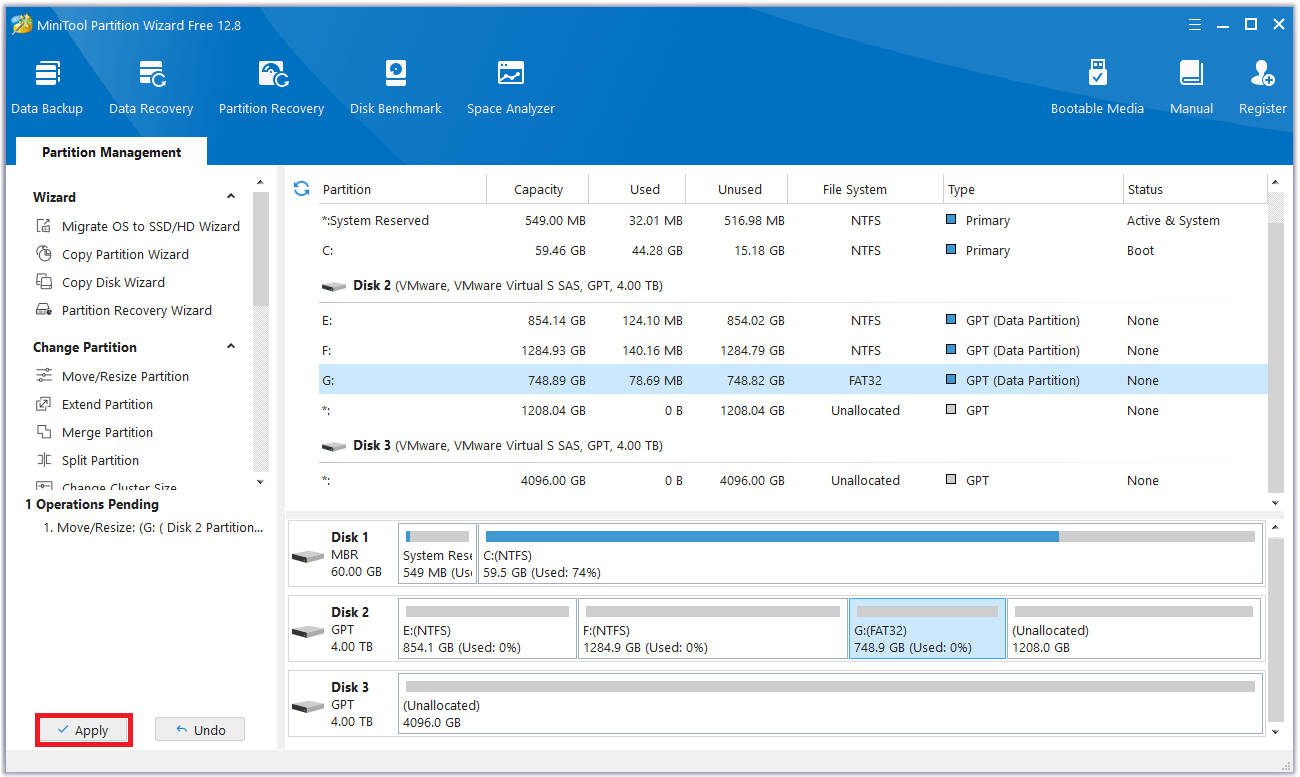
Step 3: Now in the main interface, you can see the changes in the FAT32 partition. In this demonstration, it is expanded. You can extend the FAT32 partition according to your own needs. Finally, click Apply and the partition expansion will be completed.
Case 2: There is no unallocated space or the unallocated space is not continuous with the target partition.
In this case, you need to use the Extend Partition feature in MiniTool Partition Wizard.
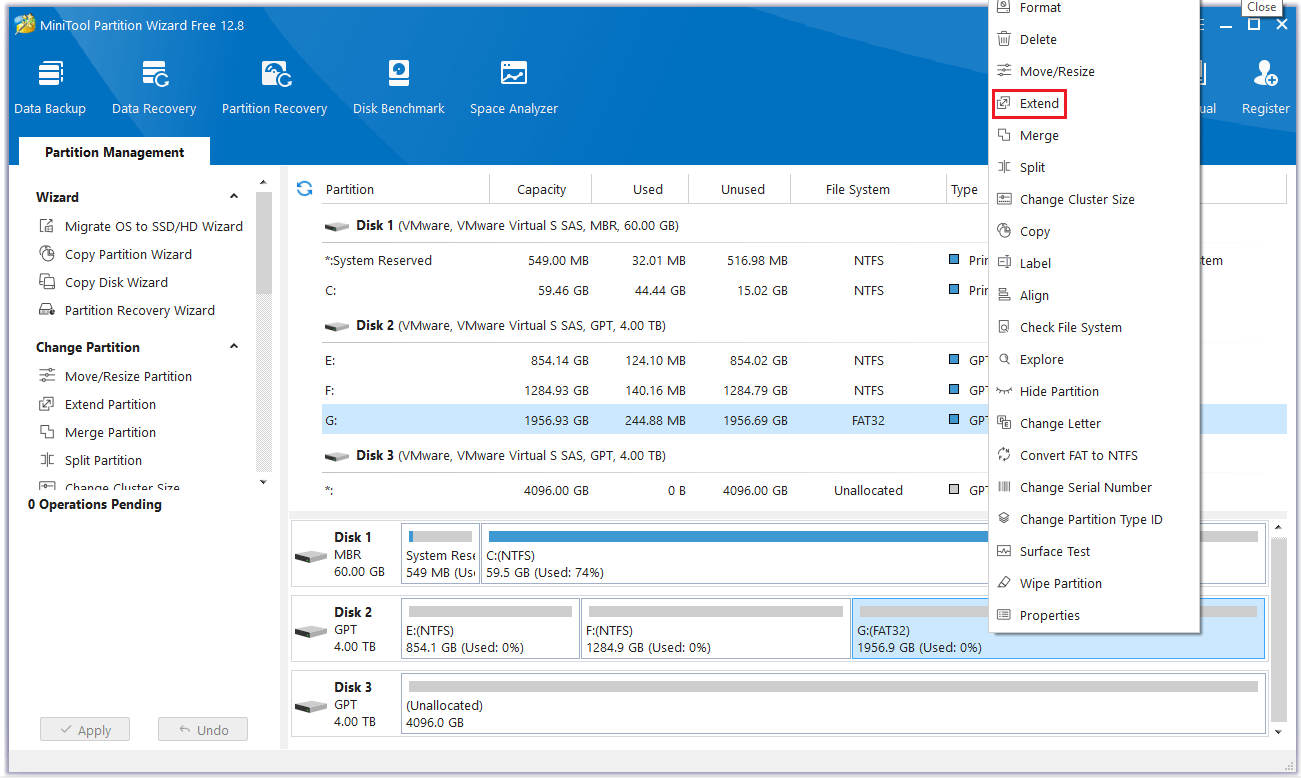
Step 1: Launch MiniTool Partition Wizard to its main interface. Then right-click the partition to be extended and select Extend.
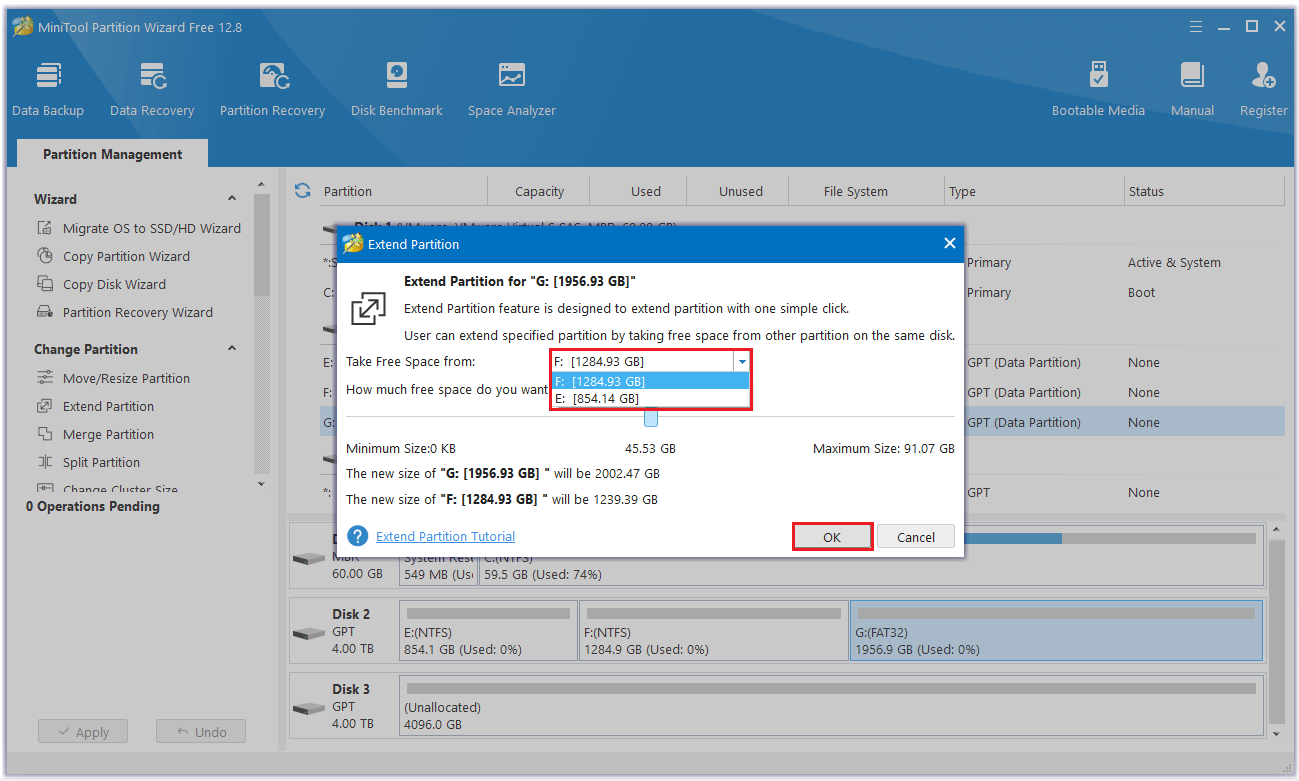
Step 2: Click the down arrow from “Take Free Space From” and select the partition to get expansion space. You can drag the sliding handle to decide how much of the available space it takes up. Then click OK to return to the main interface.
Step 3: You can see that the partition has been enlarged, but it has not been applied to the computer yet, so you need to click the Apply button to perform all changes.
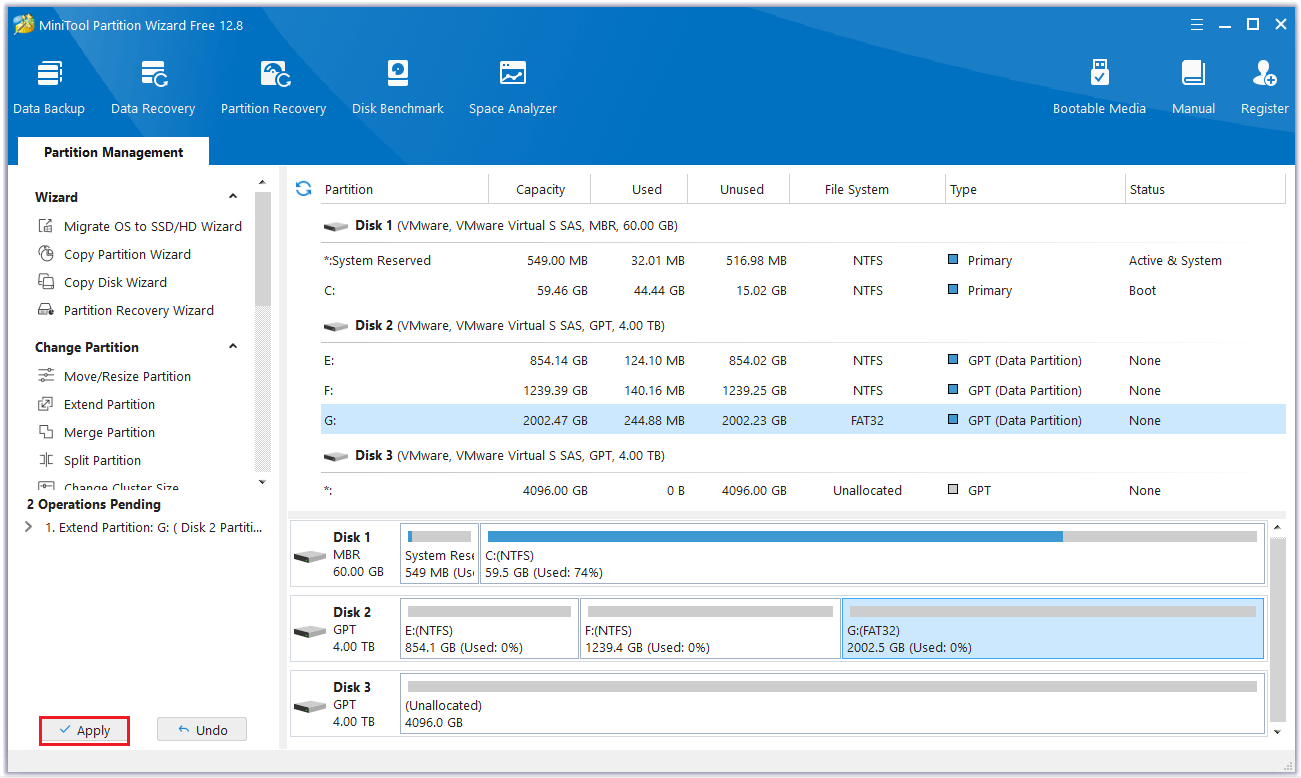
That’s how to resize FAT32 partition in MiniTool Partition Wizard. The steps are very easy. Moreover, all your data will be safe when you resize FAT32 partition. After finishing all the operations, you can return to Windows Explorer to check the new condition of the disk.
Bottom Line
When Windows built-in tool Disk Management cannot resize FAT32 partition, you can choose MiniTool Partition Wizard to do that without data loss. MiniTool Partition Wizard is professional and powerful disk partition management software. You can have a try.
If you have any questions while using MiniTool Partition Wizard, you can contact us via [email protected] to get a quick reply.
About The Author

Position: Columnist
Cecilia has been an editor at MiniTool for two years. She primarily focuses on disk and partition-related content, with particular expertise in disk cloning, partition recovery, and PDF document conversion. She is dedicated to providing users with clear and accurate solutions to help them efficiently resolve common computer problems.
User Comments :