Partition Manager
- Windows 8 partition manager
- Magic partition manager
- Partition magic for Windows 2003 Server
- Partition assistant
- RAID partition manager
- Partition manager server
- The best server partition manager
- Upgrade to larger disk
- Windows 7 partition software
- Free Hard Disk Drive Space Manager
- Partition software windows server 2008
- Free fat ntfs partition recovery
- Merge partitions
- Free partition manager
- Windows server 2008 partition manager software
- Windows web server partition software
- Windows Server 2003 partition software
- Partition manager for Windows server 2008
- Windows Vista Partition Manager
- Partition software for server
- Windows server partition manager
- Windows Server 2003 Partition Manager
- Windows server 2008 partition manager
- GPT Disk Partition Manager
- Free windows 7 partition manager
- Convert fat to ntfs xp
- Convert fat32 to ntfs in windows xp
- Windows convert fat32 to ntfs
- Free disk manage
- Divide disk free
- Repartition windows 7 drive
- Windows 7 disk manager
- Recover lost partition
- Explore partition
- Extend boot partition Windows 7
- Windows 7 partition manager
- Hard disk copy
- Copy disk partition
- Dynamic disk recovery
- Extend OS partition
- Disk partition software for 64-bit Vista.
- Disk partition windows server 2003
- Extend/enlarge gpt partition
- Extend/expand logical partition
- Free partition manager software
- Extend/expand logical partition
- Extend/enlarge gpt partition
- Delete all partitions
- Copy wizard
- Copy gpt disk
- Free repartition external hard drive
- Free partition recovery software
- Discard all changes
- Boot partition is the partition where...
- Copy partitions is a function where a...
- How to create partitions?
- How to format partitions?
- Partition wizard can perform Linux...
- Partition wizard can tell you how to fix...
- Norton Partition Magic is one good...
- What is partition?
- Partitioning is the process of writing the...
- If user needs one professional partition...
- What is partition drive?
- How to fix partition?
- Partition Magic is an excellent partition...
- Partition Magic 8.0 is an excellent...
- Choosing partition software, user can...
- Partition wizard is an alternative to...
- Partition wizard can support many OS...
- Managing partition, Partition wizard is...
- How to perform partition recovery?
- How to repair partition?
- How to resize partition?
- Partition wizard can resize partition well.
- Partition wizard is one professional...
- What is partition table?
- What is Partition table doctor?
- What is partition utility?
- How to partition windows?
- Partitions are divided into primary...
- How to restore partition?
- How to swap partition?
- What is system partition?
- How to boot windows 7?
- How to resize windows partitions?
- How to partition Vista?
- How to partition windows 7?
- Partition wizard supports many 32...
- Partition Wizard is a professional...
- Partition wizard can partition FAT32 well.
- Partition wizard can tell user how to...
- How to merge partition under windows...
- How to resize NTFS partitions?
- What is NTFS and how to resize partitions?
- Partition wizard supports 64 bit systems.
- How to resize server partition?
- What is disk partitioning software?
- What is drive partition AFS?
- How to resize hard disk partition?
- Partition Wizard is the industry leading...
- How to resize 64 bit partition?
- How to resize partitions?
- What is 64 bit system?
- How to partition 64 bit windows XP?
- How to active partition?
- How to partition disk?
- Partition wizard can partition windows...
- How to partition windows 2000 server?
- How to partition windows vista 32 bit?
- How to partition windows vista 64 bit?
- How to partition 64 bit windows 2008...
- How to partition 32 bit windows 2008...
- How to partition windows 2003?
- How to partition windows 2008?
- How to partition 32 bit windows XP?
- What is partition magic64?
- How to partition 64 bit windows XP?
- Partition Wizard is professional...
- How to perform windows 7 64 bit...
- How to partition for windows XP?
- What is Partition magic 8 for vista?
- Compared with partition wizard in light...
- What is Partition magic 8.05?
- What is partition magic Dos?
- What is Partition Magic 9.0?
- How to partition for windows vista with...
- How to partition under windows 7?
- Partition wizard is an alternative to...
- Partition wizard can perform partitioning...
- Partition wizard is an alternative to...
- Partition Wizard is alternative partition...
- What is partition magic X64?
- What is partition management?
- Partition Wizard is the best partition...
- What is partition manager 64 bit?
- How to partition for Windows 2003...
- How to partition for windows 7?
- How to partition for Windows 2003...
- How to do partition 32 bit winddows7?
- What is partition manager for vista 64 bit?
- What is partition manager for vista 64...
- What is partition manager 9.0 64X?
- What is partition manager for XP64?
- What is partition manager X64?
- How to do resize partition for vista?
- What is partition manager for windows...
- Partition wizard is one free partition...
- How to resize partitions 64 bit vista?
- What is sd partitions?
- What is partition?
- What is XP partition?
- Partition manager is a professional...
- Partition wizard home edition is one free...
- How to clone disk?
- How to convert FAT32 to NTFS?
- How to copy disk?
- What is disk manager?
- What is drive copy?
- What is partition backup copy?
- How to resize partition for windows 2003?
- What is server partition manager?
- What is system copy?
- What is volume manager?
- How to boot windows?
- What is windows MBR?
- How to fix windows MBR?
- What is windows partition?
- How to build windows 7?
- Partition wizard can partition windows 7...
- Partition wizard can partition XP and...
- Partition Wizard Home Edition for...
- What is Microsoft windows 7?
- How to resize windows 7 partition?
- How to get windows 7 key?
- How to install windows 7?
- How to use windows 7 tools?
- How to resize windows 7 partitions?
- How to remove windows 7?
- What is windows 7 2009?
- Partition wizard supports windows 7...
- What is windows 7 test?
- What is server magic partition?
- What is server partition software?
- What is partition software for server?
- How to resize server 2003 partition?
- How to resize window server 2003...
- Partition Wizard Server Edition is an...
- How to partition windows server 2003...
- What is windows server partition?
- How to do windows server 2003 partition?
- What is partition server 2000?
- What is windows server 2000 partition?
- What is server 2000 partition?
- What is partition magic for windows...
- What is server partitioning tool?
- How to partition windows server 2003?
- What is windows server 2003 partition...
- What is partition manager server edition?
- What is windows 2003 partition manager?
- What is partition manager for server?
- What is partition manager for windows...
- Partition wizard is the best server...
- Partition wizard home edition is best...
- What is partition manager 2003?
- What is partition magic 2003?
- Partition 64 bit with 64 bit partition manager
- Partition copy
- Partition for Windows 2000 professional
- Partition for Windows 2003 server 32bit
- Windows 7 Partitions
- Partition for Windows XP 32bit
- Partition backup and copy
- Create NTFS Partitions
- Partition manager of windows vista
- Windows partition manager9.0 64x
- Change Letter with Partition Manager Freeware
- Partition for 64bit Windows Server 2003
- Partition for Windows Vista 32 bit
- Partition for Windows Vista 64bit
- Partition for 32bit Windows Server 2008
- Partition for 32bit windows 7
- Partition 64bit Windows 7
- Partition for Windows 2003
- Partition for Windows XP 64bit
- Partition for 64bit Windows Server 2008
- Partition Wizard for drive partitioning.
- Partition Wizard Overview
- Partitions for Windows 2008
- Partitions for Windows XP
- Copying System
- System partitions
- Volume partition manager
- Windows backup
- Boot damaged windows
- Rebuild Windows MBR
- Damaged Windows MBR fix
- Recovery Data
- Disk Partition
- Manage partition from CD-ROM
- Manage partition when system can not be booted
- 64 bit Windows 7 partition
- Best free partition manager for Windows 7
- Change dynamic disk to basic
- Change NTFS partition size
- Change partition size Server 2003
- Change server 2008 partition size
- Changing partition label
- Check partition for error
- Copy hard drive
- Copying disk freeware
- Create bootable disks
- Deleting partitions
- Windows 7 partition
Partition software windows server 2008
- Since the release of windows server 2008, its outstanding backup functions have been popular with a large number of computer users. However, as you become familiar with those functions, you will find a big disadvantage which can only be made up by third-party program-partition software. As you know, the backup functions of Windows Server 2008 are the most complete among all sorts of operating systems. But what exactly is that big problem? If it is true, then which partition software can solve the problem? In the following article, we will explain these questions one by one.
Backup Functions of Windows Server 2008
Now more enterprises start to pay much attention to protecting data security. The most common method to ensure data security is to make a backup. Apart from using partition software to backup data, the backup function of operating system is also an important choice for users. So far, the data backup functions of Windows server 2008 operating system have been the best of all. Using these functions skillfully can improve the data security of your server effectively. Windows server 2008 mainly provides users with the following backup functions that fall in several categories.
1. system account backup
2. system partition backup
3. complete system data backup
4. complete system backup to network share
5. intelligent network share backup
6. no incremental backup for system partitions
The Defects in the Backup Functions of Windows Server 2008
From the above detailed description of backup functions in Windows server 2008, you will discover its backup functions are really more complete than those of previous operating system. And it seems to make partition software unnecessary to backup data anymore. Then what is the big problem? Indeed, we will never deny the excellent backup functions of Windows server 2008. But in practical use, you will find its backup functions are not perfect. Still you will need partition software to do some backup jobs.

If you have used any of these functions before, you will know that in every backup operation, the operating system will backup the system partition automatically by default. And it does not allow network administrators to modify this backup default. That is to say, whatever backup option webmaster uses or the content, it will initially backup the system installment partition. This design can protect the security of Windows server 2008 operating system. However, for users, it means using more disk space to backup a partition. Once the backup space is not sufficient, you have to spend some more time to extend partitions.
MiniTool Partition Wizard Can Help Remedy the Backup Drawbacks of Windows server 2008
While using Windows server 2008, how can users escape this drawback successfully? Every time you backup a partition, Windows server 2008 will backup the system partition automatically, and so far no program can help modify the settings. When you find the partition space is not enough for a backup partition, you can make use of MiniTool Partition Wizard to extend partition. Or you can use partition copy of MiniTool Partition Wizard to achieve this task directly. We would like to introduce the two methods in the following.
First, using partition software to extend partition and get enough backup disk space.

Using MiniTool Partition Wizard to modify partition size, you can not only choose to extend or compress the size of the partion according to your needs, but also can move it in the disk. Most importantly, this partition software can guarantee data security during resize partition operations. Second, use MiniTool Partition Wizard to backup partition directly. Although the partition backup functions with MiniTool Partition Wizard are relatively limited, yet they can make up the backup drawbacks of Windows Server 2008. If you can combine the functions of both, backup with Windows Server 2008 will become more smoothly.
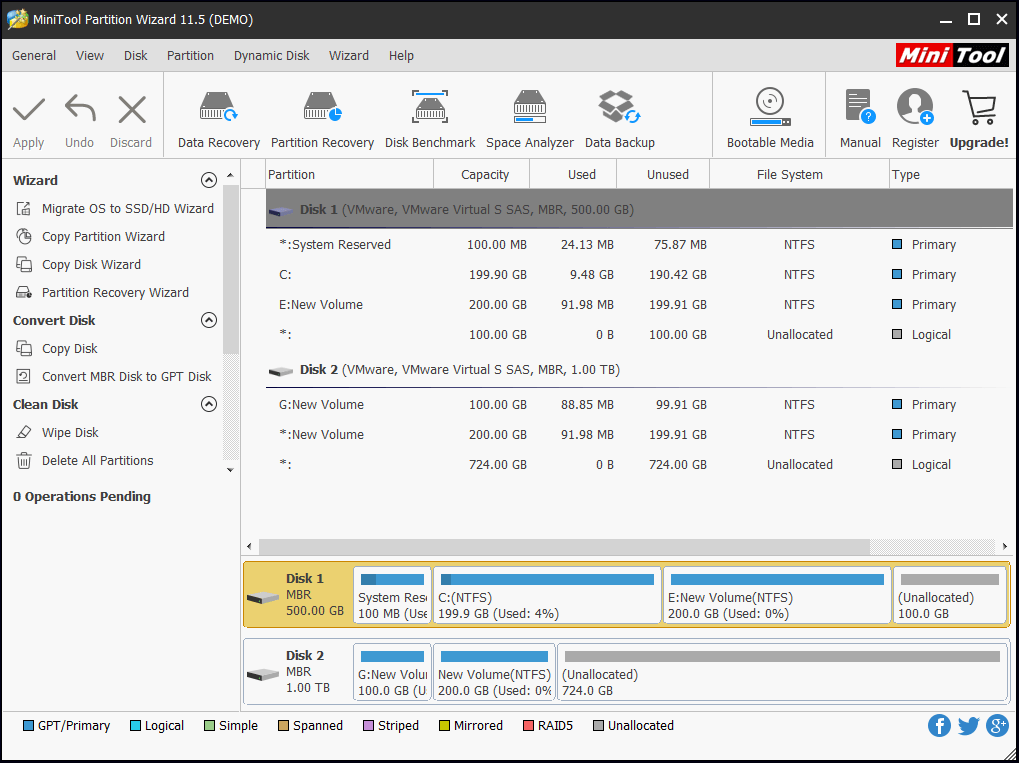
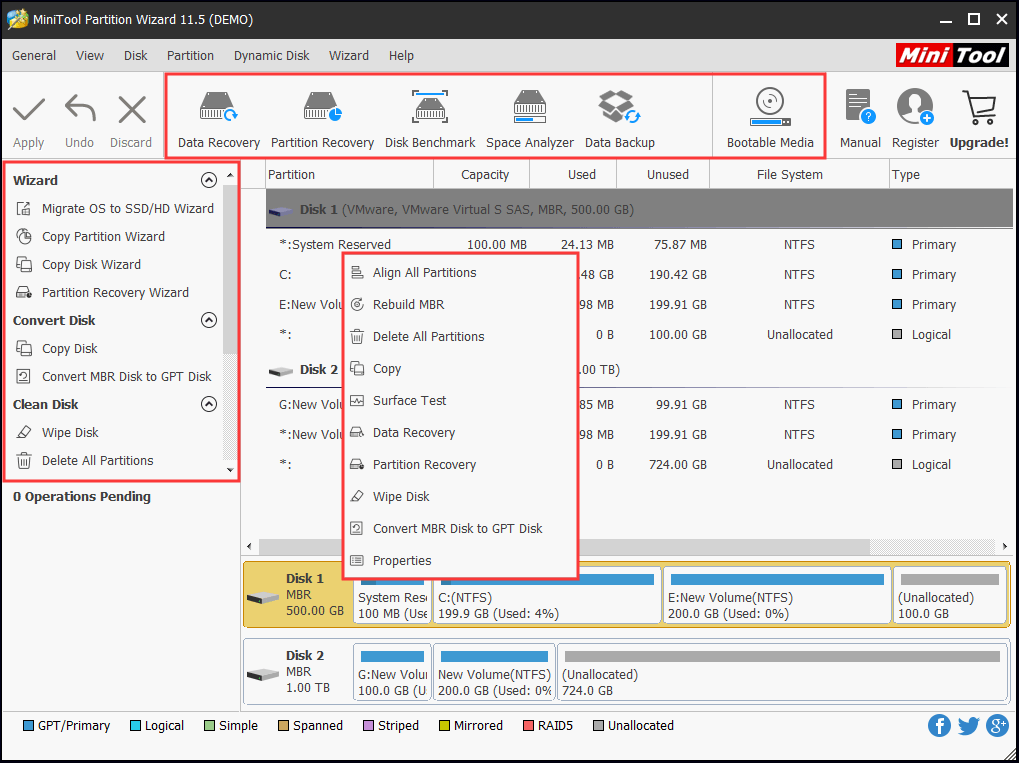
Run MiniTool Partition Wizard and enter the main interface. Select a backup partition, and then click the "copy" button, and you will see the following interface.

MiniTool Partition Wizard can only copy partition to disk unallocated space. Thus the size of unallocated space should be big enough for storing the backup partition. If the space is not enough, then you should resize partitions to release more unallocated space. Otherwise, you can not go on with the task.

When you click a suitable unallocated space, you will enter a similar interface like partition resize. In this interface, you can edit the size and position of the backup partition according to the needs.
Undoubtedly, the backup functions with Windows server 2008 are very outstanding, yet its drawbacks are really a headache to users. In order to backup data smoothly, MiniTool Partition Wizard will be a necessity. It will avoid backup problems with Windows server 2008 and also help you a lot with the entire disk management. To learn more about MiniTool Partition Wizard, please check the official website http://www.partitionwizard.com.
Free Partition Manager Free Partition Magic Partition Manager Server Partition Magic Server
Common problems related to partition management and our solutions:
- Windows server 2008 partition manager. Partition manager for Windows server 2008
- Windows server 2008 partition manager. Partition manager for Windows server 2008.
- The best Windows server partition manager. Partition manager for Windows server 2008.
- Partition manager for Windows server 2008. How to change cluster size under Windows server 2008 with partition manager?
- Create partition for 32bit Windows Server 2008 with MiniTool Partition Wizard Server Edition.
- How to resize partition for 64bit Windows server 2008 with MiniTool Partition Wizard Server Edition?