Partition Magic
- Windows 8 disk management
- Windows 8 partition management
- Partition in windows 7
- Active partition
- Disk partition software
- Hidden partition
- Disk partitioning software
- Hard drive partitions
- Partition server magic
- Portable partition magic
- How to remove partition
- Partition magic 6.0 download
- Formatting partitions
- Disk copy software
- Disk Partition In DOS Windows linux unix2
- Delete files permanently
- Delete Partition Windows 7
- Delete Hard Drive
- Dual boot Windows XP Windows 7
- Initialize to GPT disk
- Wipe partition in windows
- Partition recovery wizard
- Partition hard disk
- Perform windows xp hard drive partitioning
- Partition external hard drive
- Recover deleted NTFS partition
- Windows server partition magic
- Recover lost partitions
- Harddisk partition recovery
- Rebuild MBR
- FDISK format tools
- Initialize to MBR disk
- Partitioning basics
- Partition copy software
- Windows 2003 server partition magic
- NTFS hard disk recovery
- Recover fat32 partition
- Windows server 2003 partition magic
- Recover Hard Disk Partition
- Windows 2000 Server Partition Magic
- Server Partition Magic
- Partition Magic Server Torrent
- Partition Magic Server Rapid share
- Partition Magic Server 2000
- Partition Magic for Server 2008
- Server 2008 partition magic
- Partition magic server free
- Partition magic server edition
- Partition magic for Windows 2003 Server
- Partition magic for server 2003
- Symantec partition magic server
- Partition magic Windows Server 2008
- Partition magic server
- Partition magic server version
- Partition magic for Windows 2000 server
- Remove partition
- Undo Format
- Partition Magic 8 Windows Server 2003
- 2003 Server Partition Magic
- Undo last operation
- Partition magic 8 server 2003
- Vista 64 bit partition
- View partition properties
- Partition magic for server
- Partition magic for 2003
- Free partition magic for server
- Support hardware raid
- Partition magic for server 2000
- Wipe partition
- Wipe disk
- Windows xp hard drive partitioning
- Windows 7 partition software
- Reload disk information
- Clone Dynamic Disk
- SBS 2008 server partition
- Repartition server
- Bootable CD
- C drive is out of space
- C drive full
- SBS server low disk space
- Selecting Harddisk Partition
- Recover Files by Partition Recovery
- Safely upgrade disk by cloning disk
- Repartition raid
- Free Partition Recovery from Unallocated Space
- Partition Magic for Windows Server 2003
- Partition Windows 2008 64Bit
- Hiding Partitions
- Partition 2003 server
- Partition servers
- Windows Server 2003 Partitions Software
- Windows Server 2008 partition
- Windows 2008 disk management
- Windows 2003 server partition manager
- Small business server 2003 partition
- Partitioning
- Partition server 2008
- Switch from FAT32 to NTFS
- Partition Server 2003
- Supported hard disk type
- Supported file system
- Windows XP FAT to NTFS
- Windows 32 Or 64 Bit
- Server partition
- Server magic alternative
- Server disk partition software
- Server 2003 repartition dynamic disk
- Partition Windows 7 system
- Partition Windows 7 64 bit
- Partition Wizard Server
- Free upgrade
- Set driver letter
- Partition Windows 7
- Partition Windows 7 32bit for free
- Magic partition download
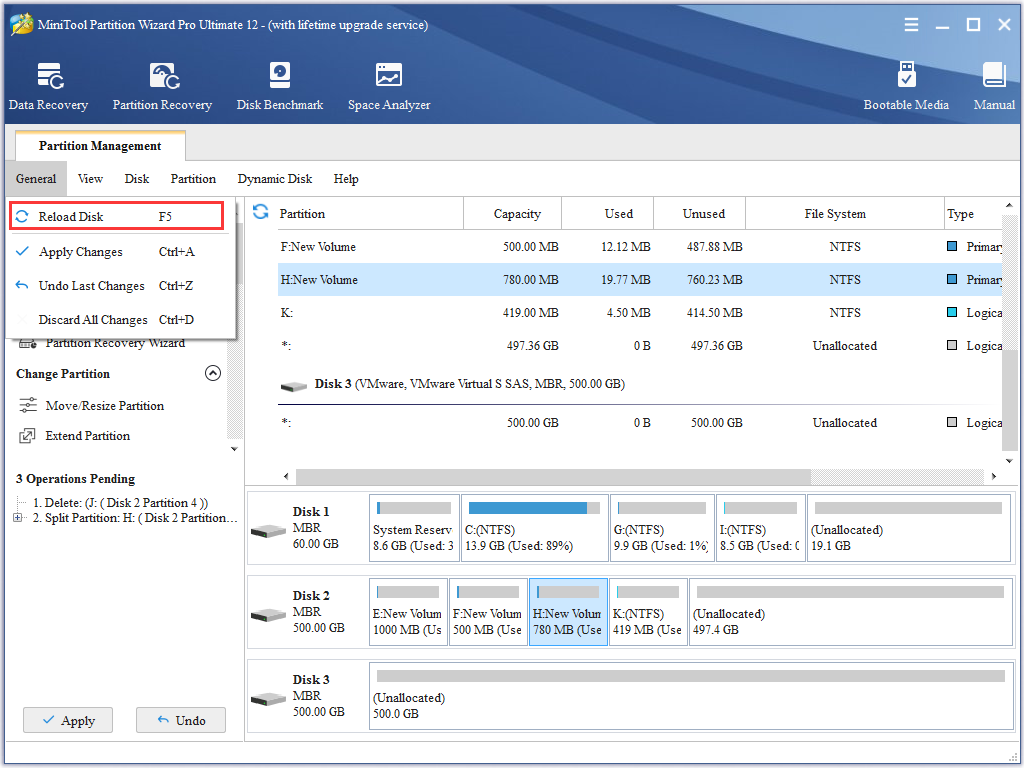
Reload disk information
-
Users may meet such a situation where computers can not start in daily use. Did you think of the reasons resulting in this situation? Many users may think that is resulted from great damage of the computer. Actually, it may not be always that reason. I have searched some information on the internet. From the searching results, I found there are many factors which make us unable to start computers. The most possible factor is that there is something wrong with our MBR in the disk. MBR is short for Master Boot Record. It is located in 0 track 0 cylinder and 1 sector. MBR contains much information about computers, including guiding process, partition table, and ending identifier. Among them, guiding process is used to offer a guide for starting operating systems in the main partition after system hardware's self-checking. Partition table is used to record partition information. Division marker is "55AA" which can inform users whether MBR is effective or not. If this marker is lost or damaged, the system will prompt users disks are uninitialized. The reason to make computers unable to start is likely to that MBR is decoded. To solve this problem, users need to reload MBR information. In other word, users need to rebuild MBR. However, if users want to rebuild MBR, they must use a professional partition magic.
More professional and all-round partition magic
In today's world where computer software technology develops so fast, users can find partition magic from the internet easily. However, many of them are not professional, and they have many disadvantages, such as incomprehensive functions, lower security, and incompatibility to operating systems, and so on. If we choose these series of software, our disk will be greatly damaged. Moreover, many partition magic can not realize rebuilding MBR when we are unable to start our operating systems. To create MBR, I suggest using MiniTool Partition Wizard which is a more professional and more comprehensive partition magic, because it is developed by MiniTool Solution Ltd., a professional software development corporation. Besides, bootable disk offered by MiniTool Solution Ltd. can help us realize recreating MBR when we are unable to start operating system, which can not be realized by other software of the same kind. At the same time, MiniTool Partition Wizard can realize diversified partition management operations, such as merge, delete, and format partition, check disk, wipe disk and partitions, convert GPT disk, to set activity partition, to change drive letter, and so on. To know more information about MiniTool Partition Wizard, users can visit its official website http://www.partitionwizard.com/. Next, I will demonstrate how to create MBR with MiniTool Partition Wizard.
Recreate MBR with MiniTool Partition Wizard
We need to start our computers with the help of Bootable CD first when we are unable to start computers. Next, we can see the following interface:

This is the starting interface where we should select "Boot from Partition Wizard Boot Disc", and then we enter into the next operating interface:

In this interface, we select screen resolution. Then, we step into partition management interface:

In this interface, we can see disk and partition allocation state. We right click the disk, and then select "Rebuild MBR" in the shortcut menu to enter into the next step:

In the main interface, we can see there appear unexecuted items. We click "Apply" to accomplish rebuilding MBR.
Common problems related to partition management and our solutions:
- The best solution to SBS server low disk space circumstance. Execute disk partitioning with partition magic.
- How to safely upgrade disk capability? Just use partition magic to clone disk.
- How can the enterprises realize repartition on raid disk? Execute repartition with MiniTool Partition Wizard.