Getting Started
Using partition wizard
- Partition Wizard Basic
- General
- Menu Of View
- Disk Operations
- Copy Disk
- Delete All Partitions
- Rebuild MBR
- Initialize to MBR Disk
- Initialize to GPT Disk
- Partition Recovery
- Wipe Disk
- Disk Properties
- Convert Dynamic Disk to Basic Disk
- Surface Test
- Partition Operations
- Move/Resize Partition
- Merge Partition
- Copy Partition
- Explore Partition
- Create Partition
- Delete Partition
- Format Partition
- Label Partition
- Change Letter
- Set Active/Inactive
- Hide/Unhide Partition
- Check File System
- Convert FAT to NTFS
- Wipe Partition
- Partition Properties
- Set Partition as Primary
- Set Partition as Logical
- Surface Test
- Change Partition Serial Number
- Change Partition Type ID
- Change Cluster Size
- Wizard
- Technical Support
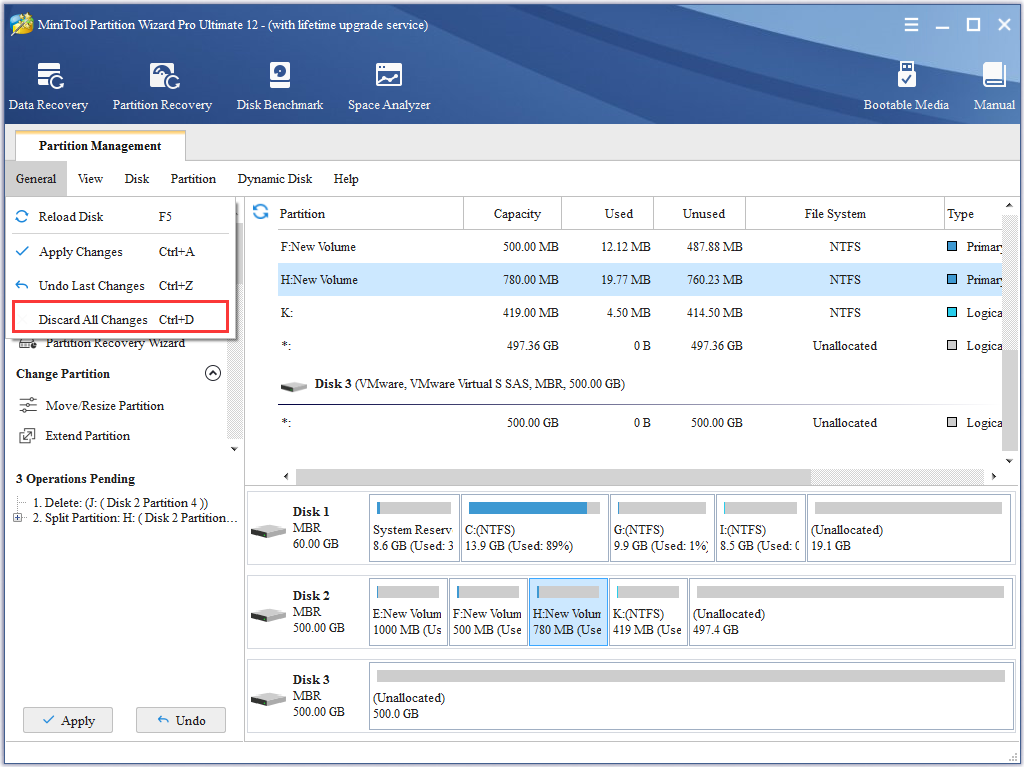
Discard All Changes
- This function will discard all the the operations to the disk partitions. Click the Discard All Changes in the menu General.
Tip: This function can be also be executed by using the shortcut key CTRL+D. if you only want to cancel the last operation, just click the Undo Last Changes in the menu General.
- Whatch how to use Partition Wizard to discard all changes.