
Different from basic disk, dynamic volumes always bring fault tolerance or higher disk utilization. But how to create dynamic volumes? Here MiniTool Partition Wizard tutorial shows users the simple solution.
About Create Volume
With the help of Create Volume feature offered by MiniTool Partition Wizard, users can create dynamic disk volumes including Simple Volume, Spanned Volume, Striped Volume (Raid 0), Mirrored Volume (Raid 1) and Raid-5 Volume.
MiniTool Partition Wizard DemoClick to Download100%Clean & Safe
Different volumes need different preconditions.
- Simple Volume: A simple volume is a dynamic volume that is made up of disk space from a single dynamic disk.
- Spanned Volume: A spanned volume is a dynamic volume consisting of disk space on more than one physical disk. At least two dynamic disks are required in addition to the startup disk to create a spanned volume.
- Striped Volume (Raid 0): A striped volume is a dynamic volume that stores data in stripes on two or more physical disks. Striped volumes offer the best performance of all the volumes that are available in Windows, but they do not provide fault tolerance.
- Mirrored Volume (Raid 1): A mirrored volume provides an identical twin of the selected volume. All data written to the mirrored volume is written to both volumes, which results in disk capacity of only fifty percent.
- Raid-5 Volume: Three hard drives, which can be IDE, SCSI or mixed structure, are entailed. All disks relevant to RAID-5 volume must be dynamic disks and operating system boot files and system files must be stored on another volume.
How to Create Volume
To create dynamic volume, view the MiniTool Partition Wizard tutorial below:
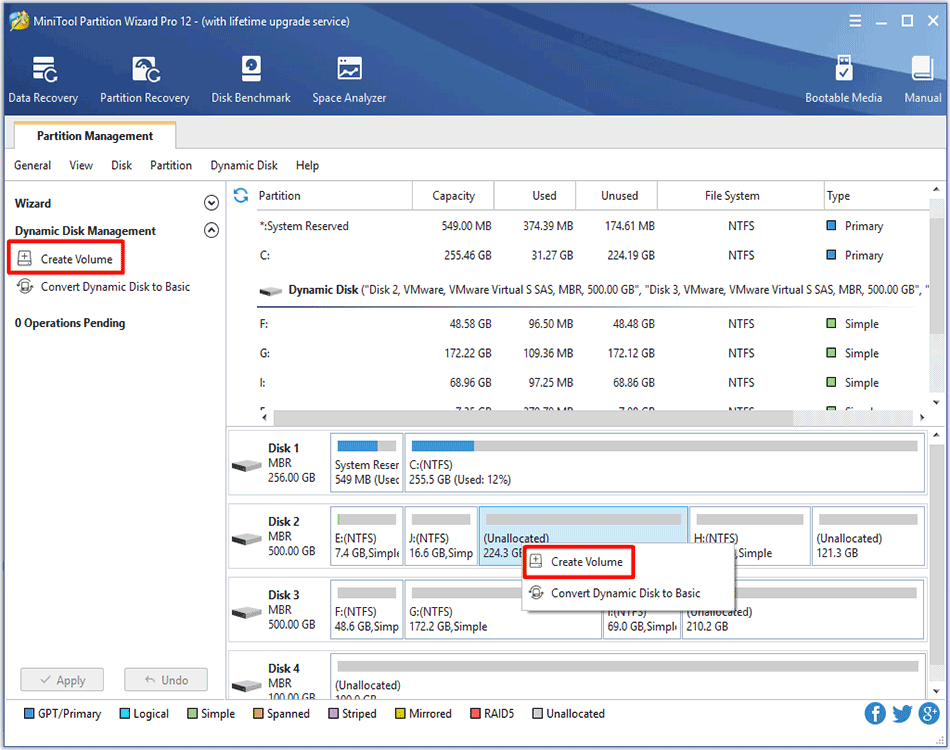
Step 1. Select the segment of free space in dynamic disk and click Create Volume from the left action panel or select Create Volume from right-click menu.
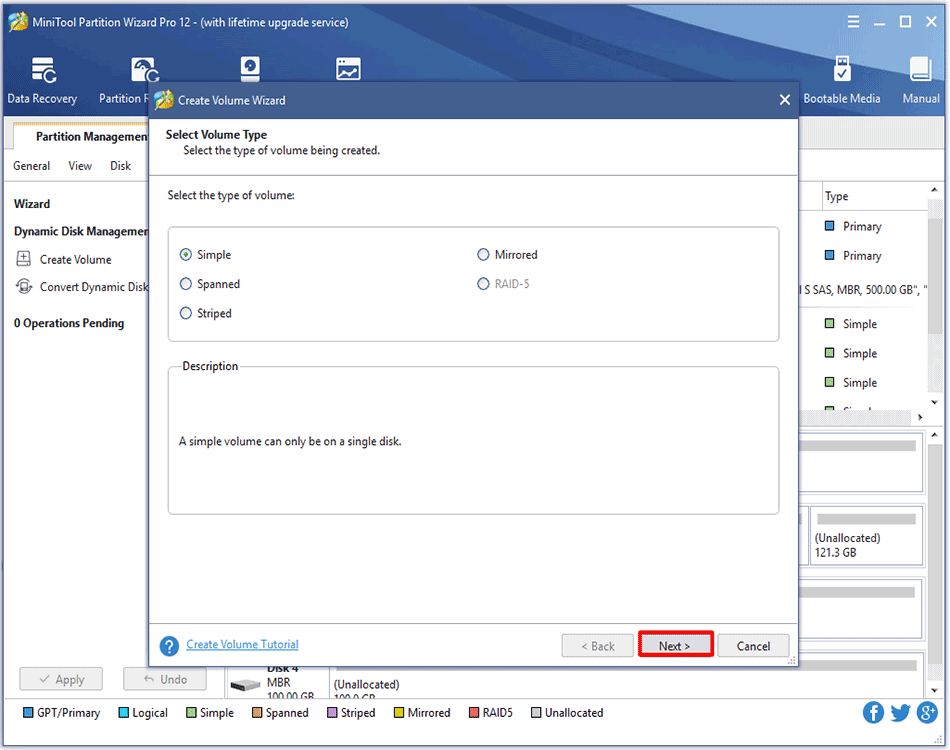
Step 2. Choose the type of volume to be created in the popup window. The powerful partition manager can list out all supported types according to the practical situation (those that do not meet the requirement will turn grey). Select the available one and click Next button to enter the following interface.
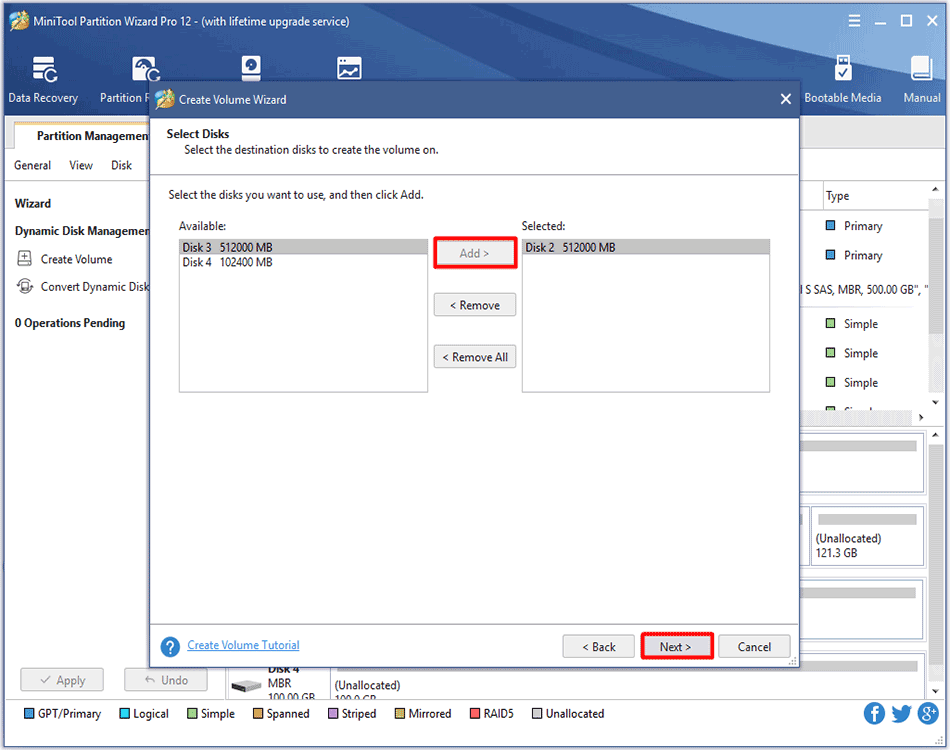
Step 3. Select the destination disk where volume is to be created by only choosing the corresponding disk and then clicking Add option to add this disk to the right box. After that, click Next button to continue:
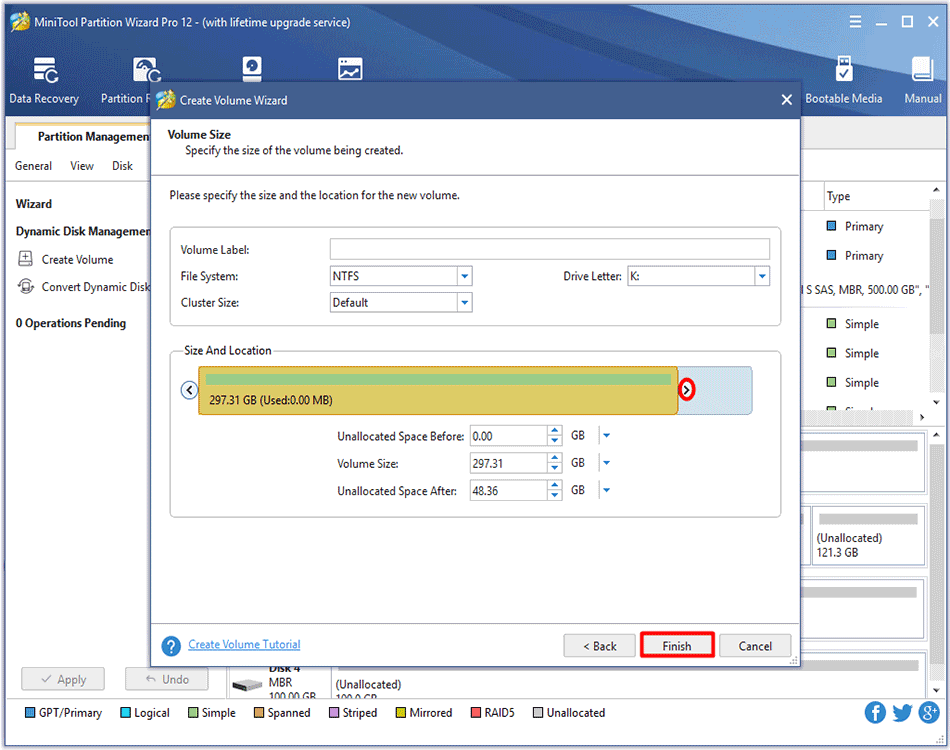
Step 4. Set relevant parameters including Volume Label, File System, Driver Letter, Cluster Size and Volume Size/Volume Location for the newly created volume and then click Finish button to return to the main interface of the software.
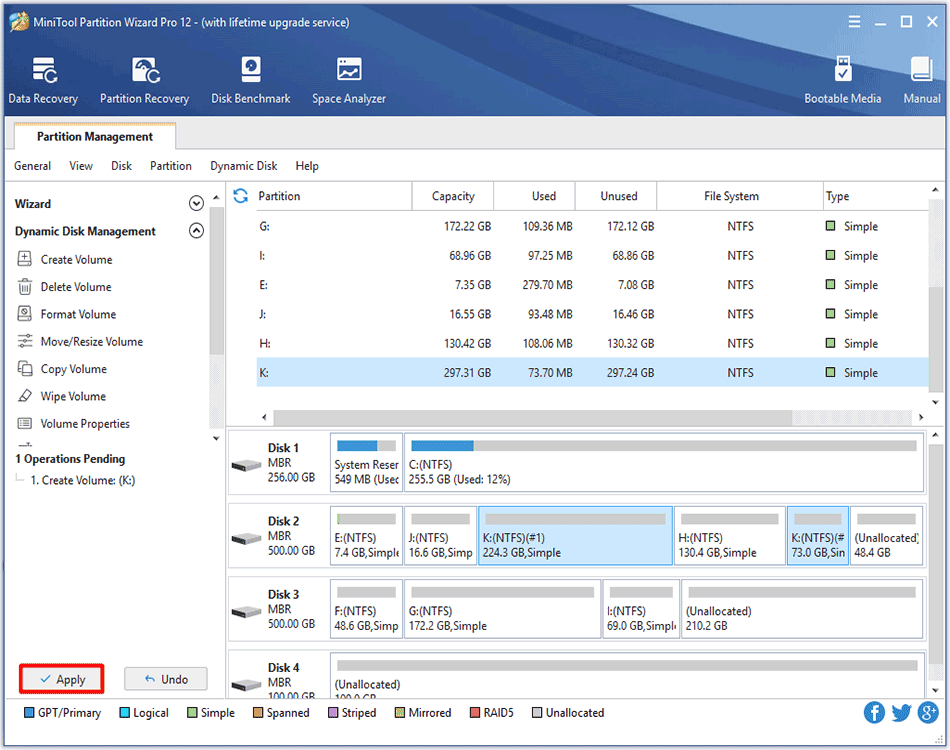
Step 5. Then a new volume appears in the chosen dynamic disk. To validate this operation, please click Apply button in the upper left corner.
About The Author

Position: Columnist
Rodin is an enthusiastic IT writer focusing on Windows trends, disk partition management and data recovery. She loves to write and share her idea about the useful tips and tricks on personal computers' maintenance. If you are looking for methods to improve your computer performance, manage hard drives and recover data from different devices, Rodin can provide reliable solutions for data management.
User Comments :